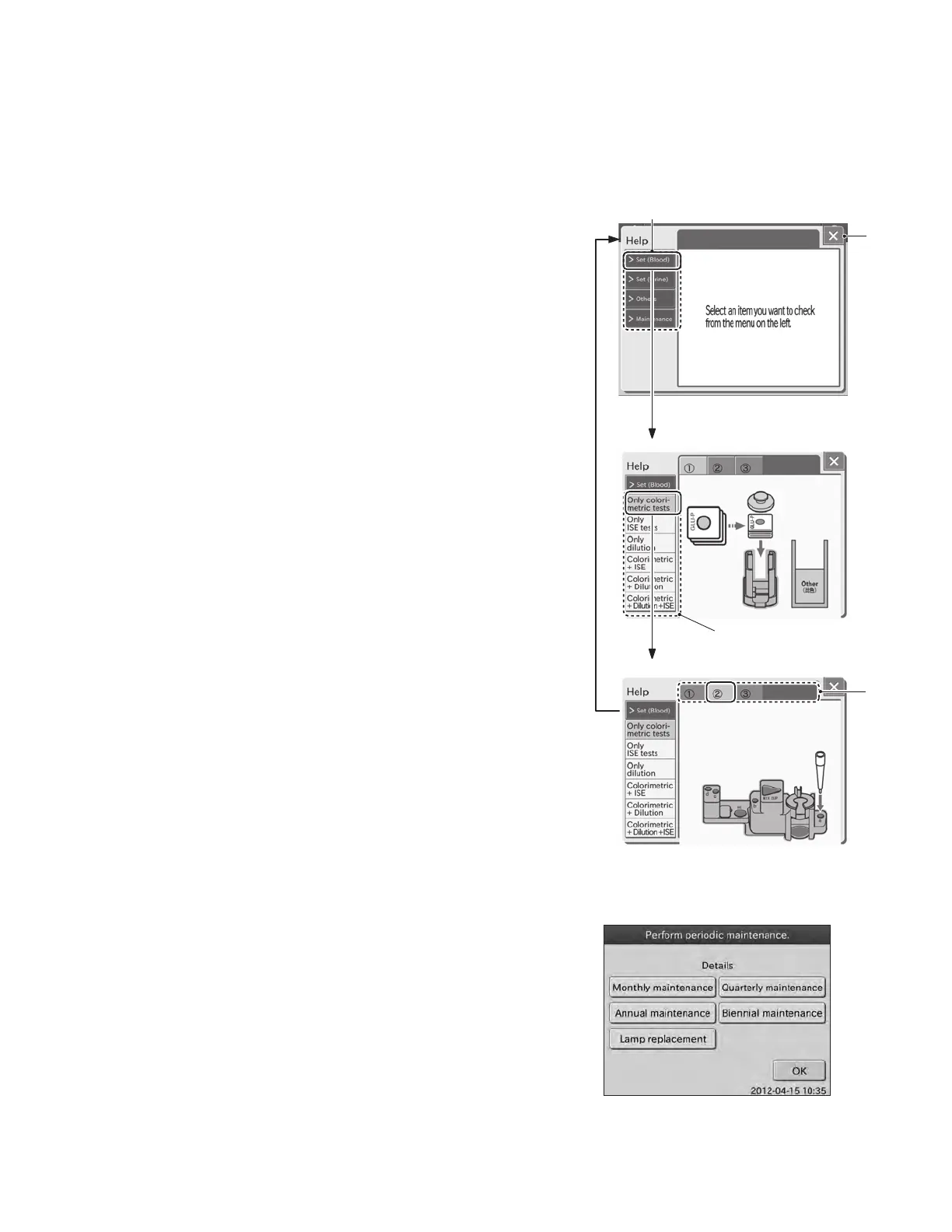
Operation method
1. ITEM button
The ITEM button is used for displaying help items.
2. X button
The X button is used to close the help dialogue.
3. ITEM DETAIL buttons
The ITEM DETAIL buttons are used for displaying details of a
respective help item.
4. STEP buttons
The STEP buttons are used for displaying a respective help
procedure.
NOTE: At the beginning of a month, the [Perform periodic
maintenance] dialogue may be displayed.
By touching the appropriate maintenance button, the help
dialogue is displayed. Perform the periodic maintenance
according to instructions. For further information of the periodic
maintenance, refer to Section 4, Periodic Maintenance.
2.2.5 Help Dialogue
The procedure of [Set (Blood)] or [Maintenance] (periodic maintenance) is displayed.
[Others] provides descriptions of the test result signs.
②
④
①
③
19



 To Next Page