Touch an item listed.
Touch the “confirmation” button
The display moves to the work list test
preparation dialogue.
3.8.2 Usage of the WORK LIST button
If the device is connected to PMS, you can obtain patient IDs
and test requests by touching the WORK LIST button in the test
preparation dialogue before performing tests.
NOTE: PMS is sold separately.
1. Touch the WORK LIST button.
The Element DC receives a work list (a list of patients and
their samples to be tested) from PMS.
The work list index dialogue is displayed.
NOTE: Use the Work list selection setting of MODE FUNCTION to
display the list. (Section 6.9.6)
PMS refers to [Sample No.] as [Sample ID], and to [Sample ID] as
[Patient ID].
Element DC
Element DC
A certain period of time has passed
Touch the panel
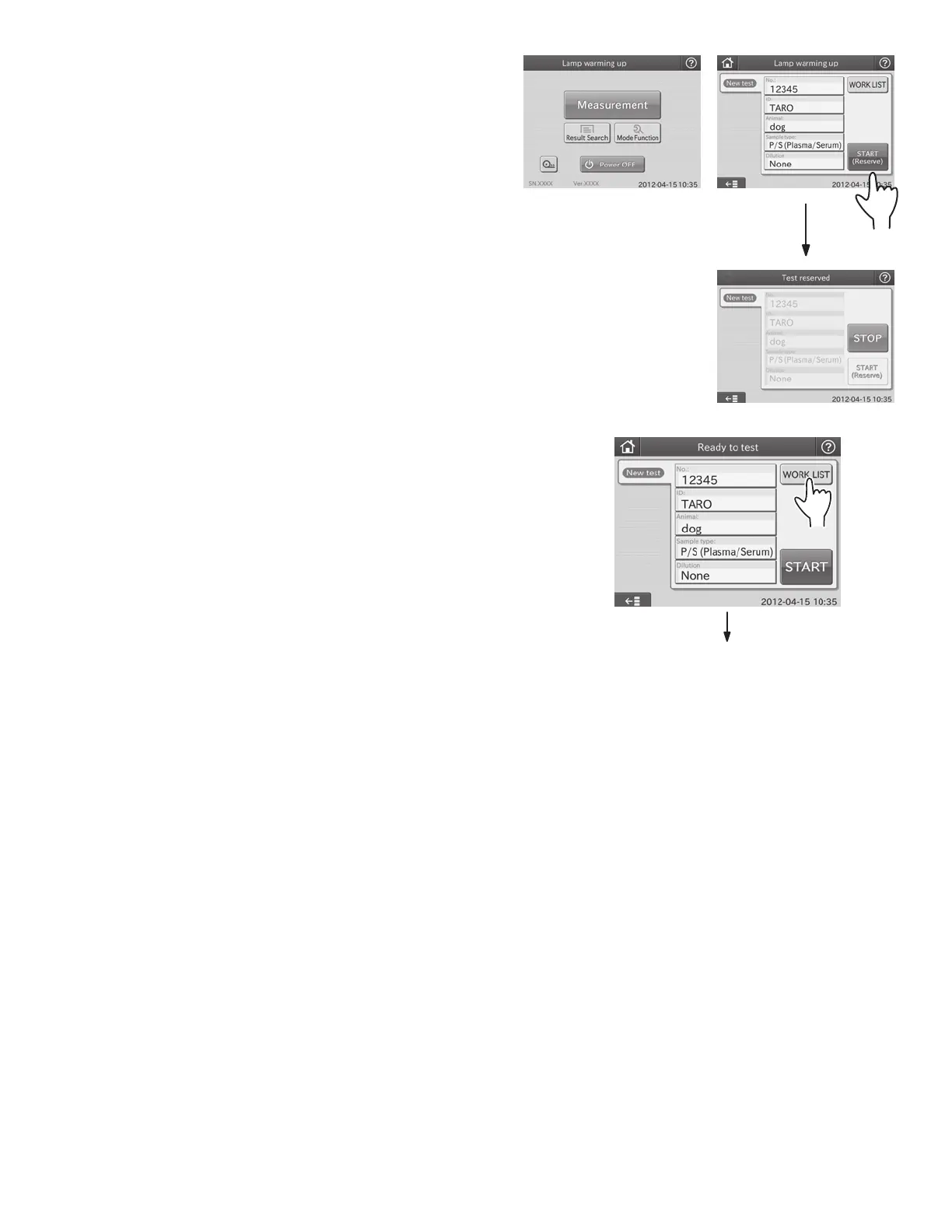
By touching START (Reserve) while the test preparation dialogue
is displayed, the analyzer is set to start tests automatically when
ready. The display indicates [Test Reserved].
NOTE: To cancel the automatic test start, touch the STOP button.
NOTE: When performing tests that require dilution, touch START
(Reserve) to set the automatic test start after setting a dilution
factor in the dilution field.
36



 To Next Page