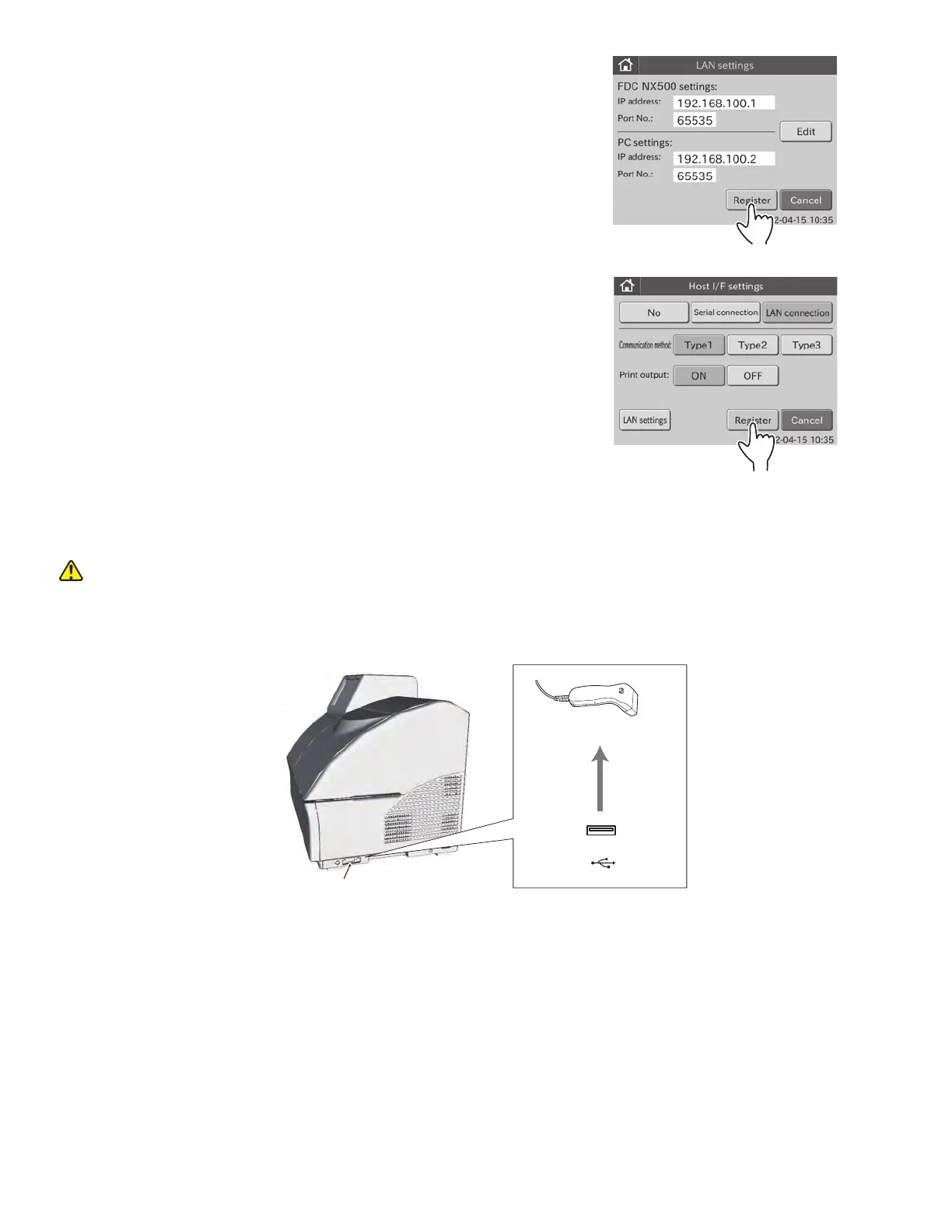
j. Touch REGISTER.
The LAN settings are registered, and then the display
returns to the HOST I/F SETTINGS menu dialogue.
NOTE: To cancel setting, touch CANCEL.
k. Touch REGISTER.
The host I/F setting is set to [LAN connection], and then
the display returns to the BASIC/EXTERNAL I/F SETTING
menu dialogue.
NOTE: To cancel setting, touch CANCEL.
Barcode reader
USB
This USB connector is only for the barcode reader.
6.8.4 Barcode Reader
This mode is used to perform the setting to connect the sample barcode reader to the USB connector.
CAUTION
The sample barcode reader specified for the Element DC can be used. Do not connect a barcode reader other than
one specified for the Element DC. Otherwise, physical damage or danger of fire may result.
1. Touch BASIC/EXTERNAL I/F SETTINGS in the ADMINISTRATOR MODE FUNCTION menu dialogue.
The basic/external I/F setting menu dialogue is displayed.
NOTE: For information about how to display the ADMINISTRATOR MODE FUNCTION menu dialogue, refer to Section 6.1.2.
92



 To Next Page