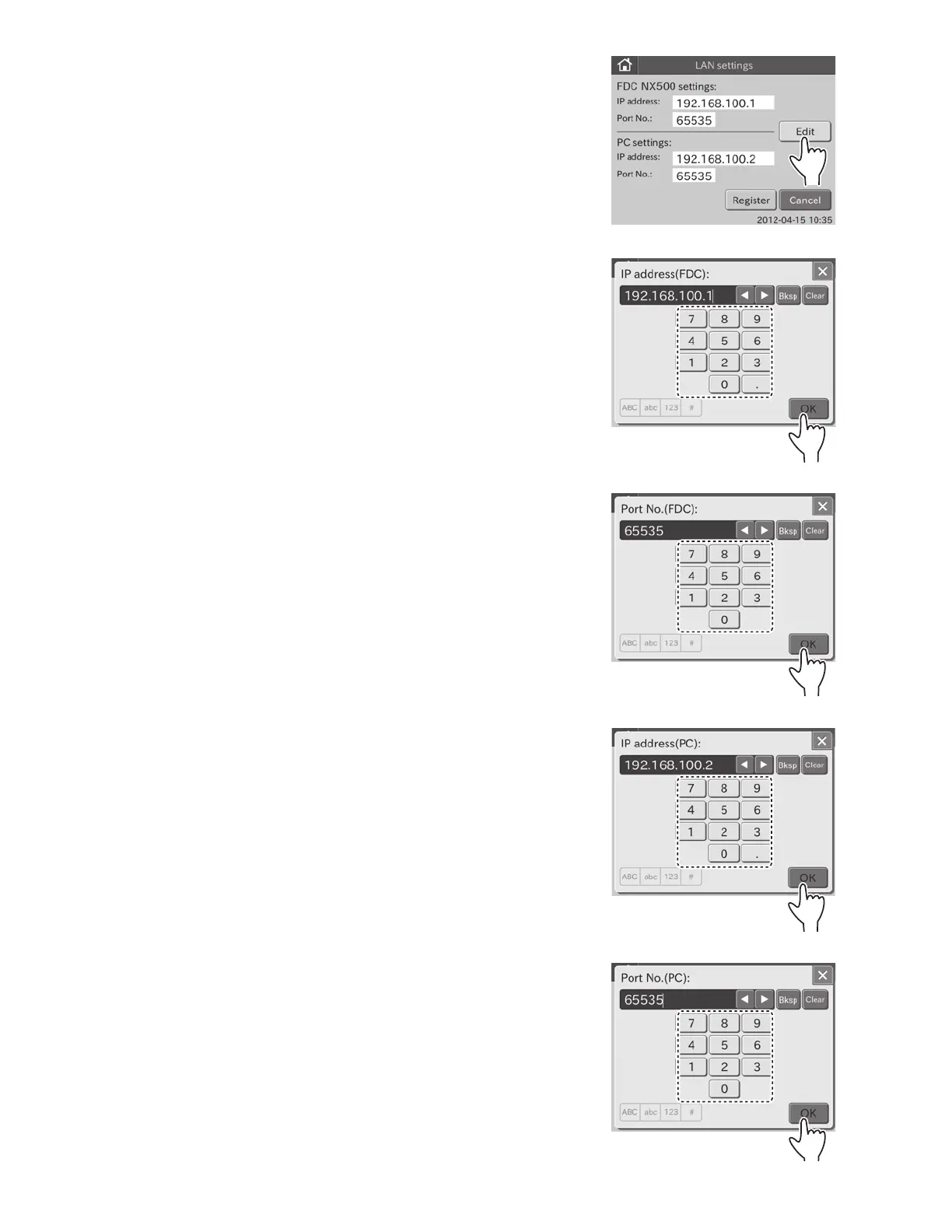
e. Touch EDIT.
The screen keyboard to enter the IP address (Element DC)
appears.
For information about input method of the screen
keyboard dialogue, refer to Section 2.3.
NOTE: To cancel EDIT and return to the LAN settings dialogue,
touch X.
f. Enter the IP address (Element DC), and then touch OK.
The screen keyboard to enter the Port No. (Element DC) is
displayed.
g. Enter Port No. (FDC), and then touch OK.
The screen keyboard to enter the IP address (PC) is
displayed.
h. Enter the IP address (PC), and then touch OK.
The screen keyboard to enter the Port No. (PC) is
displayed.
i. Enter the Port No. (PC), and then touch OK.
The display returns to the LAN settings dialogue.
91



 To Next Page