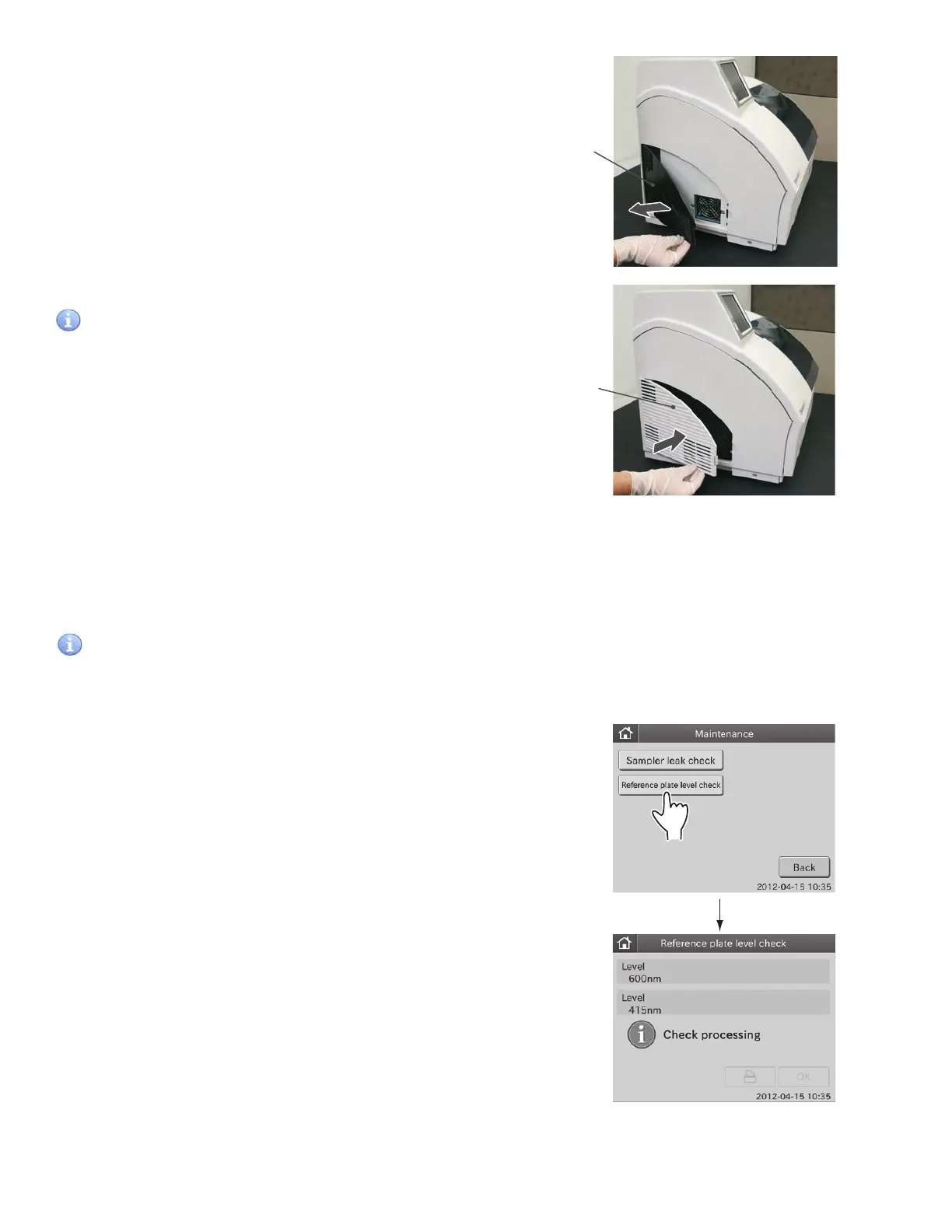
3. Remove dust adhering to the filter with a vacuum cleaner or
running water.
If washing the filter with running water, make sure it is dried
well before putting it back.
4. Set the filter in the louver and close cover.
IMPORTANT
If the analyzer is used without setting the filter, adverse effects
on test results may occur.
4.3 Cleaning the Incubator, Spotting Part, and ISE Unit
Test results are affected by stains (e.g., blood sample) inside of the incubator and ISE unit. These parts should be checked
and cleaned at least once every three months.
When a slide transfer error or a tip ejecting error occurs, clean the spotting part.
IMPORTANT
If the incubator, spotting part and ISE unit are dirty with specimens such as blood, adverse effects on test results may
occur.
Check result:
[1(0%) OK]
Check result:
[2(50%) OK]
Check result:
[3(80%) NG]
1. Execute the Reference plate level check.
a. Touch MAINTENANCE in the MODE FUNCTION menu
dialogue. The MAINTENANCE menu dialogue is displayed.
b. Touch REFERENCE PLATE LEVEL CHECK in the
MAINTENANCE menu dialogue to execute the check.
After the check is complete, the check result dialogue is
displayed.
49



 To Next Page