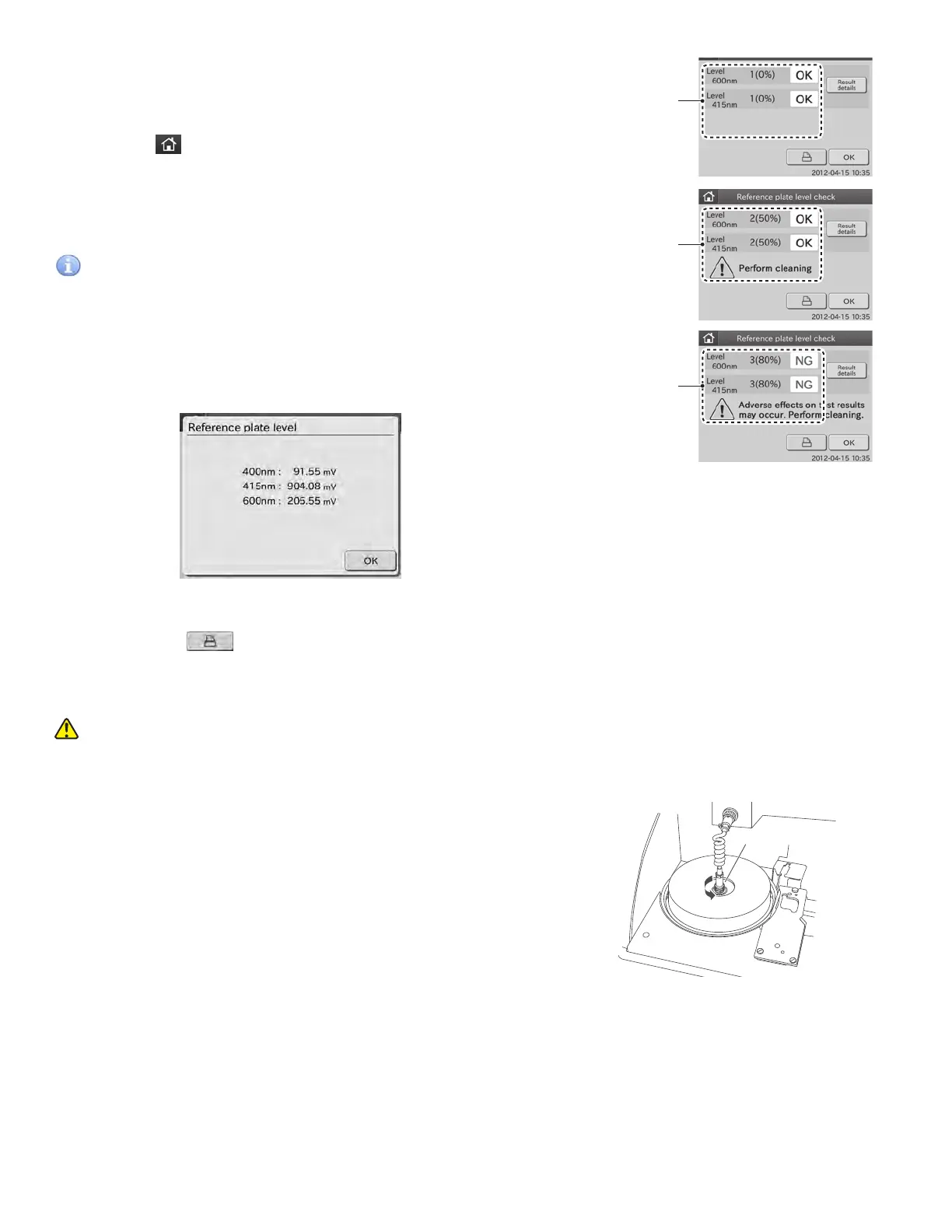
Check result:
[1(0%) OK]
Check result:
[2(50%) OK]
Check result:
[3(80%) NG]
2. Confirm the results displayed in the Reference plate level
check dialogue.
a. If the result is [1 (0%) OK], cleaning is not needed.
Touch to return to the TOP dialogue.
b. If the result is [2(50%) OK] or [3(80%) NG], cleaning is
needed.
Touch OK to return to the maintenance menu dialogue.
IMPORTANT
Perform cleaning according to the procedures starting with
step 3 below.
NOTE: When touching Result details, the check result details
dialogue is displayed.
By touching OK, the check result details dialogue disappears.
NOTE: By touching
, the check results are printed out.
3. Cleaning the Incubator.
WARNING
Before cleaning the following parts, always be sure to turn the
power switch off and unplug the AC power cable.
a. Unplug the connector of the incubator cable by turning
it counterclockwise.
Connector
50



 To Next Page