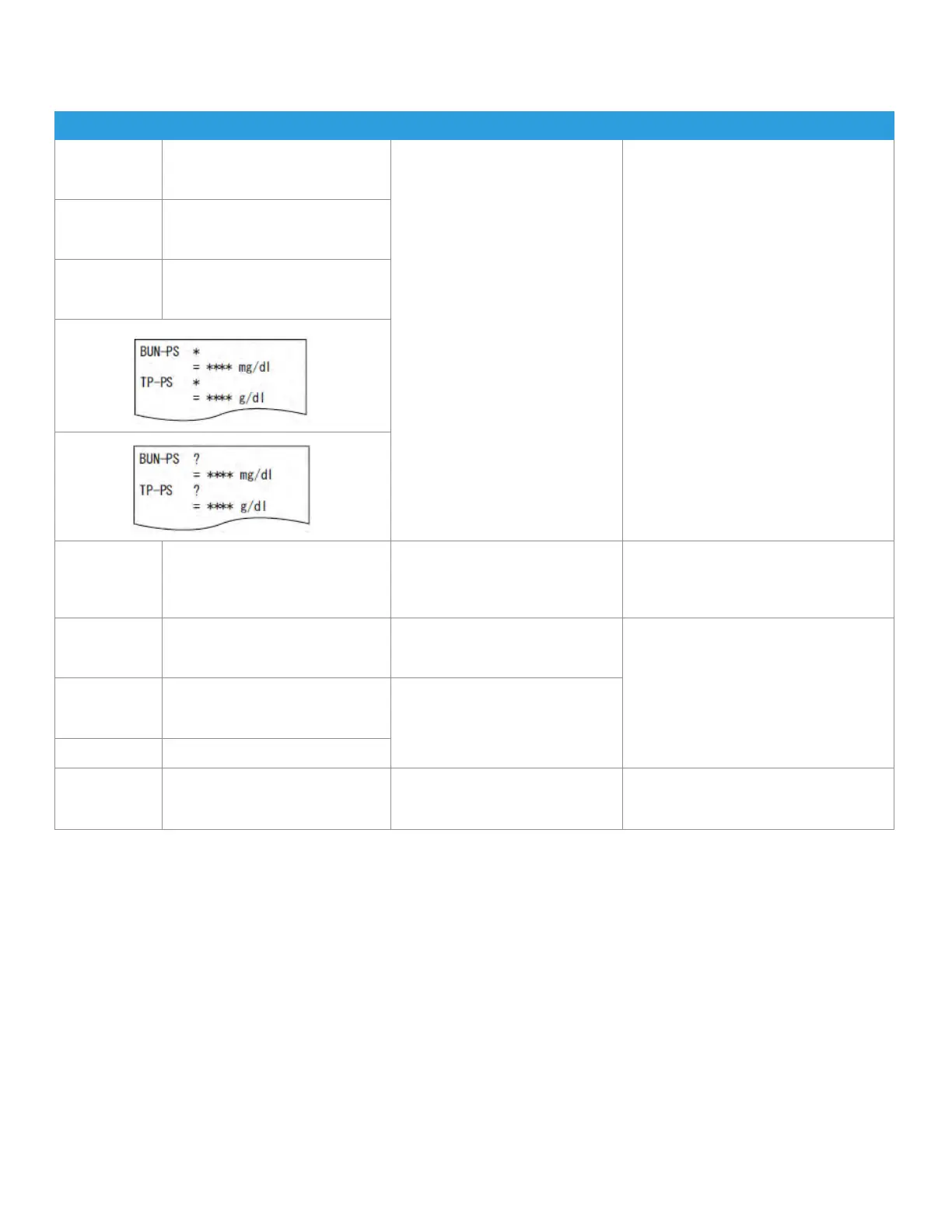
5.2.5 Photometer Errors
When errors related to the photometer have occurred, perform the following and rerun the tests.
Error Code Error Message Error Status Solution
E036 Soiled black plate
Reference black plate soiled.
Clean the black plate.
The light source lamp unit, the
reference plates, or the photometer
may be dirty, or the lamp or
the interference filter may have
deteriorated.
When the disposal box is open
during testing, the "E021" will occur
and the "*" mark will appear on
the test results. Always close the
disposal box during testing.
Turn the power switch off, and perform
cleaning as follows:
1. Lens cleaning (in the lamp unit) ==>
(Refer to Section 4.6) Reference plate
cleaning ==> (Refer to Section 4.3)
2. Photometer cleaning ==> (Refer to
Section 4.3)
After the cleaning, turn the power switch
on. If the error still occurs, replace the light
source lamp. (Refer to Section 4.6)
If the error still occurs, please contact
Heska's Technical Support Services for
assistance.
W030 Lamp replacement WARNING
Low light intensity.
Clean photometer.
W070 Filter degradation WARNING
Filter degradation detected. Clean
the photometer.
[*]
[?]
E050 Lamp replacement ERR
Low light intensity.
Replace the lamp.
The light source lamp is burned out. Turn the power switch off, and replace the
light source lamp. After the replacement,
turn the power switch on. (Refer to Section
4.6)
E510 Faulty A/D controller The circuit board has malfunction
(abnormal reference white plate
reading).
Turn the power switch off and on. If the
error still occurs, please contact Heska's
Technical Support Services for assistance.
E0900
E0901
E0903
Filter motor ERR Interference motor drive error has
occurred.
E0902 Filter motor operation ERR
E5510 Slide slip ERR The slide is off position during
measurement.
Please contact Heska's Technical Support
Services for inspection of the incubator
pressure plates.
68



 To Next Page