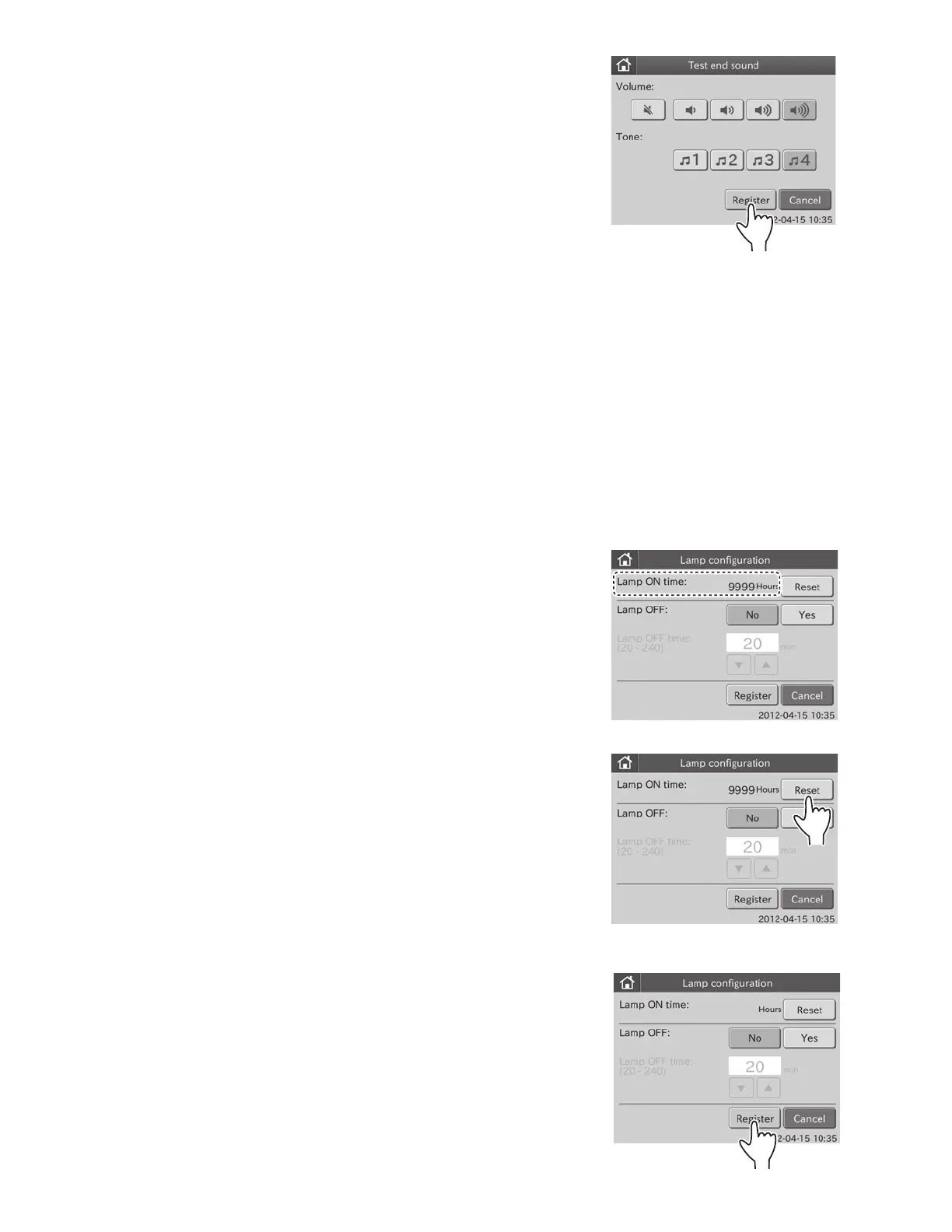
5. Touch REGISTER.
The set test end sound is registered, and then the display returns to
the MODE FUNCTION menu dialogue.
NOTE: To cancel setting, touch CANCEL.
6.6 Lamp Configuration <Normal>
This mode is used to display and reset the cumulative illumination time of the lamp currently installed in the analyzer.
The illumination time will be counted up to 9,999 hours without reset.
When replacing the light source lamp, reset the cumulative illumination time using this mode.
This mode is used to select whether to turn off the light source lamp or not, if the analyzer has not been used for
20 minutes in the state of [Ready to Test] on the display.
The default setting turns the lamp off after 20 minutes.
NOTE: The average life of the lamp is about 1,000 hours if the lamp is continuously lit. If the power is continuously
switched on for 24 hours in the “Lamp on” selection, the lamp will be used up in about 40 days.
1. Touch LAMP CONFIGURATION in the MODE FUNCTION
menu dialogue.
The LAMP CONFIGURATION is displayed.
Display and reset of lamp’s cumulative illumination time: 2
To leave lamp ON: 3
To turn the lamp OFF: 4
2. Display and reset of lamp’s cumulative illumination time.
a. Check lamp’s cumulative illumination time (Lamp On
time) shown in the lamp configuration dialogue.
NOTE: The illumination time will be counted up to 9,999 hours.
If the time exceeds the maximum, the time is counted up from 0
hour.
b. Touch RESET.
Lamp’s cumulative illumination time is reset to 0 hours.
c. Touch REGISTER.
The resetting of cumulative illumination time is registered,
and then the display returns to the MODE FUNCTION
menu dialogue.
NOTE: To cancel setting, touch CANCEL.
0
80



 To Next Page