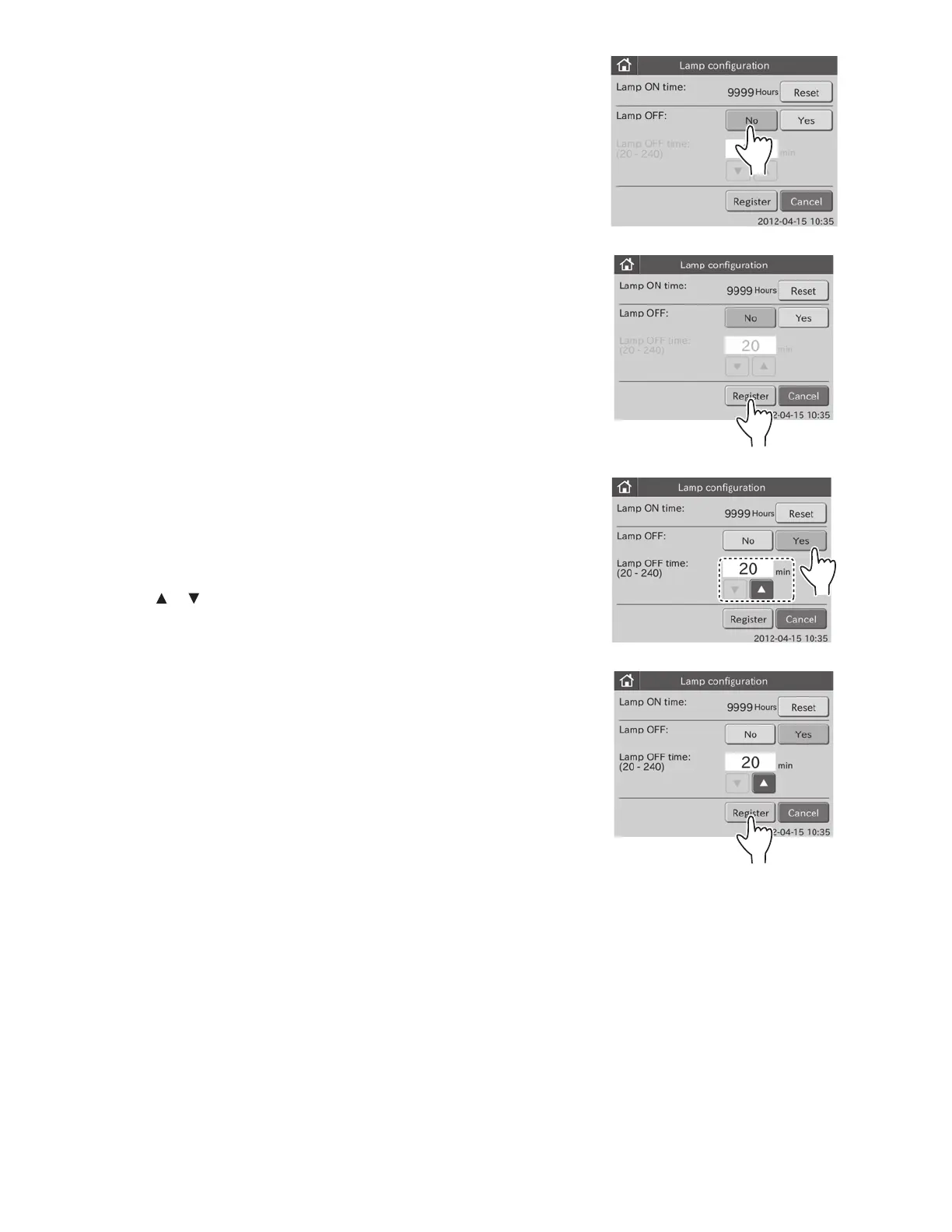
3. To leave the lamp ON
a. Touch NO in the [Lamp OFF:].
The [Lamp OFF Time:] field is grayed out and becomes
invalid.
b. Touch REGISTER.
The [Lamp OFF:] is set to “No”, and then the display returns
to the MODE FUNCTION menu dialogue.
NOTE: To cancel setting, touch CANCEL.
4. To turn the lamp OFF
a. Touch YES in the [Lamp OFF:].
The [Lamp OFF Time:] field becomes valid.
NOTE: To cancel setting, touch CANCEL.
b. Touch or in the [Lamp OFF Time:] to set the time.
NOTE: The time can be set within the range of 20 to 240 minutes
in units of 10 minutes.
c. Touch REGISTER.
The lamp OFF is set to “Yes”, and then the display returns
to the MODE FUNCTION menu dialogue.
NOTE: To cancel setting, touch CANCEL.
81



 To Next Page