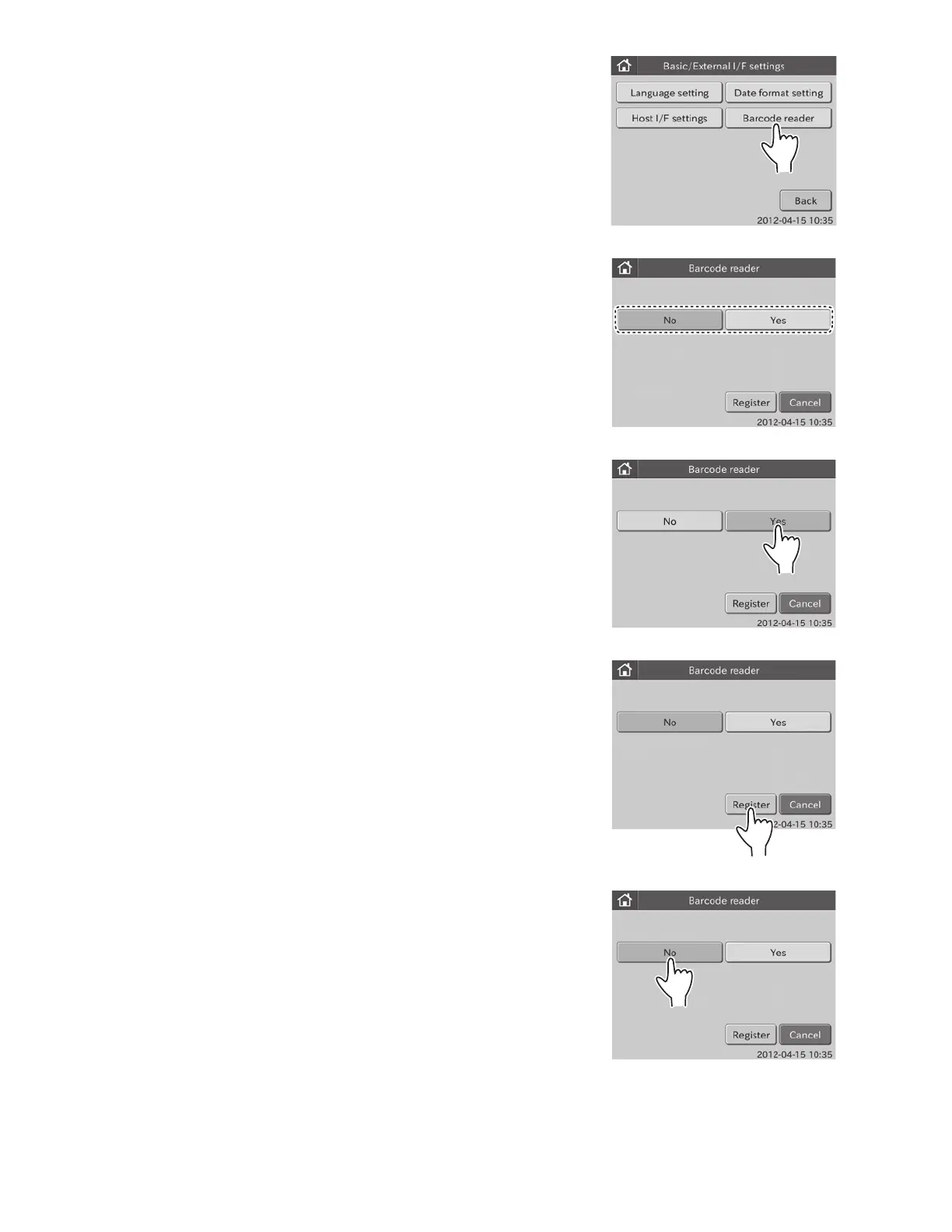
2. Touch BARCODE READER in the menu dialogue.
The BARCODE READER SETTING menu dialogue is displayed.
To use the barcode reader: 3
To not use the barcode reader: 4
3. To use the barcode reader
a. Touch YES.
b. Touch REGISTER.
The barcode reader setting is set to [Yes], and then the
display returns to the BASIC/EXTERNAL I/F SETTING
menu dialogue.
NOTE: To cancel setting, touch CANCEL.
4. To not use the barcode reader
a. Touch NO.
93



 To Next Page