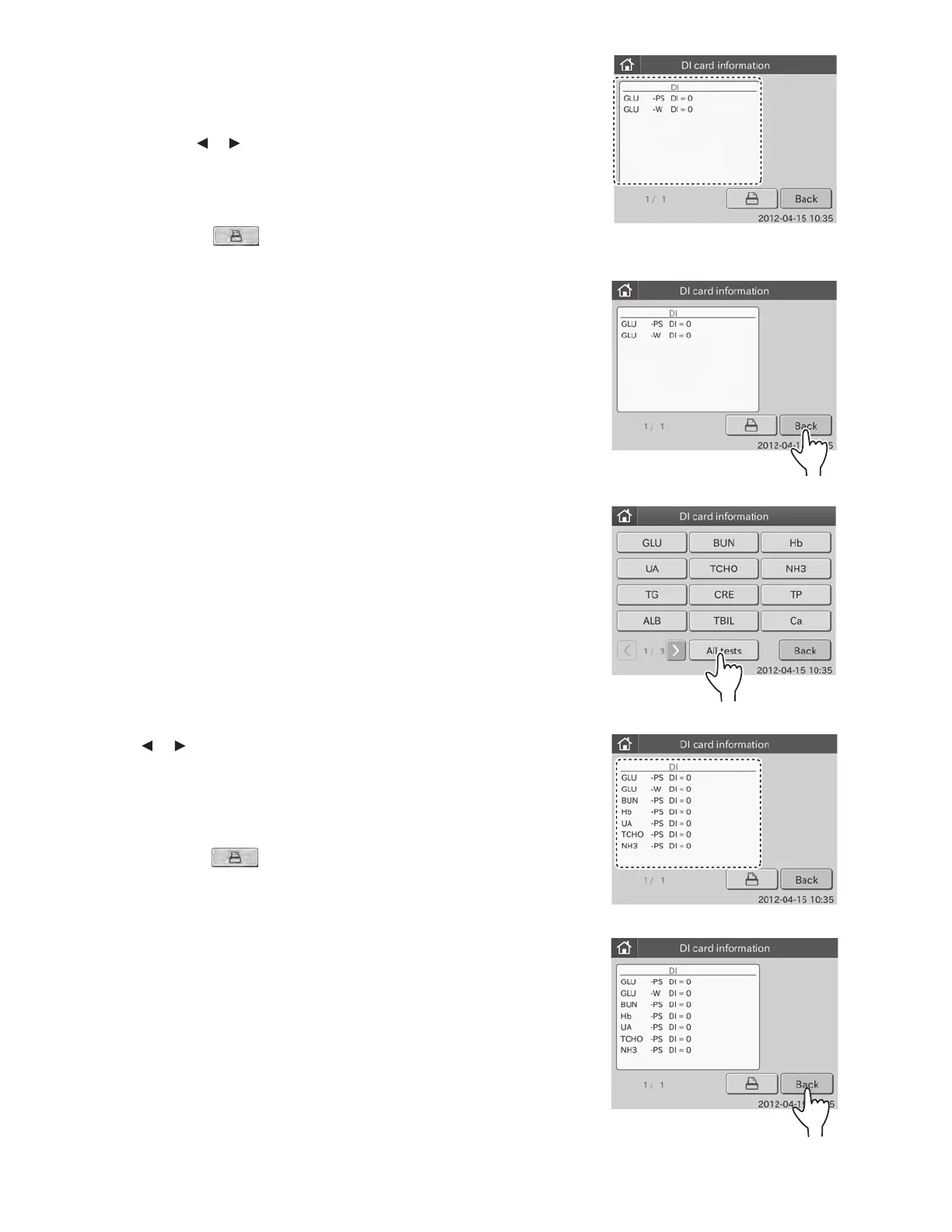
3. Display information on the selected test.
a. Touch desired test name.
The DI card information item dialogue is displayed.
By touching or , you can see all test information.
NOTE: Test name, sample type and DI value are displayed.
NOTE: Sample types are displayed in order of: [P/S] and [W].
NOTE: When touching
, all lot information presently
registered are printed out.
b. Touch BACK.
The display returns to the DI CARD INFORMATION menu
dialogue.
4. Display information on all tests
a. Touch ALL TESTS.
All tests are displayed in the dialogue.
By touching or , you can see all tests.
NOTE: Test name, sample type and DI value are displayed.
NOTE: Test names are displayed in ascending order of test code.
Sample types are displayed in order of: [P/S] and[W].
NOTE: When touching
, all lot information presently
registered are printed out.
b. Touch BACK.
The display returns to the DI CARD INFORMATION menu
dialogue.
85



 To Next Page