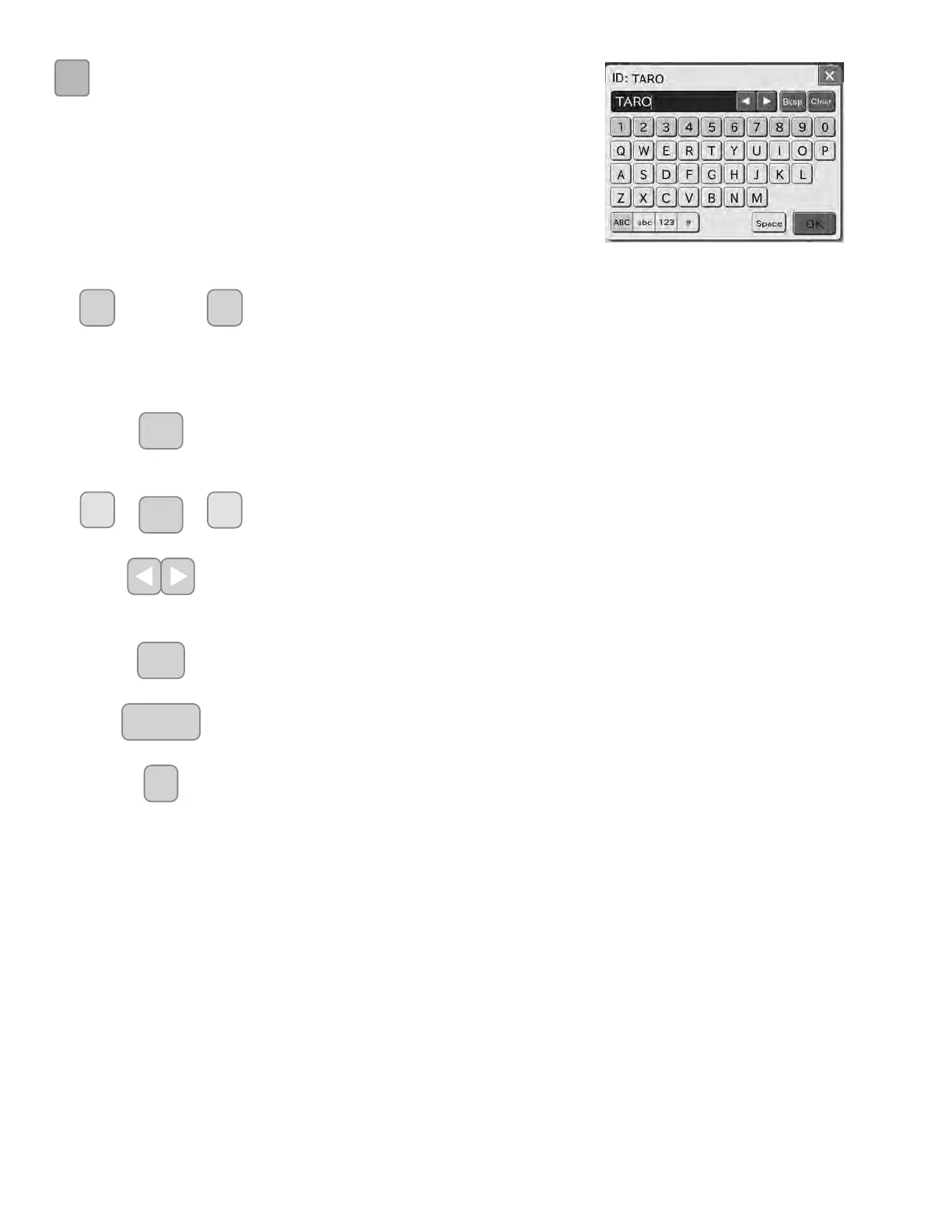
ABC
<If the abc button is selected>
Lower case letters and numbers can be input.
~
NUMERIC buttons
The numeric buttons are used for inputting numeric characters.
ALPHABETICAL (Lower case letters) buttons
The ALPHABETICAL buttons are used for inputting alphabet in lower case letters.
%NVS
BKSP (Backspace) button
The BKSP (Backspace) button is used for deleting the character on the left side of the
cursor.
&OHDU
CLEAR button
The CLEAR button is used for deleting all input data.
CURSOR MOVE buttons
The CURSOR MOVE buttons are used for moving the cursor character-by-character to right
or left each time the either button is pressed.
6SDFH
SPACE button
The SPACE button is used for inputting space for one character.
2.
OK button
The OK button is used for confirming input data.
ᶣ
X button
The X button is used for deleting all input data and exit the screen keyboard dialogue.
D
]
~
22



 To Next Page