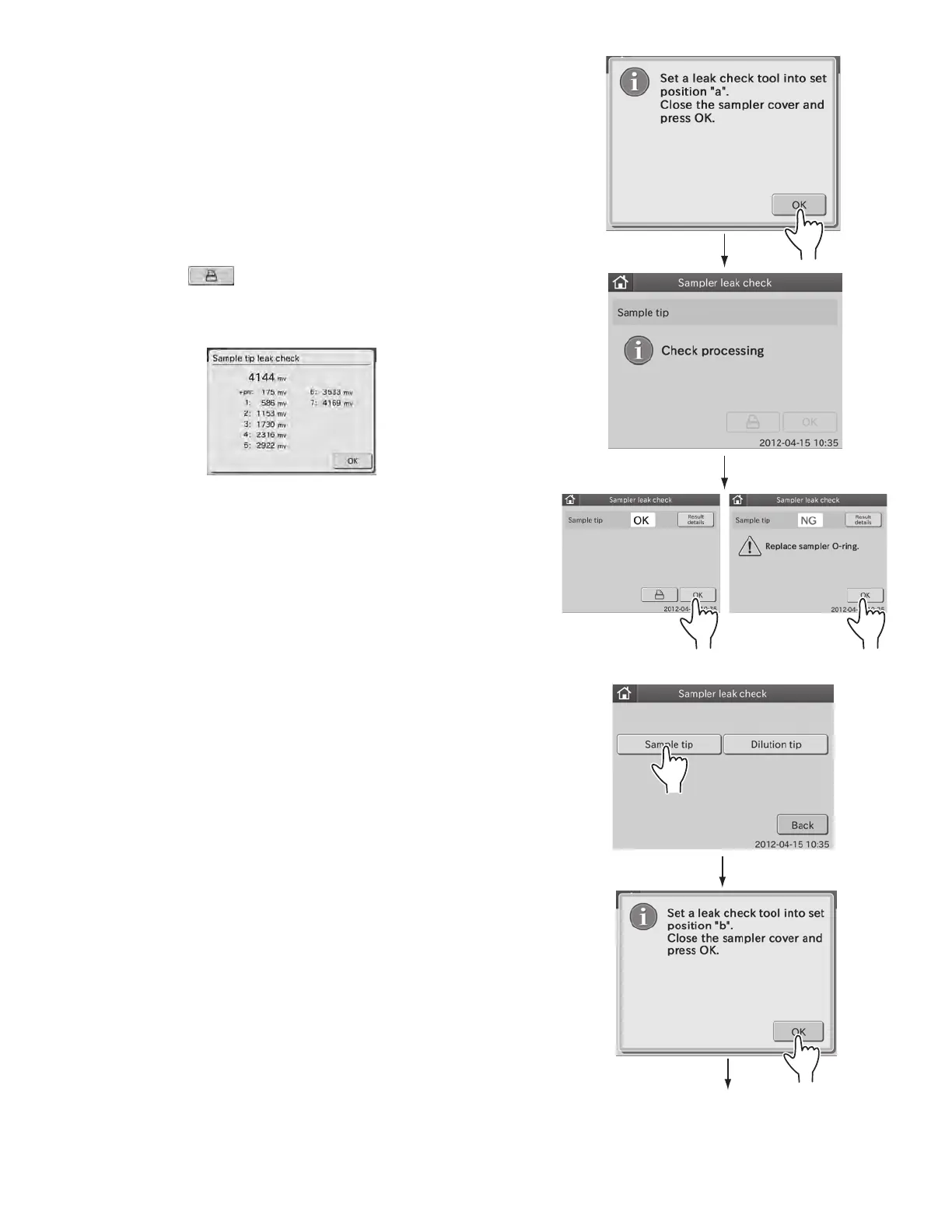
e. Touch OK.
The sampler leak check is executed, and the leak check
proceeding dialogue is displayed.
After the leak check is complete, the leak check result
dialogue is displayed.
NOTE: By touching
, the check results are printed out.
NOTE: When touching RESULT DETAILS, the check result details
dialogue is displayed.
By touching OK, the check result details dialogue disappears.
f. Remove the leak check tool from the nozzle by hand.
Open the sampler cover and remove the leak check tool
from the nozzle by hand.
NOTE: Touch OK to return to sampler leak check dialogue.
3. Perform leak check for the dilution tip.
a. Touch DILUTION TIP.
The dialogue that prompts the setting of a leak check
tool appears.
b. Put the sampler leak check tool into hole “b” on the
sample rack.
c. Close the sampler cover.
d. Lock the sampler cover with the key.
e. Touch OK.
The sampler leak check is executed, and the leak check
proceeding dialogue is displayed.
59



 To Next Page