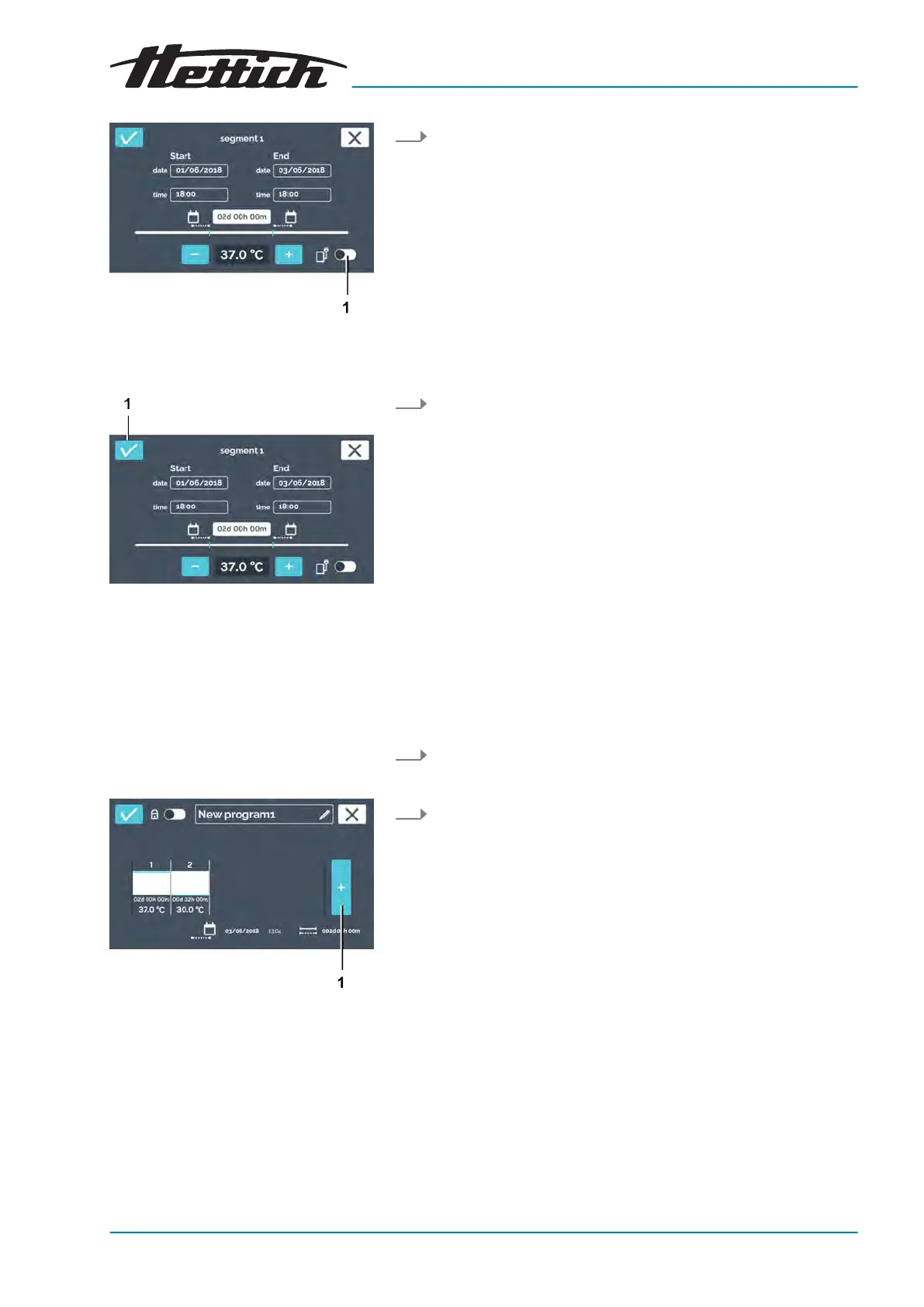
Fig. 110: Activating the control contact
1
[Activate/deactivate control con-
tact]
button
Fig. 111: ‘Program segment settings
Conrmation’
1
[Conrmation]
button
Creating a program segment
Fig. 112: Adding a program segment
1
[New program segment]
button
Saving a program
10. If an additional device is to be switched on in the interior or the
ventilation opening is to be opened during the pr
ogram seg-
ment, you can activate the control contact for it here.
11. Conrm the settings of the program segment by tapping on the
[Conrmation]
button.
To create a program segment, proceed as follows:
1. Tap on the
[New program segment]
button.
A new pr
econgured program segment is created.
2. Edit the program segment to adapt the settings
‘Editing a
program segment’ on page 71
.
To save a program, proceed as follows:













 To Next Page