Conguration procedure
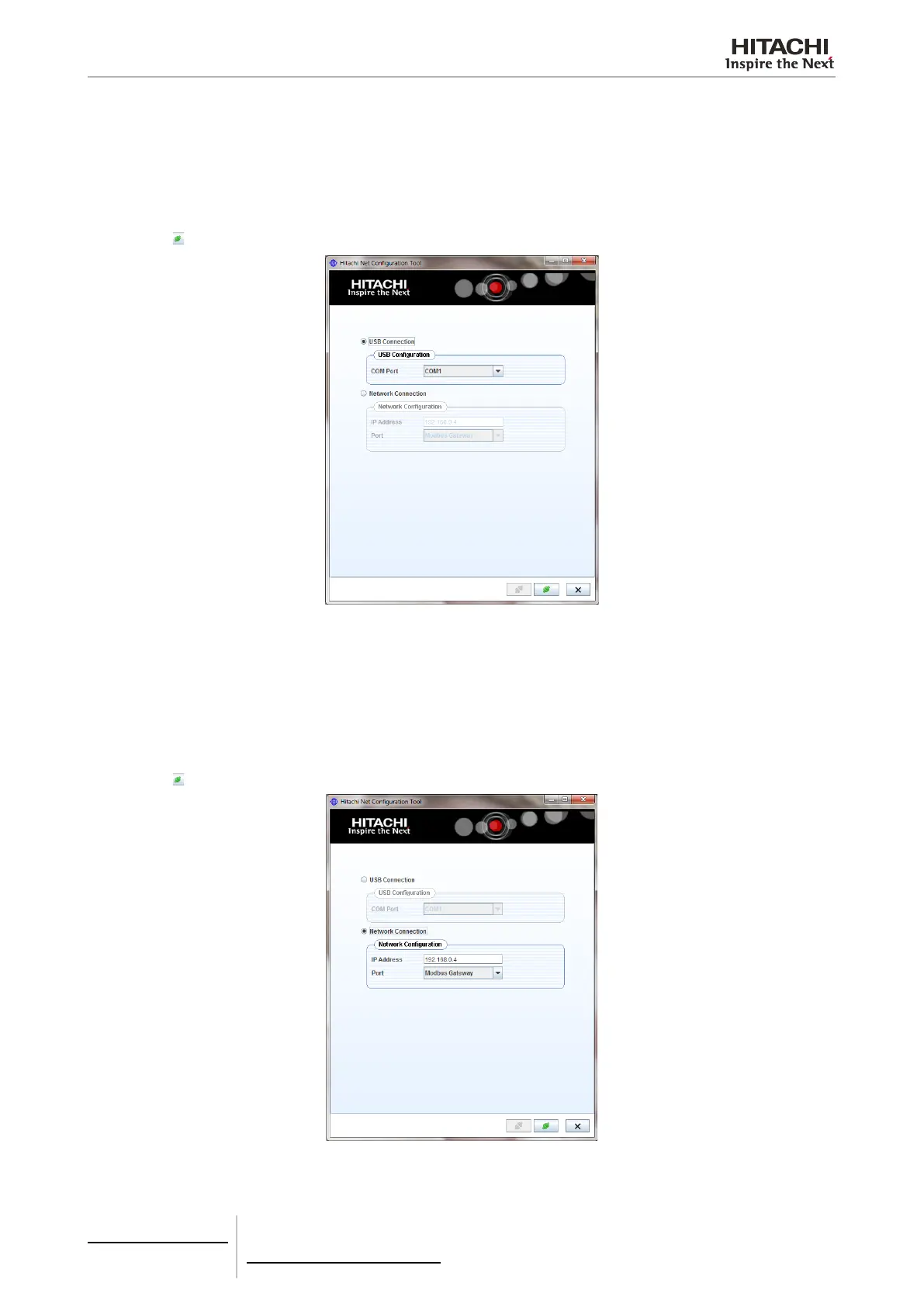
Conguration through USB port
This method is required when the device IP is unknown.
1 Connect the network device to a computer by a USB cable (eld supplied or available with the Net Conguration Kit).
2 Select the communication port of the computer.
3 Press the
button at screen
Conguration through Ethernet port
1 Connect the Network device to a computer by a ethernet cable (eld supplied, or factory supplied with CSNET Manager
or available with the Net Conguration Kit).
2 Input the following parameters:
• IP Address: 192.168.0.4
• Port: Modbus Gateway / HC-A64NET
3 Press the
button at screen
7 Gateways for building management systems
HC-A(8/64)MB
TCGB0106 rev.0 - 12/2014
630630


 To Next Page
 Loading...