8 Micromate Operator Manual – 721U0201 Revision 6
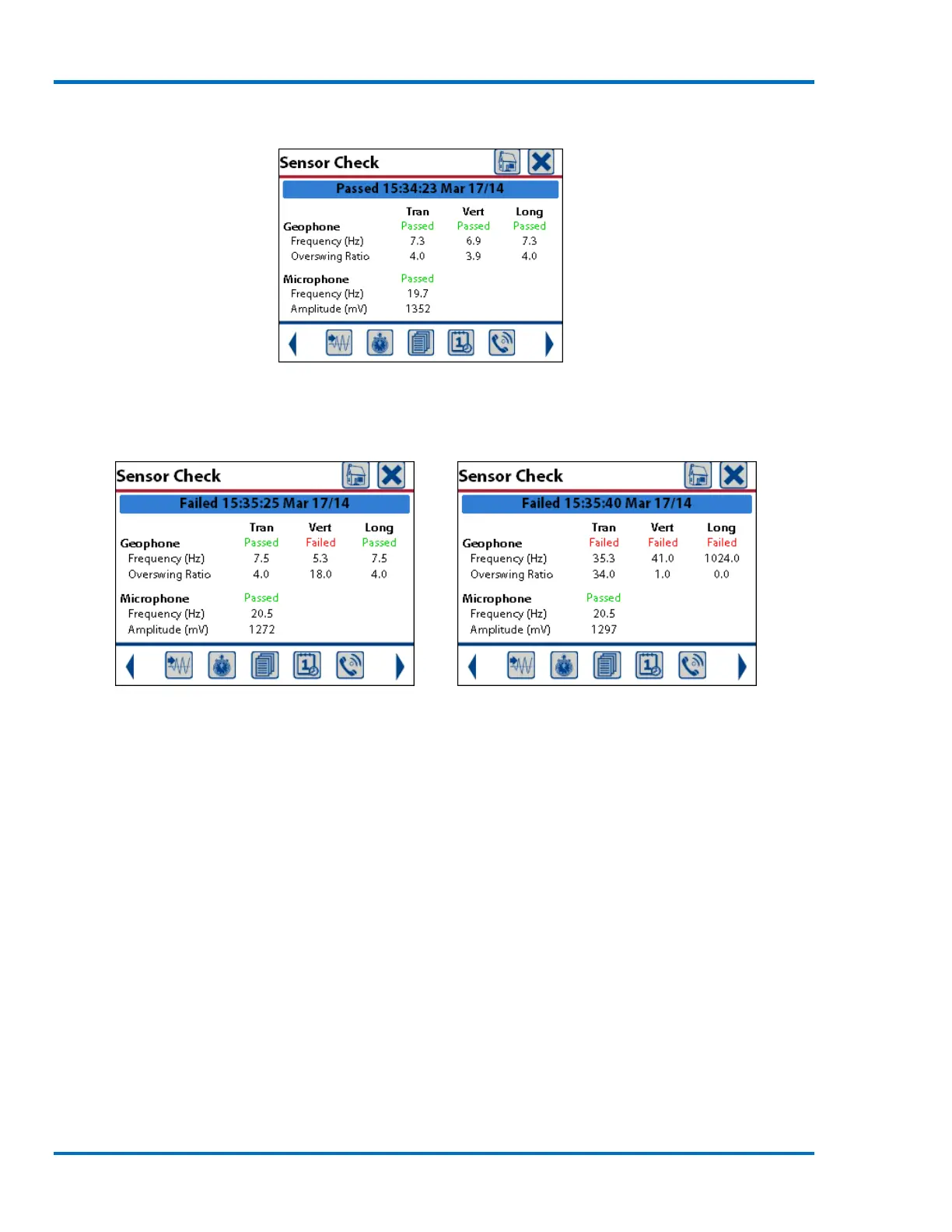
Sensor Check - All Sensors Passing
If the geophone sensor check fails, a failure message will appear in one or more of the Transverse,
Vertical, or Longitudinal channels.
Sensor Check – Failing Vert Sensor Sensor Check – All Geophones Failing
The most common reasons for a failed geophone sensor check are due to an improper leveling or
connection. See Step #1 above. The geophone sensor check may also fail due to a damaged cable.
Check the cable to ensure there are no cuts, crimps or any other damage. If damage exists, the
cable requires replacement. Contact your dealer.
If the transverse geophone channel fails: The geophone is likely out of level from side to side.
If the vertical geophone channel fails: The geophone is likely tilted from side to side, from front to
back, is upside down or some combination of these.
If the longitudinal geophone channels fails: The geophone is likely out of level from front to back.
In all of the above cases, ensure that the geophone is properly installed and is level.
NOTE: A failed sensor check condition should be corrected prior to initiation of monitoring.
Monitoring in a failed sensor check state could result in inaccurate data being recorded on the
failed channel.



 To Next Page