Micromate Operator Manual – 721U0201 Revision 6 9
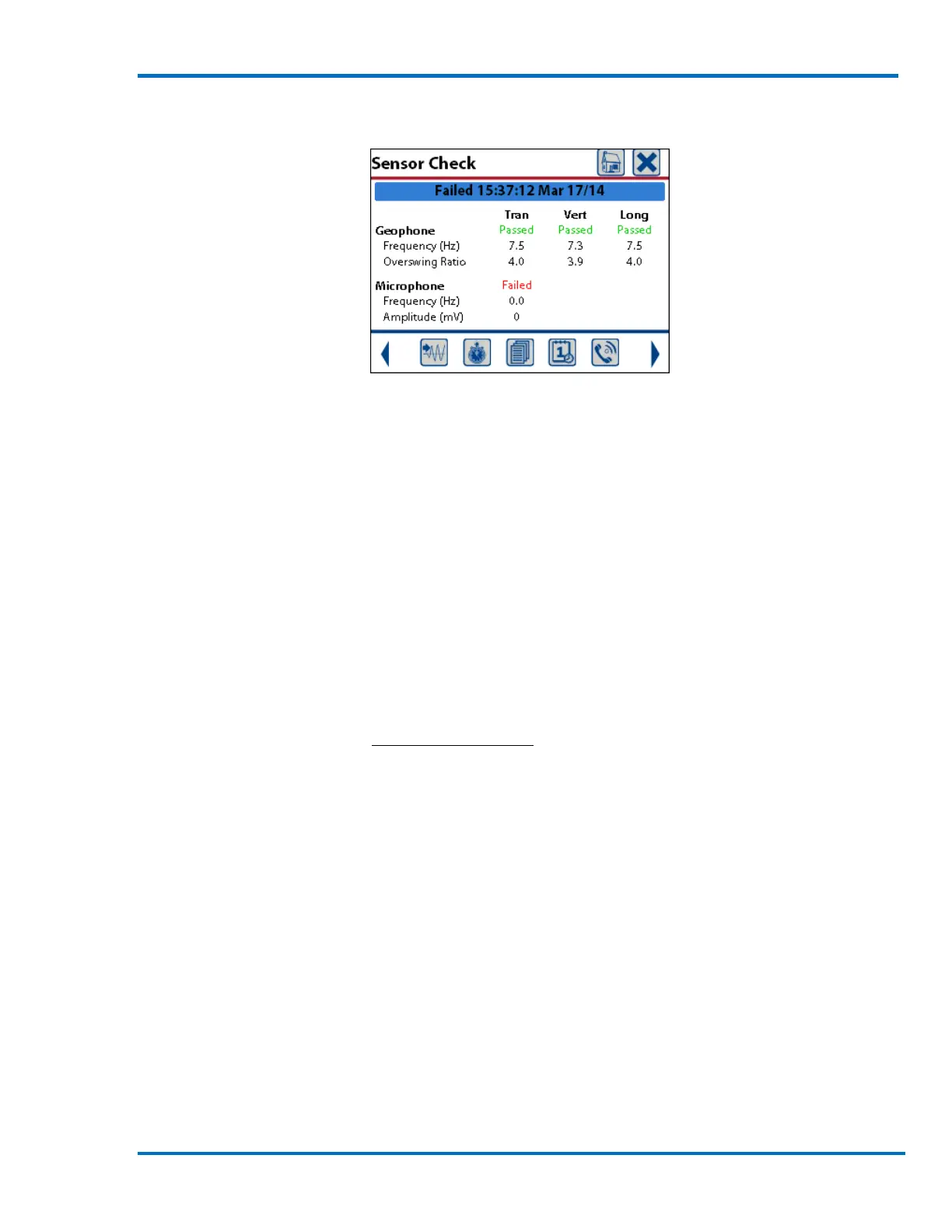
If the linear microphone sensor check fails a failure message will appear in the microphone
channel.
Sensor Check – Microphone Failing
The most common reason for a failed linear microphone sensor check is due to an improper
connection. See Step #1 above.
The linear microphone sensor check may also fail due to a damaged cable. Check the cable to
ensure there are no cuts, crimps or any other damage. If damage exists, the cable requires
replacement. Contact your dealer.
If the above steps do not resolve the problem, and the linear microphone channel continues to
show a failed state the options are:
1) Swap the failed microphone with another Micromate linear microphone.
2) Disable the linear microphone channel and record only ground vibrations with the
geophone. See section 11.1.1 Active Sensors for instruction on how to disable the linear
microphone.
NOTE: A failed sensor check condition should be corrected prior to initiation of monitoring.
Monitoring in a failed sensor check state could result in inaccurate data being recorded on the
failed channel.
Step 6: Record an Event
1) Press the Start Monitor key or the Start Monitor icon.
2) Once the Micromate is monitoring, conduct a test by shaking the geophone to trigger the
unit and record an event. This will confirm that the system is operational.
3) Press the Cancel icon or the Cancel key to exit Monitor Mode.



 To Next Page