42 Micromate Operator Manual – 721U0201 Revision 6
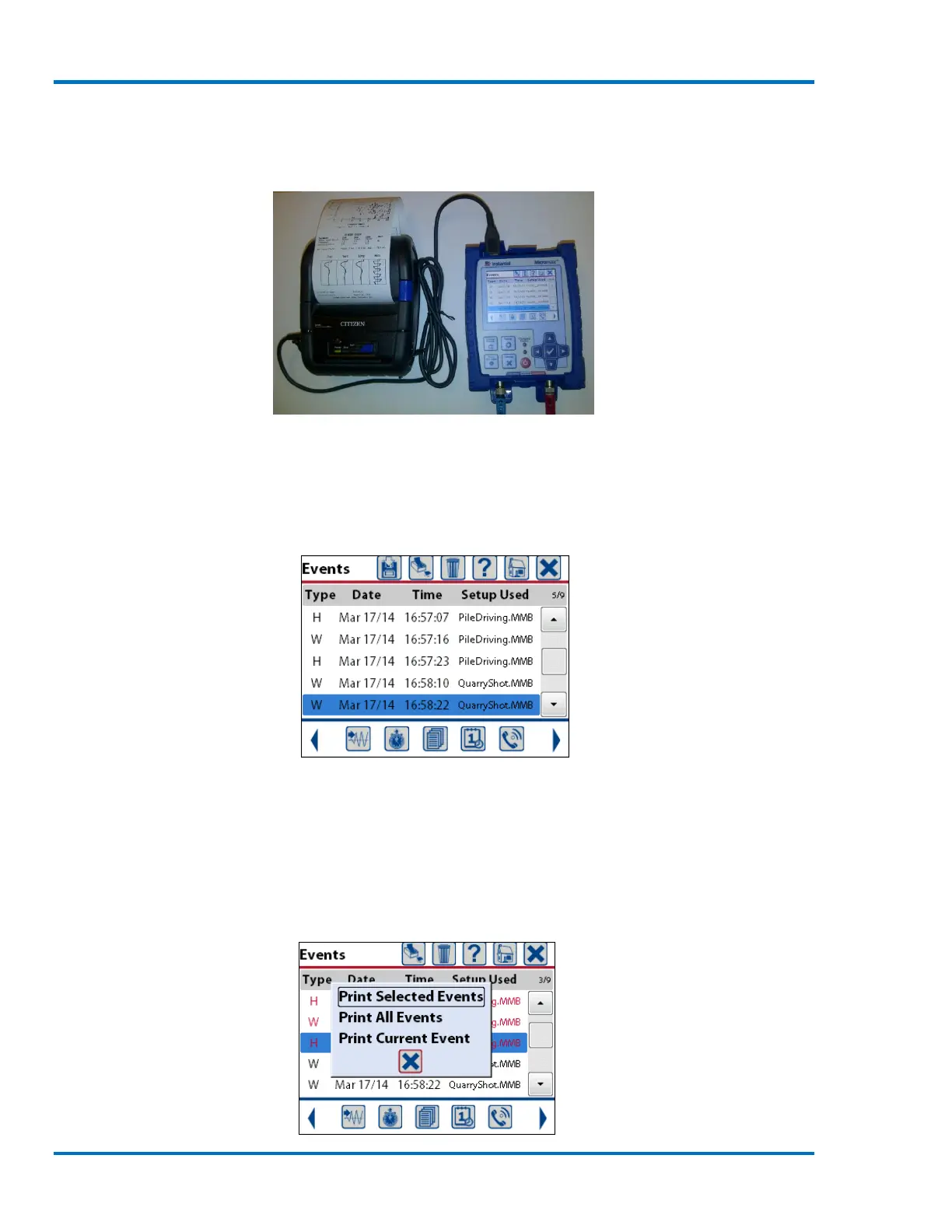
2) Connect one end of the supplied printer cable to the printer (see the manufacturer’s
instructions).
3) Turn the printer on by pressing its power button (see the manufacturer’s instructions).
4) Connect the free end of the printer cable to the Micromate’s USB port.
Printer Connected to the Micromate
5) The Micromate will automatically detect the presence of the printer and display the printer
icon. If the printer is not recognized remove the cable, make sure the printer is the correct
model, make sure the printer has been powered on and reconnect the cable ensuring it is
properly connected to the printer and to the Micromate.
Event List with Printer Icon Available
6) Select the event(s) to be printed using the navigation keys or touch screen.
7) Press the printer icon at the top of the display screen.
8) Select the option for printing events;
a. Print Selected Events.
b. Print All Events.
c. Print Current Event.



 To Next Page