Micromate Operator Manual – 721U0201 Revision 6 43
Print Options
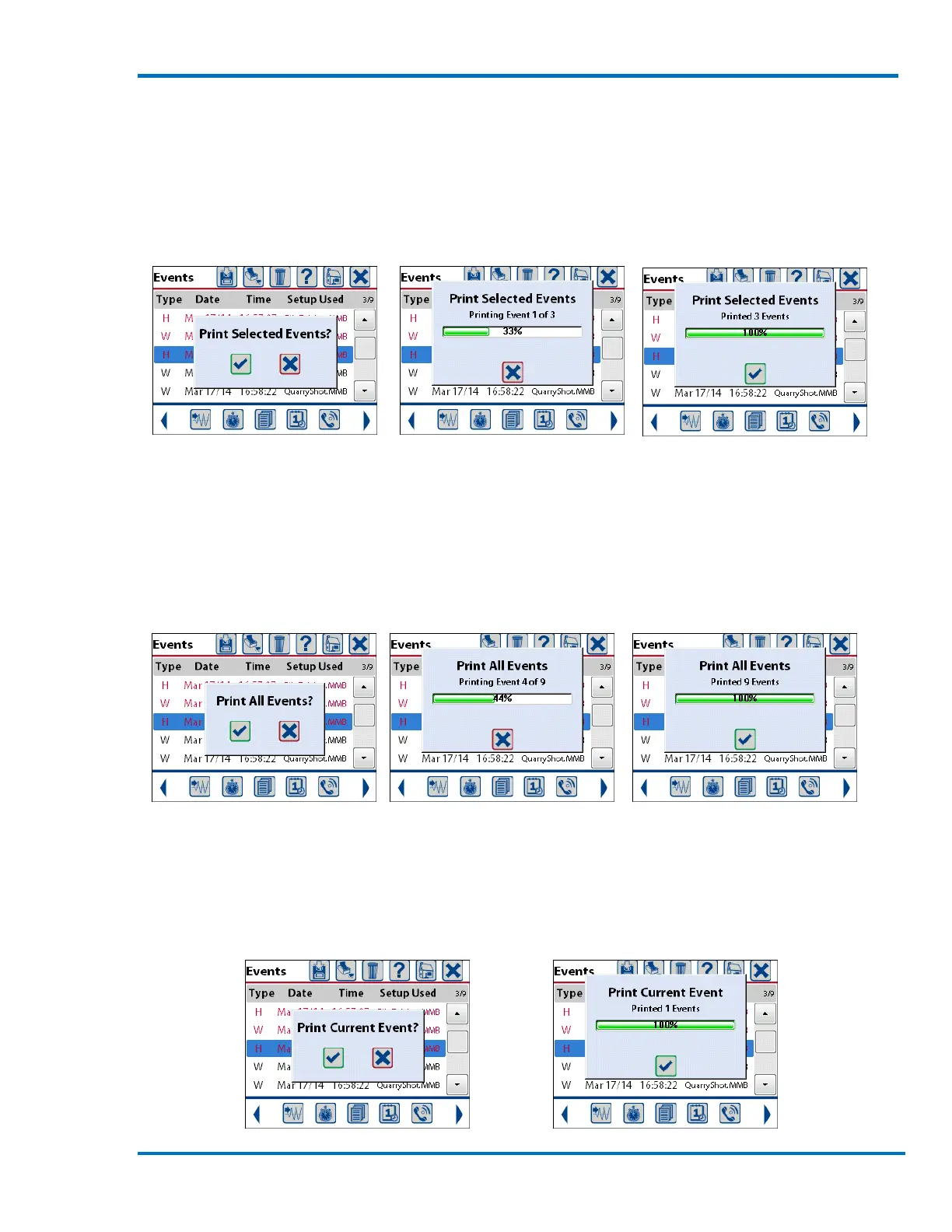
Selecting Print Selected Events will print only the events that have been selected. These are the
events that are displayed in red text. See above for details on selecting events. A message
confirming the selection will be displayed. Pressing the check mark key or touching the check mark
on the screen will start printing the events. A status window will be displayed showing the
progress of the overall print process. When all of the events have been printed press the check
mark to confirm and clear the window.
Confirm Printing Selection Print Status Printing Completed
Selecting Print All Events will print all of the events that have been stored on the Micromate. A
message confirming the selection will be displayed. Pressing the check mark key or touching the
check mark on the screen will start printing the events. A status window will be displayed showing
the progress of the overall print process. When all of the events have been printed press the check
mark to confirm and clear the window.
Confirm Printing Selection Print Status Printing Completed
Selecting Print Current Event will print only the one event that is highlighted by the blue bar. A
message confirming the selection will be displayed. Pressing the check mark key or touching the
check mark on the screen will print this event. A status window will be displayed showing the
progress of the event printing. When the event has been printed press the check mark to confirm
and clear the window.



 To Next Page