VIsualEyes 515/525 - Additional Information Page 119
11 Printing
11.1 Printing results
The VisualEyes™ system gives the option between printing a single test or a number of tests from a session.
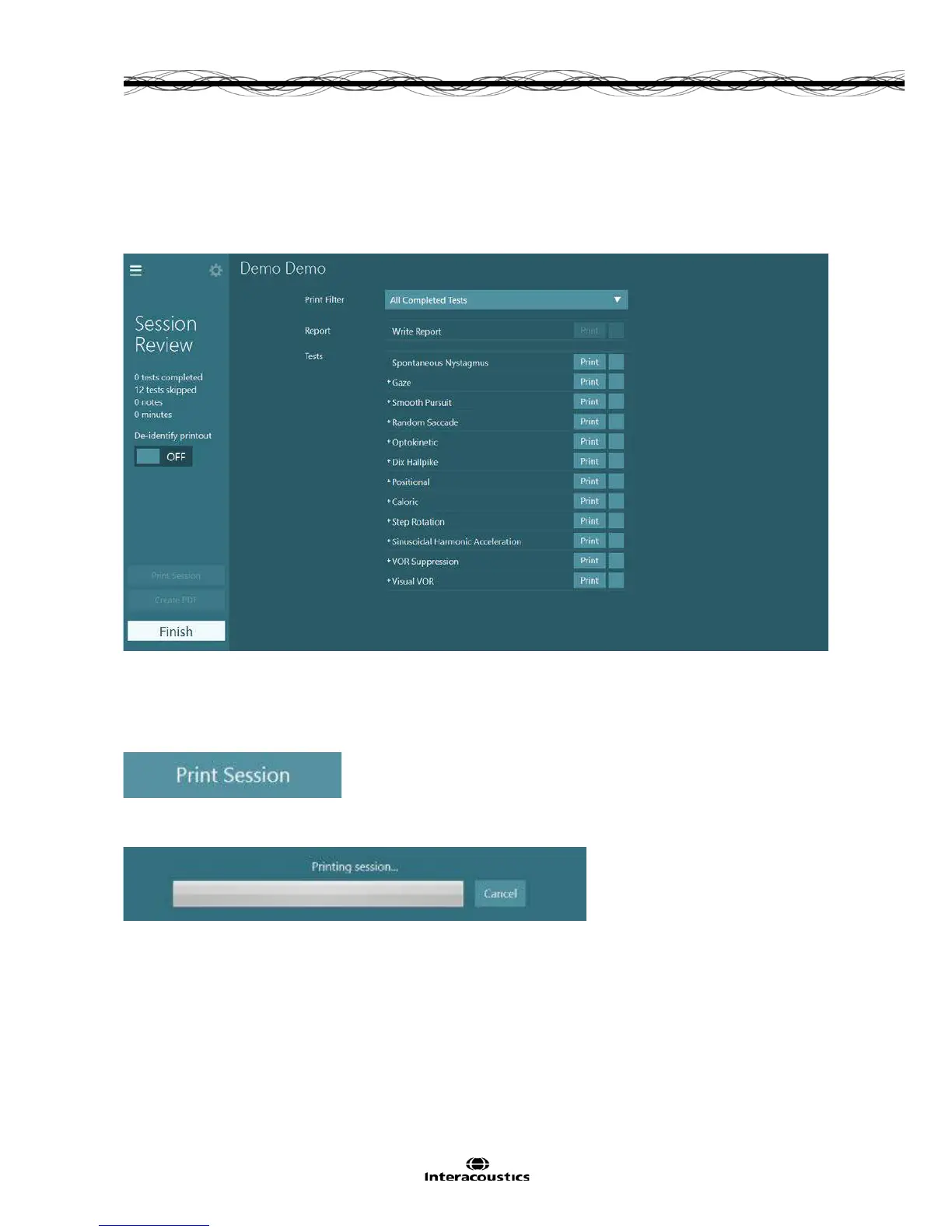
A written report and individual tests can be printed out from the session review screen.
Figure 11.1.1 Session review and printing options
The Print Filter will select the tests for printing in the report. The default setting is All Completed Tests, which
will select all tests that have been performed to be printed in the report. Tests can be selected individually
with the check boxes. Clicking the Print Session button will print the report with the selected tests and the
clinical report (if a written report has been completed).
Figure 11.1.2 Print button for the whole session
Once printing commences a status bar will appear to show the progress.
Figure 11.1.3 Icon to show printing progress
11.2 Printing patient demographics
When a report is printed the demographics for the patient entered into OtoAccess
TM
database will
automatically be displayed as identifiers on each page of the printout.














 To Next Page