VIsualEyes 515/525 - Additional Information Page 93
Fixation light: Determines when the fixation light in the goggles is displayed. Manual (default) will leave the
operator to determine when the fixation light should be displayed. Timed will have the fixation light come on
automatically at the designated time.
Save Eye Recording: Choice to save eye video recordings.
Dix Hallpike Settings
Audible Tone Enabled: If enabled, the software will provide an audible beep after the Audible Tone Time
has elapsed to signify to the operator to raise the patient to a sitting position.
Audible Tone Time: After the specified amount of time has passed, the software will draw a line on the
waveform trace to signify to the operator to raise the patient to a sitting position.
8.3.3 Configuring the positional tests
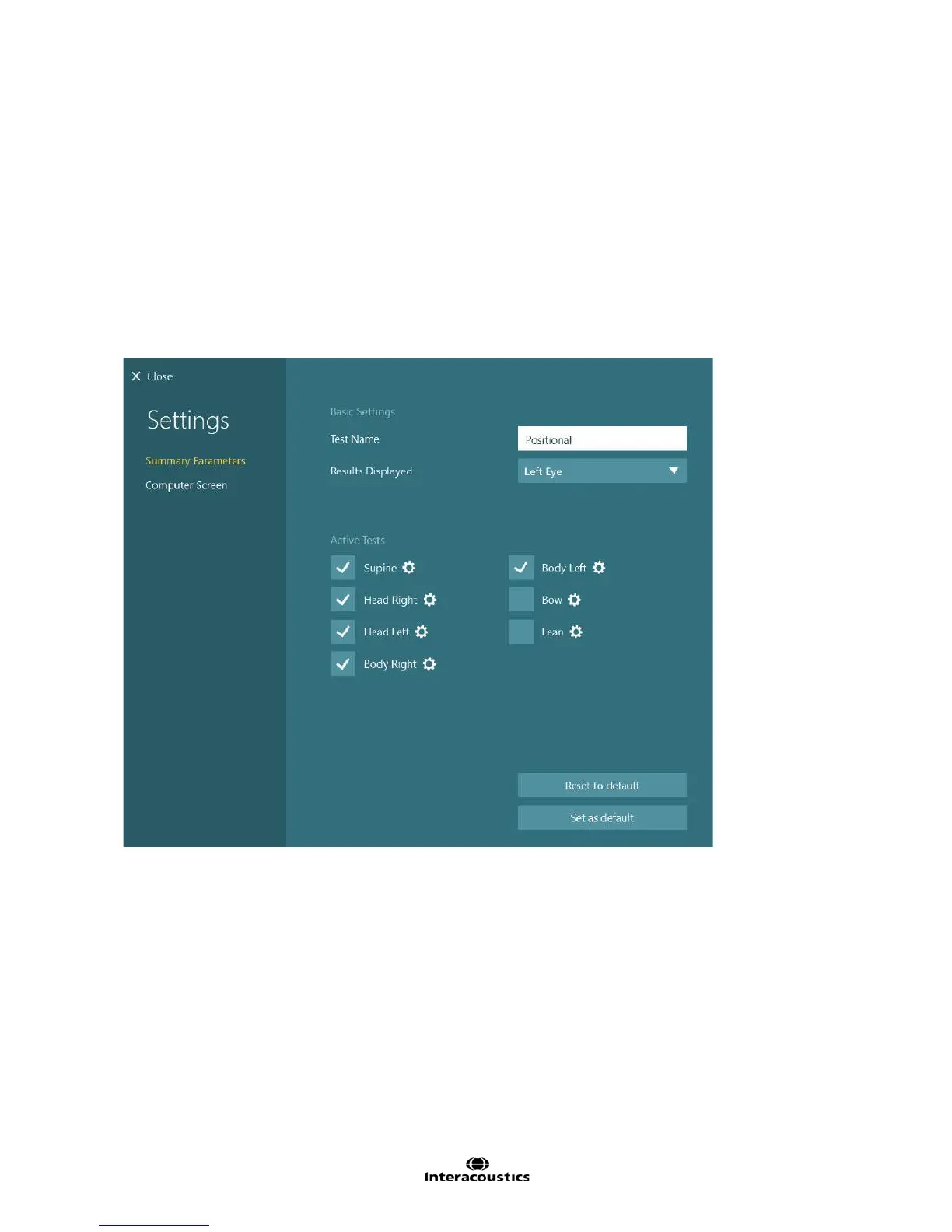
Figure 8.3.4 Positional Summary settings
Test Name: Name of the test
Results Displayed: Selects which eye is shown by default. Mixed Eyes will allow the user to choose the
best eye for each subtest. Left Eye will set each subtest to display the left eye. Right Eye will set each
subtest to display the right eye.
Active Tests: The subtests selected will appear in the testing screen. The configuration gear button beside
each test will open the subtest settings. By default the active tests would be Supine, Head Right, Head Left,
Body Right, and Body Left. Bow and Lean are optional body positions.














 To Next Page