VIsualEyes 515/525 - Additional Information Page 74
6.7.2 Editing Step rotation tests
The edit tools available for Step Rotation tests are the same tools available for all nystagmus tests. Please
refer to the section pertaining to edit tools for nystagmus tests. The Step Rotation edit tools can be accessed
by tapping the Edit Tools button in the left side menu available within a specific test review screen, or from
the summary test results screen.
6.8 Other functions available in side menu
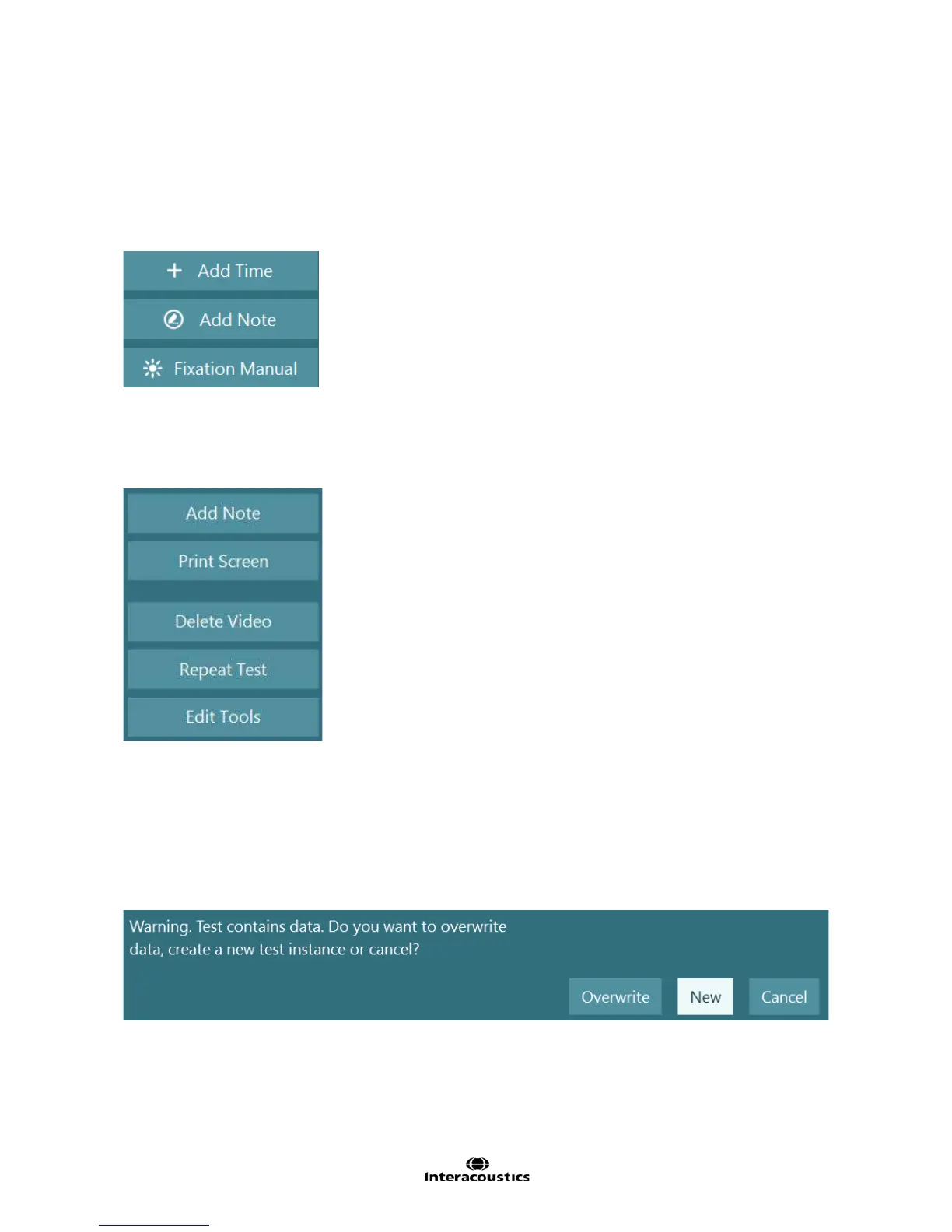
Figure 6.8.1 Additional functions available during testing
Add Time: Adds 30 seconds to the test recording.
Add Note: Insert a note at the current time during recording.
Fixation Manual: Turns on the selected fixation light defined in the System Default Settings (see Chapter
12.2 Hardware) (controlled by user, not automatic). Also activated using the RF Remote.
Figure 6.8.2 Additional functions available after testing is complete
After the test has finished the following options will be available (Figure 6.8.2).
Add Note: Adds a note to the end of the test.
Print Screen: Will print whatever is present on screen at the current time.
Delete Video: Deletes the video of the eye recording and room camera (if recorded) from the computer for
this test.
Edit Tools: Provides access to tools used to override the analysis results.
Repeat Test: Repeat / replace the current test. A dialog box will be presented asking if the user would like to
overwrite the current test (replace) or create a new instance (repeat).
Figure 6.8.3 Repeat Test dialog














 To Next Page