VIsualEyes 515/525 - Additional Information Page 97
8.4 Configuring rotary chair tests
8.4.1 Configuring sinusoidal harmonic acceleration test
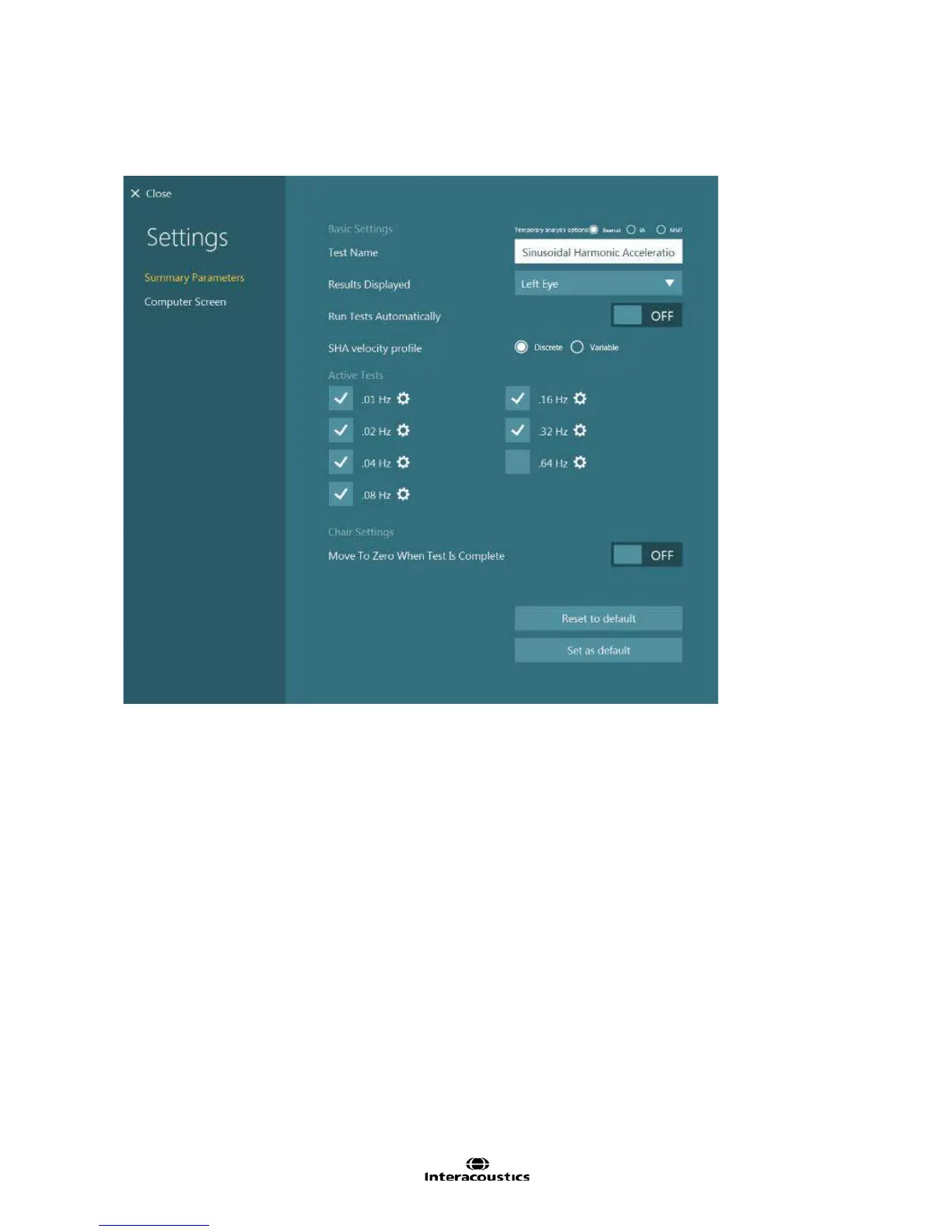
Figure 8.4.1 Sinusoidal Harmonic Acceleration summary settings
Test Name: Name of the test
Results Displayed: Selects which eye is shown by default. Left Eye will set each subtest to display the left
eye. Right Eye will set each subtest to display the right eye.
Run Tests Automatically: If enabled, when the subtest completes, the next subtest will be loaded and
started automatically.
SHA velocity profile: This option defines whether the SHA subtests use a discrete standard velocity of 60
dps or use a variable velocity which is higher at lower frequencies (80 dps at 0.01 Hz and drops 10 dps for
each increase in frequency to 20 dps at 0.64 Hz.) The default setting is Variable.
Active Tests: The subtests selected will appear in the testing screen. The configuration gear button beside
each test will open the subtest settings. The Nydiag 200 chair can test up to 0.32 Hz, and the Orion Reclining
chair and System 2000 Reclining chair can test up to 0.64 Hz.
Move To Zero When Test Is Complete: If enabled, the chair (Nydiag 200 and Orion Reclining chair models
only) will return to the zero position as set in System Default Settings.














 To Next Page