VIsualEyes 515/525 - Additional Information Page 65
6 General and editing tools
6.1 Quick access test properties
There may be times where it is necessary to make a quick change to a specific test in the protocol.
VisualEyes™ VNG software suite provides a way to quickly access test properties that allow temporary
changes to be made to a test. This can be accessed by selecting the configuration icon in the side panel.
The temporary settings that can be changed will depend on the type of test (nystagmus, oculomotor etc…)
(for more information see configuration section). Any changes made will be to the patient’s current session
and will not be saved in the selected protocol.
6.2 Selecting eyes
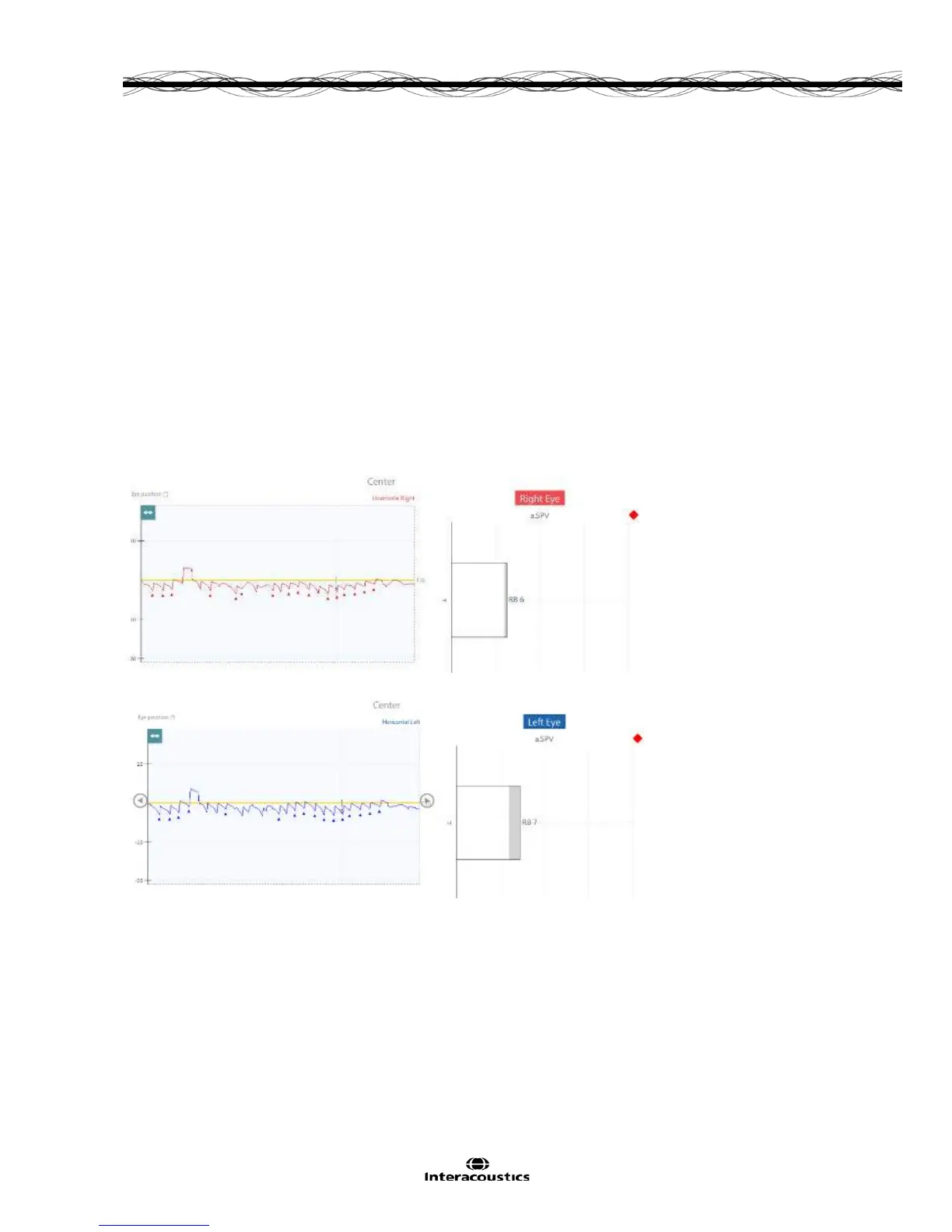
The VisualEyes™ system is set by default to show results for the best eye recording in the case of
nystagmus tests. However, there may be times where the best eye varies from one subtest to another. In
such cases the VisualEyes™ system allows the user to change the eye being displayed by simply clicking or
touching the Eye display title (i.e. left/right eye). This will change the Eye display title and all the
corresponding data to the other eye (Figure 6.2.1).
(a) Display for right eye
(b) Display for left eye
Figure 6.2.1 Results display for right (a) and left (b) eyes
VisualEyes™ VNG suite provides the option of displaying individual eye traces (i.e. right or left only) for all
nystagmus tests. The default SPV indicator (a.SPV bar graph) is set to display the eye with the larger
response.














 To Next Page