VIsualEyes 515/525 - Additional Information Page 91
8.3 Configuring the nystagmus tests
8.3.1 Configuring the spontaneous nystagmus test
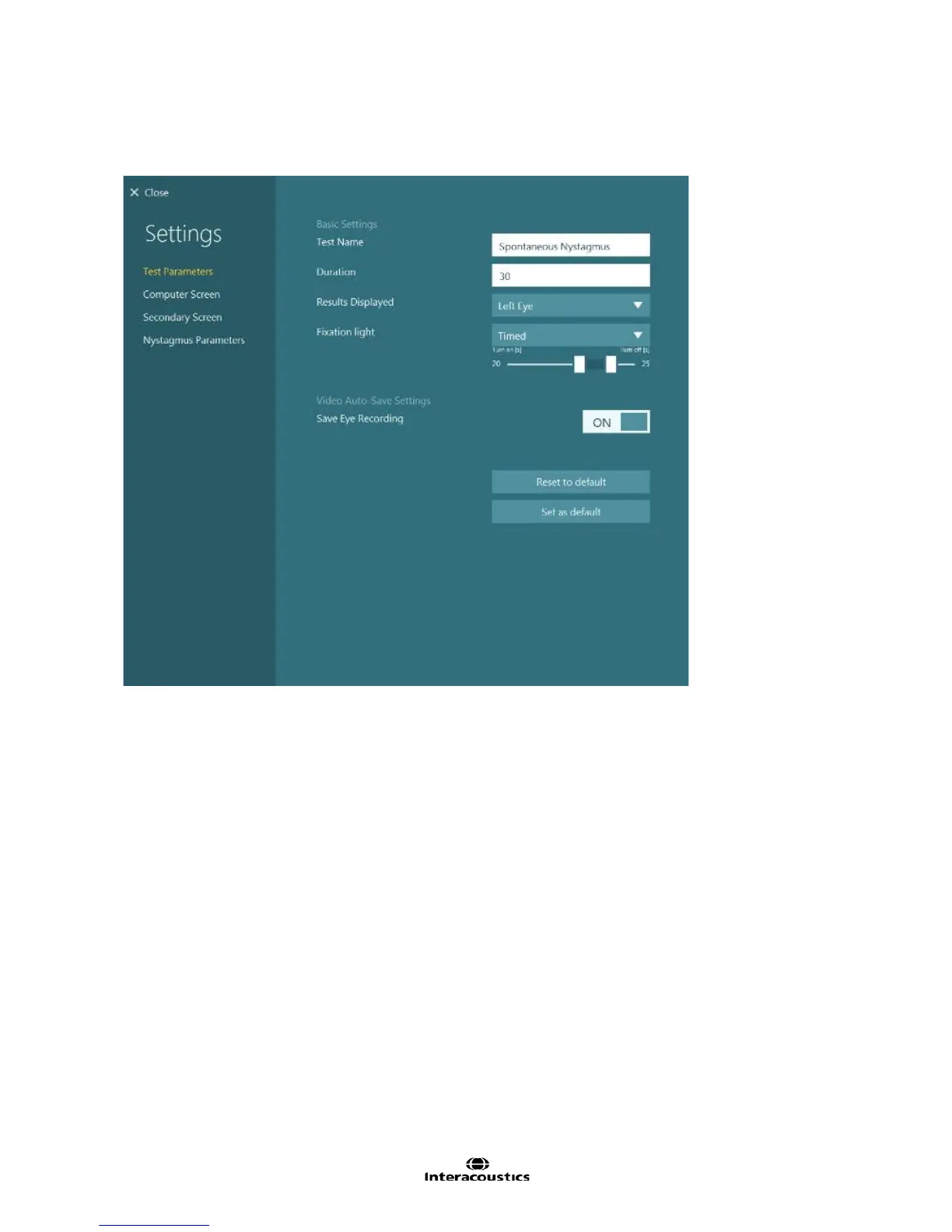
Figure 8.3.1 Spontaneous Nystagmus test settings
Test Name: Name of test
Duration: Define how long the eye movement is to be recorded and analyzed (in seconds).
Results Displayed: Selects which eye is shown by default. Left Eye will set each subtest to display the left
eye. Right Eye will set each subtest to display the right eye.
Fixation light: Determines when the fixation light in the goggles is displayed. Manual (default) will leave the
operator to determine when the fixation light should be displayed. Timed will have the fixation light come on
automatically at the designated time.
Save Eye Recording: Choice to save eye video recordings.














 To Next Page