VIsualEyes 515/525 - Additional Information Page 85
8.2.2 Configuration of saccade Test
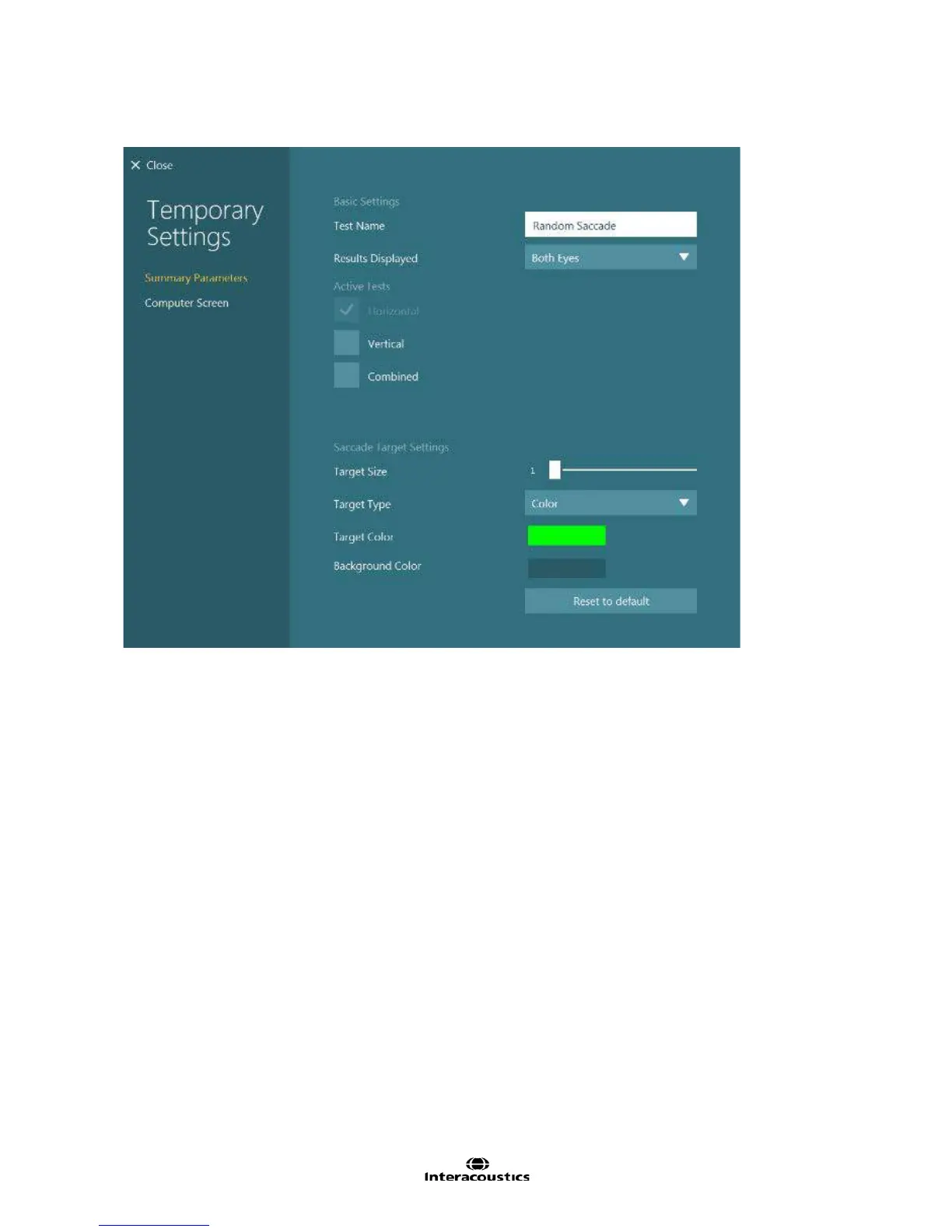
Figure 8.2.3 Saccade summary settings
Test Name: Name of the test
Results Displayed: Selects which eye is shown by default. Both Eyes will show both eyes overlapping to
allow easy viewing of disconjugate eye movements. Left Eye will set each subtest to display the left eye.
Right Eye will set each subtest to display the right eye.
Active Tests: The subtests selected will appear in the testing screen. The configuration gear button beside
each test will open the subtest settings. Horizontal is selected by default. Vertical and Combined tests are
optional tests. In the Combined subtest the target will jump horizontally or vertically randomly for each jump.
Saccade Target Settings:
Target Size: Adjusts size of target in degree increments. Note if the target size is increased, the maximum
angle will decrease.
Target Type: Selects the stimulus for all Gaze subtests (circle of solid color, flower, potato head, or smiley
face).
Target Color: If the target type is set to color, this option will change the target color.
Background color: Select different colors for the background.














 To Next Page