VIsualEyes 515/525 - Additional Information Page 6
1.4 Focus adjustment
VisualEyes™ system requires a focused eye image for the pupil tracker to locate the pupil center to optimally
record the eye movements. The pupil center is marked with a crosshair (Figure 1.4.1).
Figure 1.4.1 Pupil tracker (crosshair)
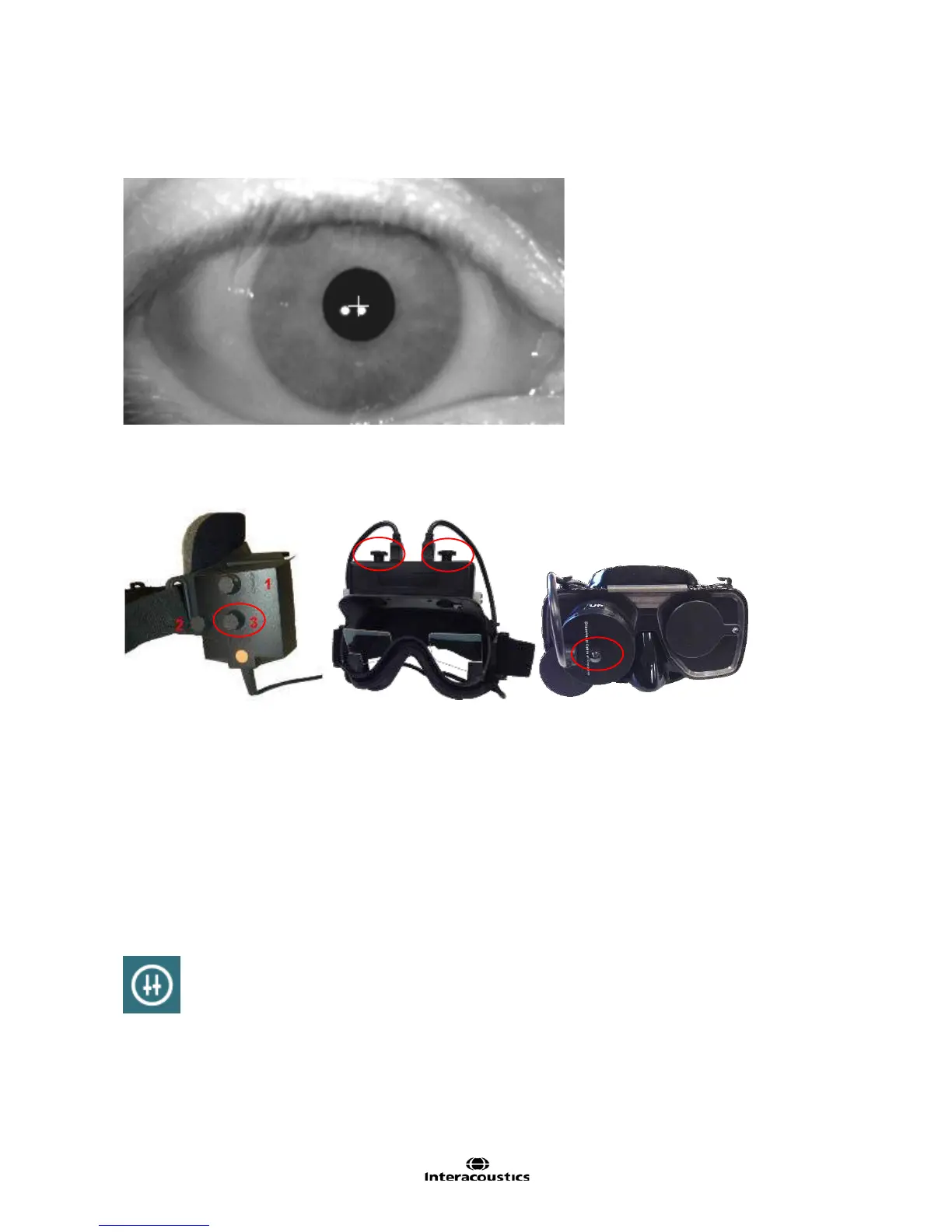
The camera image can be focused by adjusting the focus knob on each camera (Figure 1.4.2). Each image
must be adjusted separately. Turn the knob clockwise or counterclockwise while watching the image on the
screen. Stop turning the knob when the image is clear and the eye appears to be in focus.
Figure 1.4.2 Adjustment control for focusing eye image on each camera
Should the image not be optimally focused, the pupil tracker may fail to adequately record the eye
movements, leading to poor test results.
NOTE: This crosshair will also be present in the review videos for easier discrimination between
abnormalities and technical difficulties.
1.5 Eye image contrast adjustment
The VNG system automatically adjusts the threshold (contrast), in order to display an optimized eye image.
Nevertheless, in some cases it might be necessary to adjust the threshold. In these cases, the automatic
threshold adjustment can be turned off before or during recording by clicking the threshold adjustment button
(Figure 1.5.1).
Figure 1.5.1 Threshold adjustment button
When the threshold adjustment button is selected, a scrollbar will appear for each eye’s contrast level. By
default the A button will be highlighted indicating the system is automatically adjusting the contrast threshold
level. Slide the scrollbar value with the mouse or finger to the position where the crosshair is viewable. Have
the look left, right, up, and down to verify the threshold level and adjust as necessary so the crosshair will
track the pupil while looking in each direction. (Figure 1.5.2)














 To Next Page