VIsualEyes 515/525 - Additional Information Page 22
3.4 Ocularmotor Testing
Ocularmotor tests require the patient to follow a target stimulus or pattern. These tests require an external
stimulus, such as a TV or projector, and are found in the VisualEyes 525 software configuration.
3.4.1 Gaze test
During a gaze test eye movements are measured while the patient is fixating on a stationary target. Each
subtest has the patient look at a different target for a default time of 10 seconds. At the start of the test, the
target is displayed in the center position of the screen (adjusted by the Target Center slider from Calibration
if set) for two seconds, then the target will be displayed in the location specified by the subtest properties.
The default Gaze test will test the following positions: Center, Left, Right, Up, and Down. Each cardinal gaze
direction is set close to the maximum angle provided in each direction. With a widescreen television as the
stimulus, the gaze angles tested horizontally will be approximately 1.8 times larger than the vertical angles.
An optional Center2 subtest is provided for testing center gaze again after testing the cardinal gaze
directions. By default the Gaze subtests are run automatically, therefore after testing the Center position, the
software will proceed to the Left position, akin to the Calibration test. If additional time is required, the user
can add time with the Add Time button.
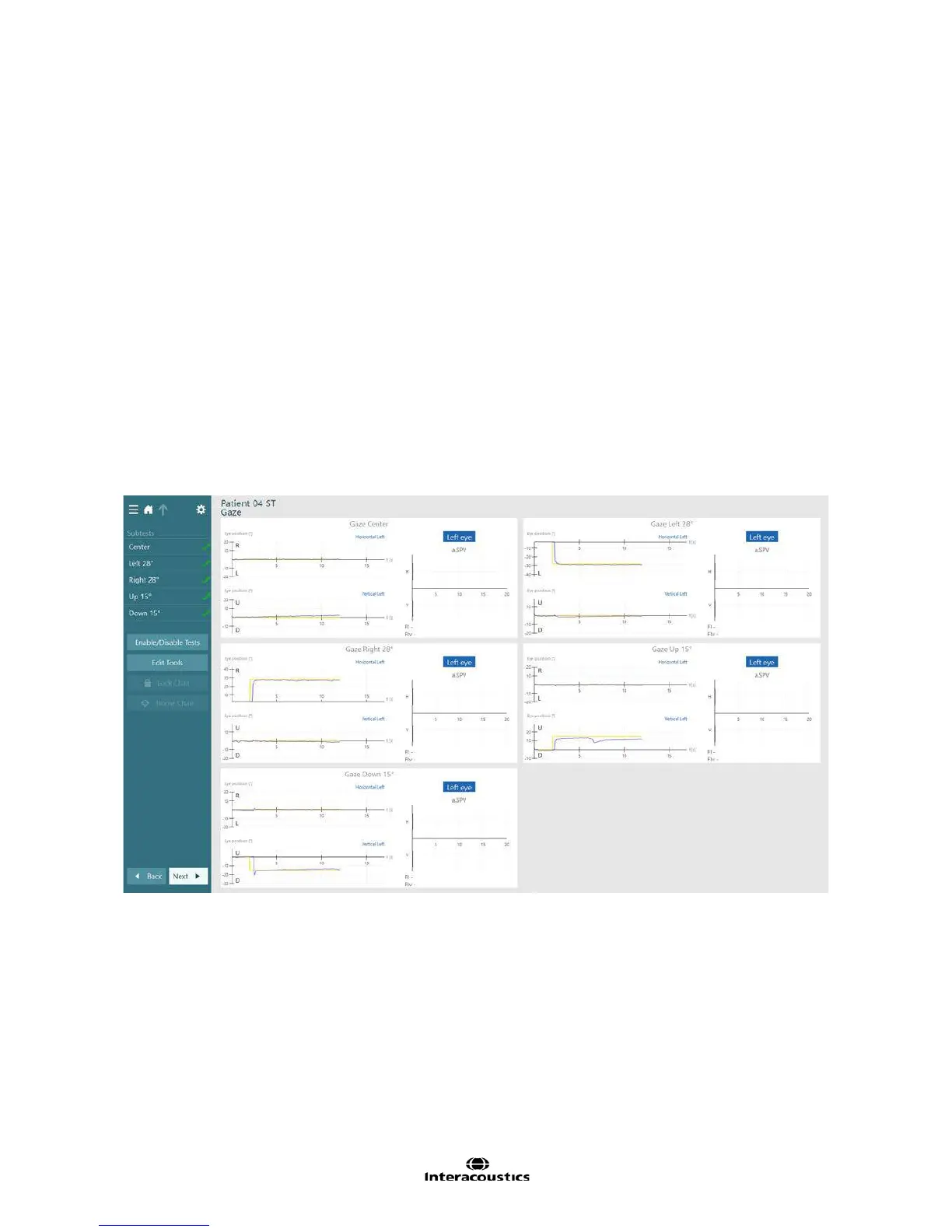
The Gaze summary screen will display all of the subtests performed in a grid pattern. For each subtest one
eye’s results are displayed with the corresponding eye movements. Horizontal and vertical eye movements
are separated. The Gaze summary can contain a mix of left eye and right eye results, based on the selected
eye from each subtest. To change the selected eye in a subtest, click or touch on the eye title for the a.SPV
bar graph.
Figure 3.4.1 Gaze summary
3.4.2 Smooth Pursuit test
In the smooth pursuit test, the patient’s eyes follow a target that is moving back and forth across the stimulus
screen. The velocity of the target stimulus will increase with every two cycles. By default both left and right
eyes will displayed together in the waveform traces and the Gain and Symmetry graphs to allow the operator
to see if the patient experiences disconjugate eye movement. The test settings has the option to split the
eyes into separate graphs if needed to better ascertain an eye’s specific response. The default smooth
pursuit test only tests horizontally. If desired the operator can elect to enable the vertical subtest as well.














 To Next Page