VIsualEyes 515/525 - Additional Information Page 3
Restarting the test:
Tests can be restarted using the Esc key on the keyboard or the RF Remote. While the test is running, the
Esc key or ESC key on the RF Remote will abort the data collection and clear the data already collected. In
caloric tests, the software will require confirmation of this request.
Rotational chair tests can be restarted using the Esc key on the keyboard, though the use of the RF Remote
is ignored during rotational chair tests as a patient safety measure. The software will require confirmation of
this request.
Caution
No other PC programs should be running or minimized while testing the patient with the software. This can
interfere with the running of the VisualEyes™ Software.
1.3 Eye image adjustment
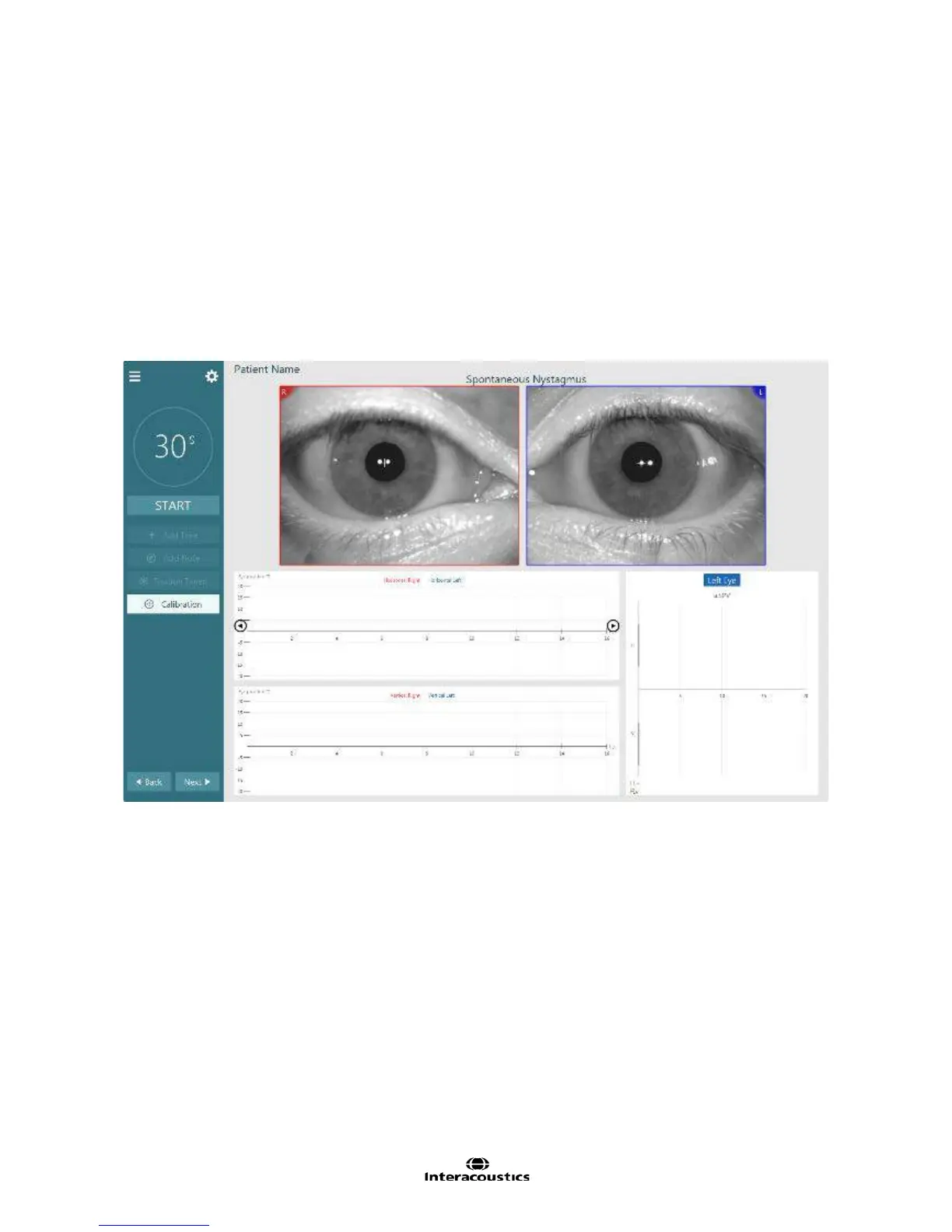
Figure 1.3.1 Test Screen Display (Spontaneous Nystagmus)
To see the eye image, select Begin testing from the main menu display. This will open the first test and the
image of the patients eyes (Figure 1.3.1) will appear in the upper portion of the user display. Prior to
beginning the testing procedure, it is desirable that the eye images are aligned (horizontally/vertically) so that
the pupil is centered in the observed eye image.














 To Next Page