VIsualEyes 515/525 - Additional Information Page 4
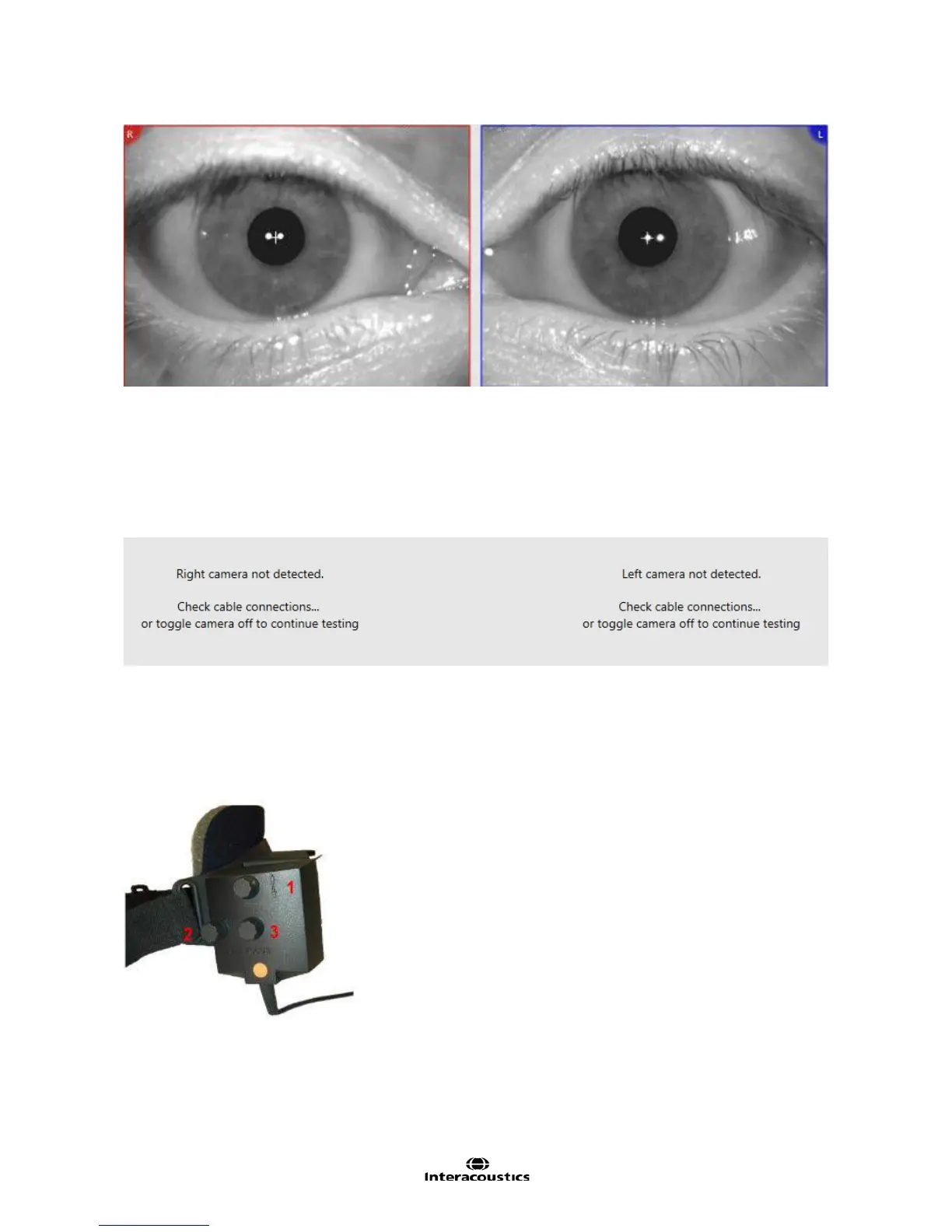
Figure 1.3.2 Eyes displayed
The inner canthus of the right eye should be seen on the right side of the red outlined eye image. The inner
canthus of the left eye should be seen on the left side of the blue outlined eye image. The eye images have
L and R captions in the corners, which refer both to the eye selected and the direction the eye is looking.
(Figure 1.3.2)
Prior to launching VisualEyes™ make sure that the cameras are connected. If the cameras are disconnected
an informational status will be displayed.
Figure 1.3.3 Cameras Disconnected Status
Should this appear for either camera, check the camera cables make a solid connection between the camera
and the computer.
Side mounted cameras
Use the knobs on the camera cabinet to move the camera horizontally and vertically to center the eye image
on the screen. (Figure 1.3.4).
Figure 1.3.4 Side mount cameras adjustment knobs
1. The upper knob moves the camera vertically.
2. The left knob moves the camera horizontally.
3. The center knob adjusts image focus.














 To Next Page