VIsualEyes 515/525 - Additional Information Page 53
Eye position display
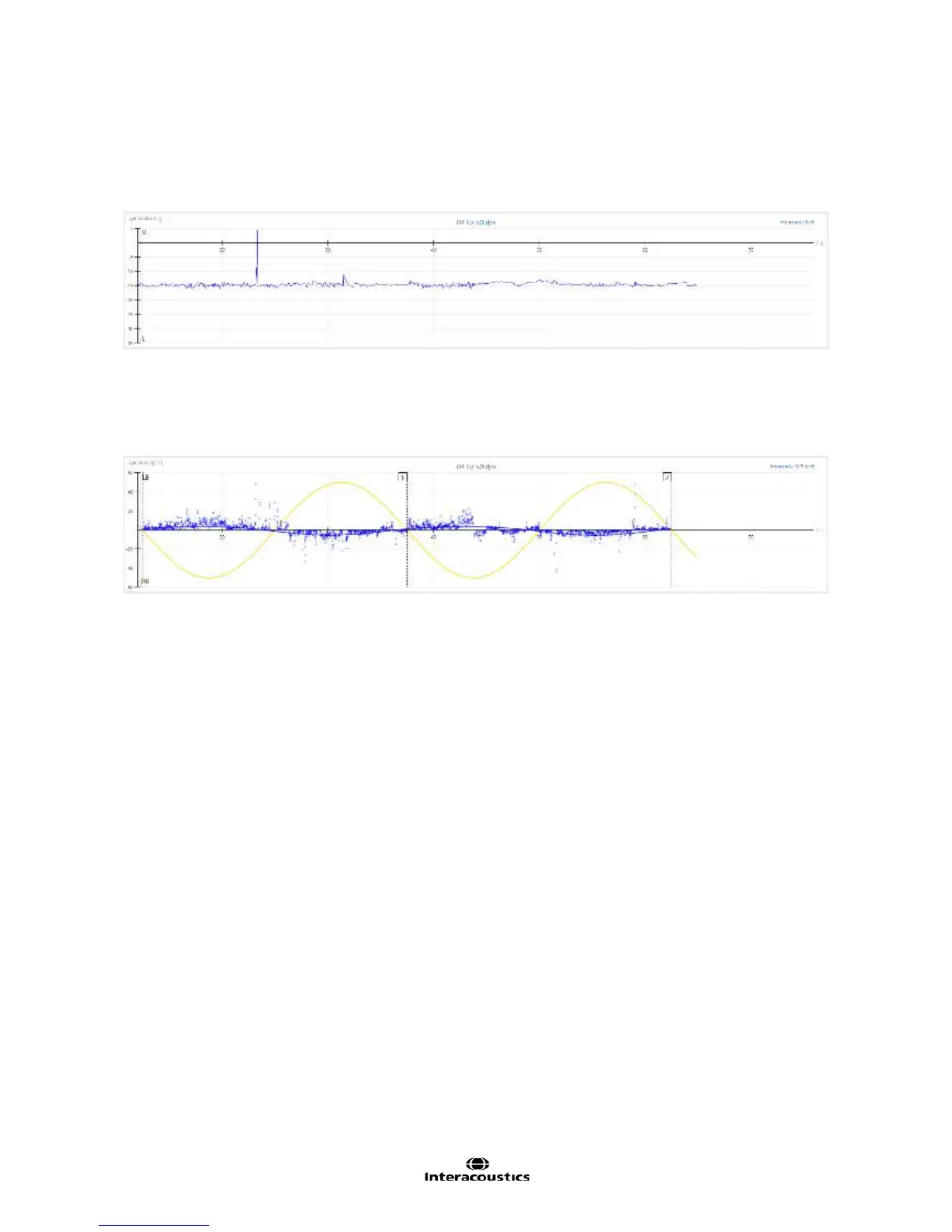
In the middle portion of the VOR Suppression summary results screen, the eye position (°) tracing is
displayed. The eye position tracing (Figure 3.6.37) represents eye movement during chair rotation and is
displayed as a function of eye position in degrees (y-axis) over time in seconds (x-axis). The tracing should
appear relatively flat if the patient is able to suppress the nystagmus while fixating.
Figure 3.6.37 Eye position trace
Eye velocity display
The eye velocity in °/s (blue) relative to stimulus chair velocity (yellow) is displayed beneath the eye position
tracing (Figure 3.6.38).
Figure 3.6.38 Display showing detailed individual cycles for eye velocity vs. stimulus velocity
This graphical display provides a detailed individual cycle view for the examiner to see the patient’s results in
relation to the stimulus. The user can also view the cycle numbers in this display. The eye velocity should
be relatively flat compared to the stimulus chair velocity if the patient is able to suppress the nystagmus while
fixating.
3.6.5 Visual VOR test
Visual VOR test requires the patient to be moved in a pendular motion, as in sinusoidal harmonic
acceleration with the addition of a visual stimulus on screen. The fixation cover is removed from the goggles
for this test and the patient is required to focus on a stationary target on the oculomotor screen during chair
rotation from right to left and vice versa. This test provides the user with more information about the
calibration, system function, as well as the patient's central vs. peripheral vestibular function.
The test can be performed at any SHA frequency, but is most commonly performed at 0.32 Hz, which is
frequency defined in the VisualEyes™ 515/525 default protocol.
The Visual VOR test will be available within the protocol or may be selected directly from the side menu
panel by tapping the ‘hamburger’ icon in the upper left corner of the test screen to view the test battery list.
Example Instructions for the Patient:
“You will feel yourself rotating back and forth slowly in the chair. During the rotation, you will see a target
appear on the screen in front of you. Please keep your eyes open and focused on the target during the entire
test.














 To Next Page