VIsualEyes 515/525 - Additional Information Page 89
8.2.4 Configuring the OPK tests
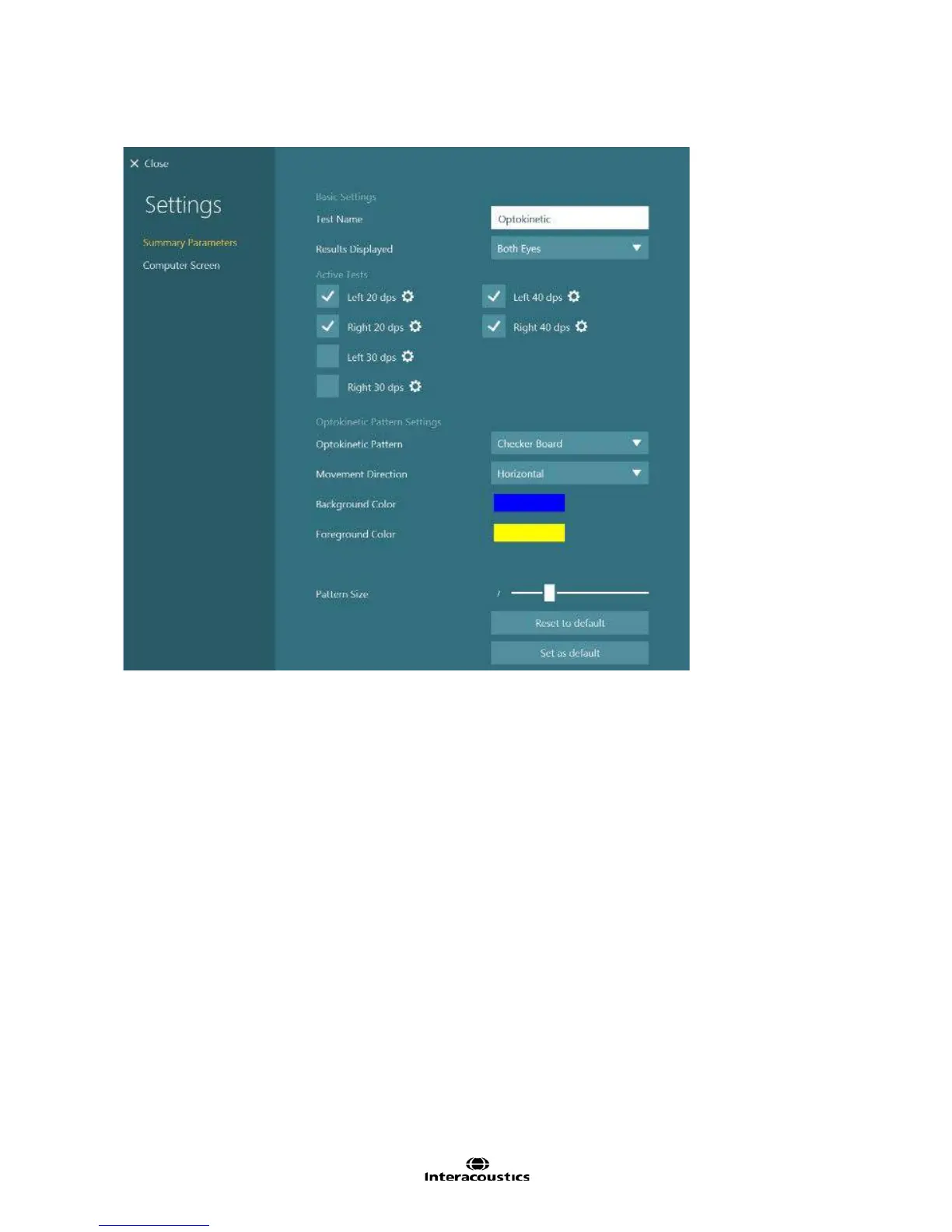
Figure 8.2.7 Optokinetic summary settings
Test Name: Name of the test
Results Displayed: Selects which eye is shown by default. Both Eyes will show both eyes overlapping to
allow easy viewing of disconjugate eye movements. Left Eye will set each subtest to display the left eye.
Right Eye will set each subtest to display the right eye.
Active Tests: The subtests selected will appear in the testing screen. The configuration gear button beside
each test will open the subtest settings. By default the active tests would be Left 20 dps, Right 20 dps, Left
40 dps, and Right 40 dps. Left 30 dps and Right 30 dps are optional.
Optokinetic Pattern Settings:
Optokinetic Pattern: Creates a tessellation pattern or stretches a background image across the stimulus
screen. Tessellation patterns include checkerboard, stripes, and spheres. Stretched image patterns include
firetruck, pilot and airplane, landscape, toy train, yellow airplane, and trains and tracks.
Foreground Color: If the Optokinetic pattern is a tessellation pattern, this selection will change the color of
the primary shape.
Alternate Color: If the Optokinetic pattern is set to Spheres, this selection will change the color of the even
rows of spheres.
Background color: If the Optokinetic pattern is a tessellation pattern, this selection controls the background
color or fill color depending on the tessellation pattern.
Pattern Size: Adjusts size of shape used in the pattern tessellation. As the target size is increased, the
number of shapes used in the pattern will decrease. Only available with Optokinetic Patterns of
Checkerboard, Stripes, and Spheres.














 To Next Page