VIsualEyes 515/525 - Additional Information Page 16
3 Testing
3.1 Overview
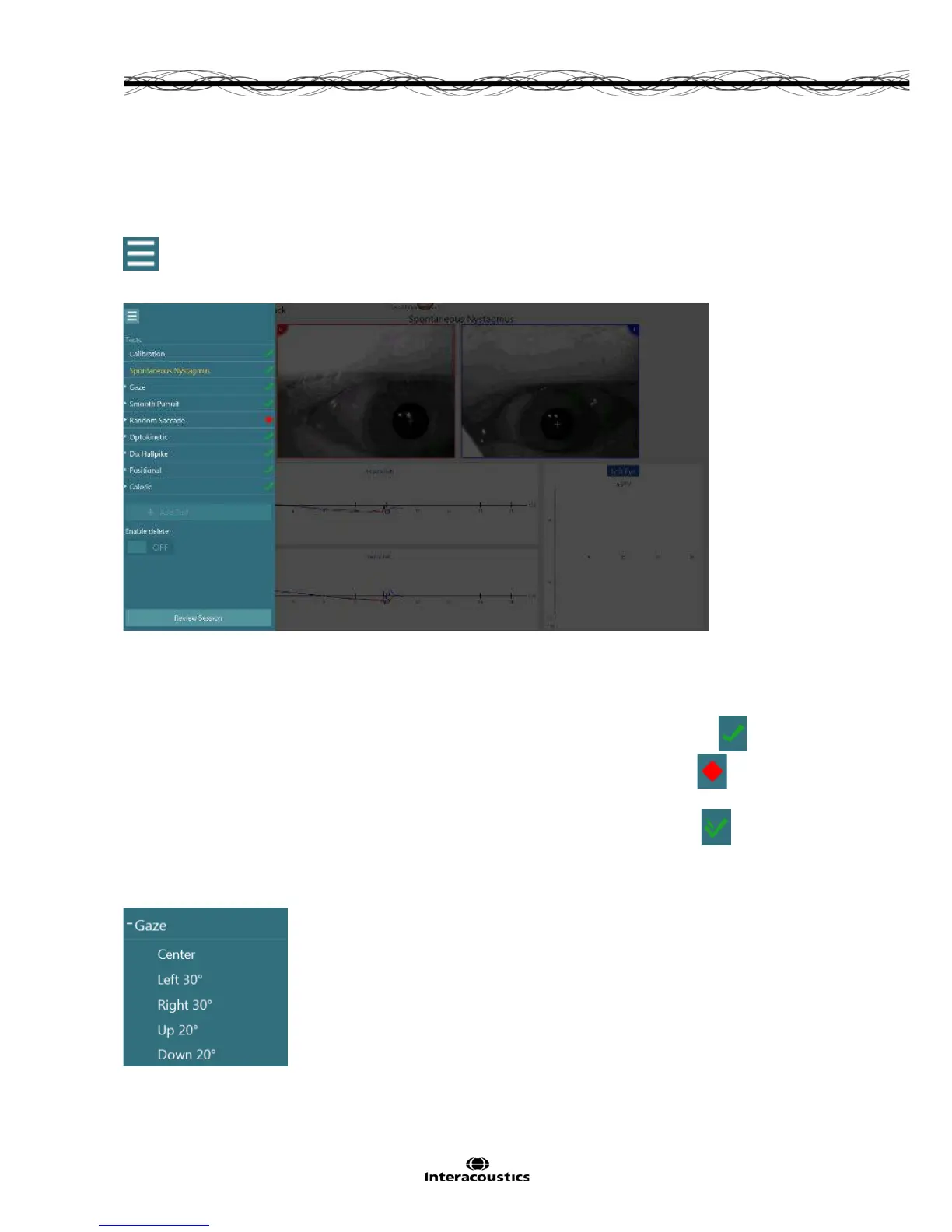
To start testing click on Begin Testing from the main menu. The first test in the chosen protocol is displayed.
To begin testing with a different test in the protocol, select the desired test using the test menu button.
Figure 3.1.1 Test menu button
Figure 3.1.2 Session tree displayed
The left side panel displays a session tree, which shows all tests included in the current protocol (Figure
3.1.2).
• The current test is displayed in yellow text.
• Completed tests that fall within test thresholds are marked with a green checkmark.
• Completed tests that fall outside test thresholds are marked with a red diamond.
• Completed tests that have been marked as within limits when the software marked the test originally
as falling outside test thresholds are marked with a green checkmark with pencil.
Navigate to a particular test by clicking or touching the test title to perform (if incomplete) or review (if
complete). By clicking or touching the plus button to the left of the test title, the test menu will expand to show
the subtests available.
Figure 3.1.3 Expanded test, displaying subtests














 To Next Page