VIsualEyes 515/525 - Additional Information Page 92
8.3.2 Configuring the Dix-Hallpike tests
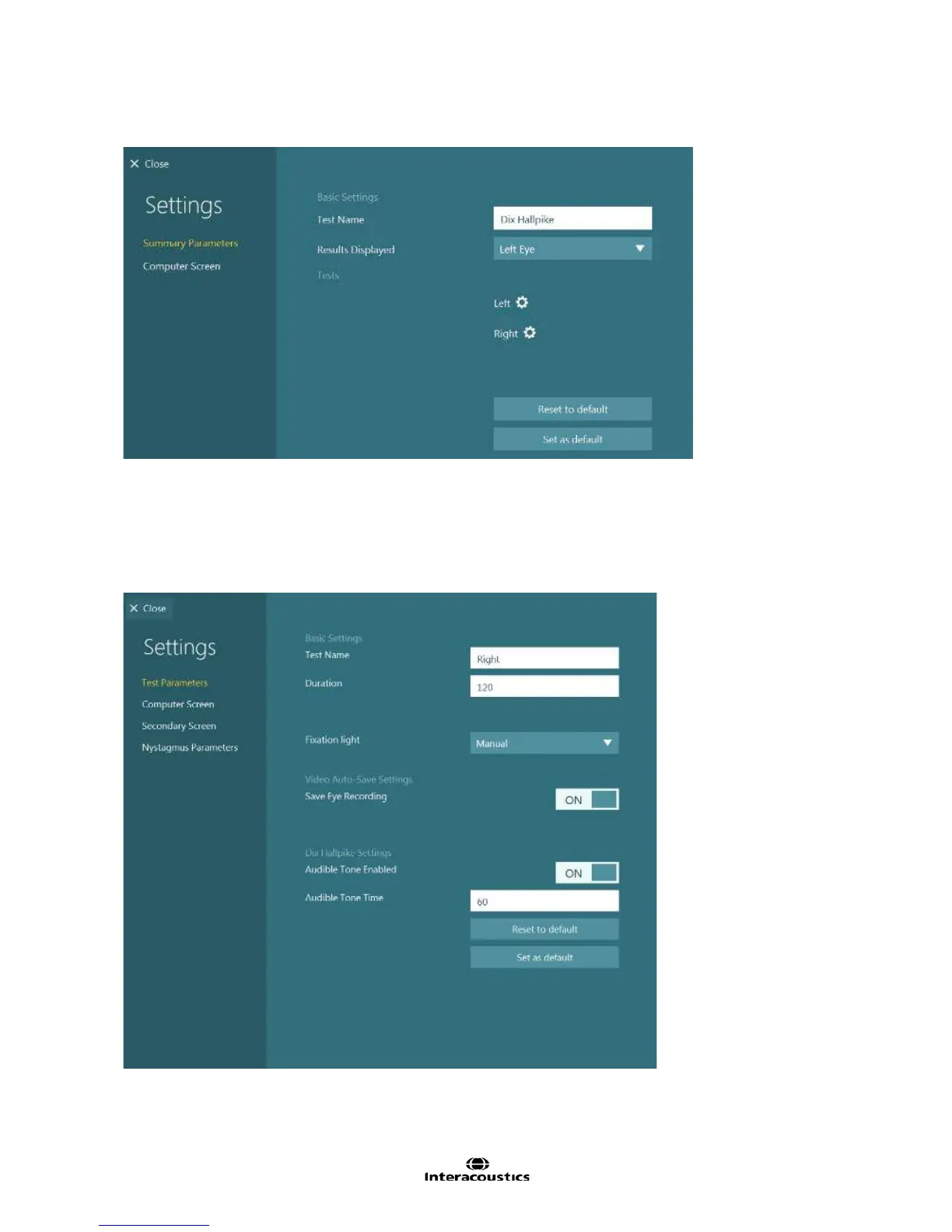
Figure 8.3.2 Dix Hallpike summary settings
Test Name: Name of the test
Results Displayed: Selects which eye is shown by default. Mixed Eyes will allow the user to choose the
best eye for each subtest. Left Eye will set each subtest to display the left eye. Right Eye will set each
subtest to display the right eye.
Active Tests: The subtests selected will appear in the testing screen. The configuration gear button beside
each test will open the subtest settings. The active tests are Left and Right.
Figure 8.3.3 Dix Hallpike subtest settings
Test Name: Name of test
Duration: Define how long the eye movement is to be recorded and analyzed (in seconds).














 To Next Page