VIsualEyes 515/525 - Additional Information Page 130
12.9 Print PDF
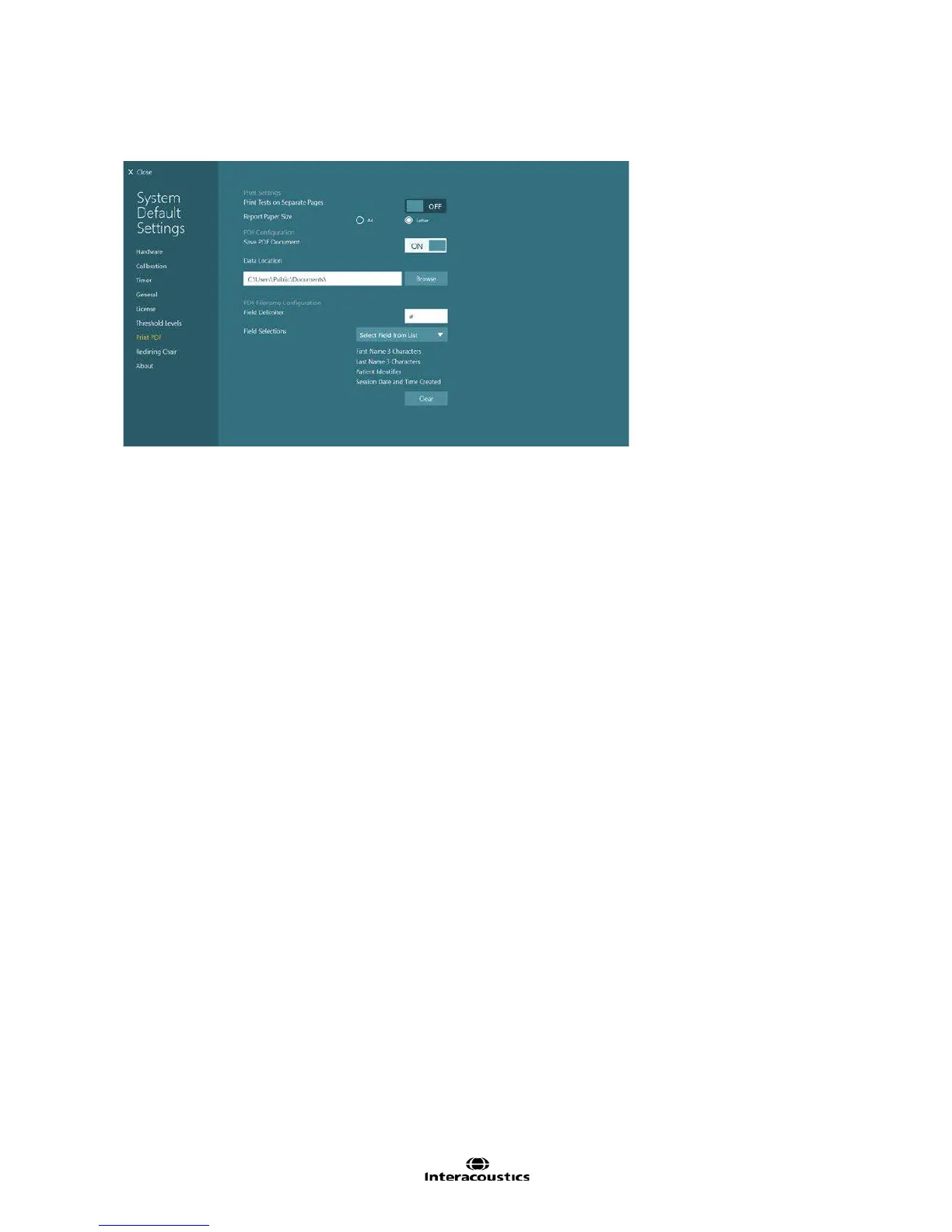
The Print PDF settings screen provides access to automatic PDF document creation settings.
Figure 12.9.1 Print PDF settings
Print Tests on Separate Pages: Selects whether page breaks should be added before each test is printed
in the report. This option can be set off in VisualEyes™ 61 systems to reduce the extra space printed
between tests, as only the notes are printed for video Frenzel tests.
Report Paper Size: Selects the paper format to print and or save the report to (choice of A4 or letter format)
Save PDF Document: If this option is selected, the Create PDF button is available from the Session Review
screen to print the report to PDF to the specified location.
PDF Data Location: This is the folder where the PDF report is created. Use the Browse button to select the
folder.
PDF Filename Configuration: These fields define the naming structure of the PDF report.
• Field Delimiter: Select a character to function as a field delimiter, typically a period, hashtag, or hyphen
• Field Selections: Select what is to be displayed on the report from following list:
o First Name 3 Characters
o Last Name 3 Characters
o Module (Micromedical VisualEyes™)
o Patient Identifier
o Report Date and Time Created
o Session Date and Time Created
o Session Identifier
12.10 About this software
The About screen lists the software version number and liceses used by the software.














 To Next Page