VIsualEyes 515/525 - Additional Information Page 8
1.7 Monocular vs binocular eye recordings
VisualEyes™ system can record in either monocular (one camera) or binocular (two cameras) mode.
Monocular mode may be beneficial for those occasions needing to run a single eye test because one eye
may be unable to be tested. (i.e. the eye is artificial or severe ptosis). To select an eye to ignore during
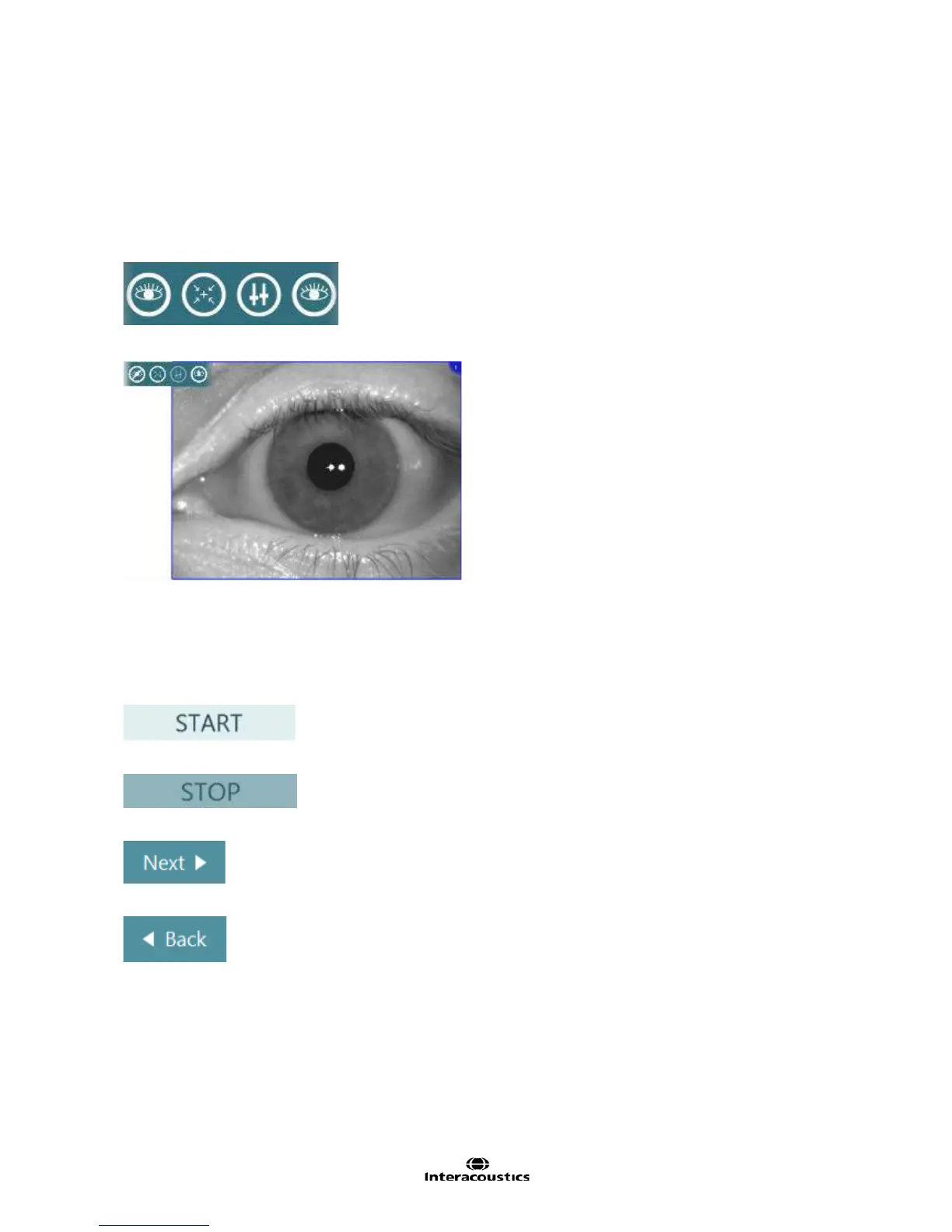
testing, touch the eye images or hovering over with the mouse to display the eye tools menu (Figure 1.7.1).
Click or touch the eye button for the eye to ignore during testing and the software will ignore the selected
camera for the duration of testing. To track the pupil again, display the eye tools menu again and select the
ignored camera.
Figure 1.7.1 Eye tools menu
Figure 1.7.2 Left eye selected and right eye ignored
1.8 Common test functions
The following basic test functions apply to all tests within VisualEyes™ VNG.
Start – Begins the testing procedure (video and eye trace recordings).
Stop – Stops the testing procedure (video and eye trace recordings).
Next – Moves onto next test/subtest in the protocol.
Back – Moves back one test/subtest in the protocol.














 To Next Page