VIsualEyes 515/525 - Additional Information Page 127
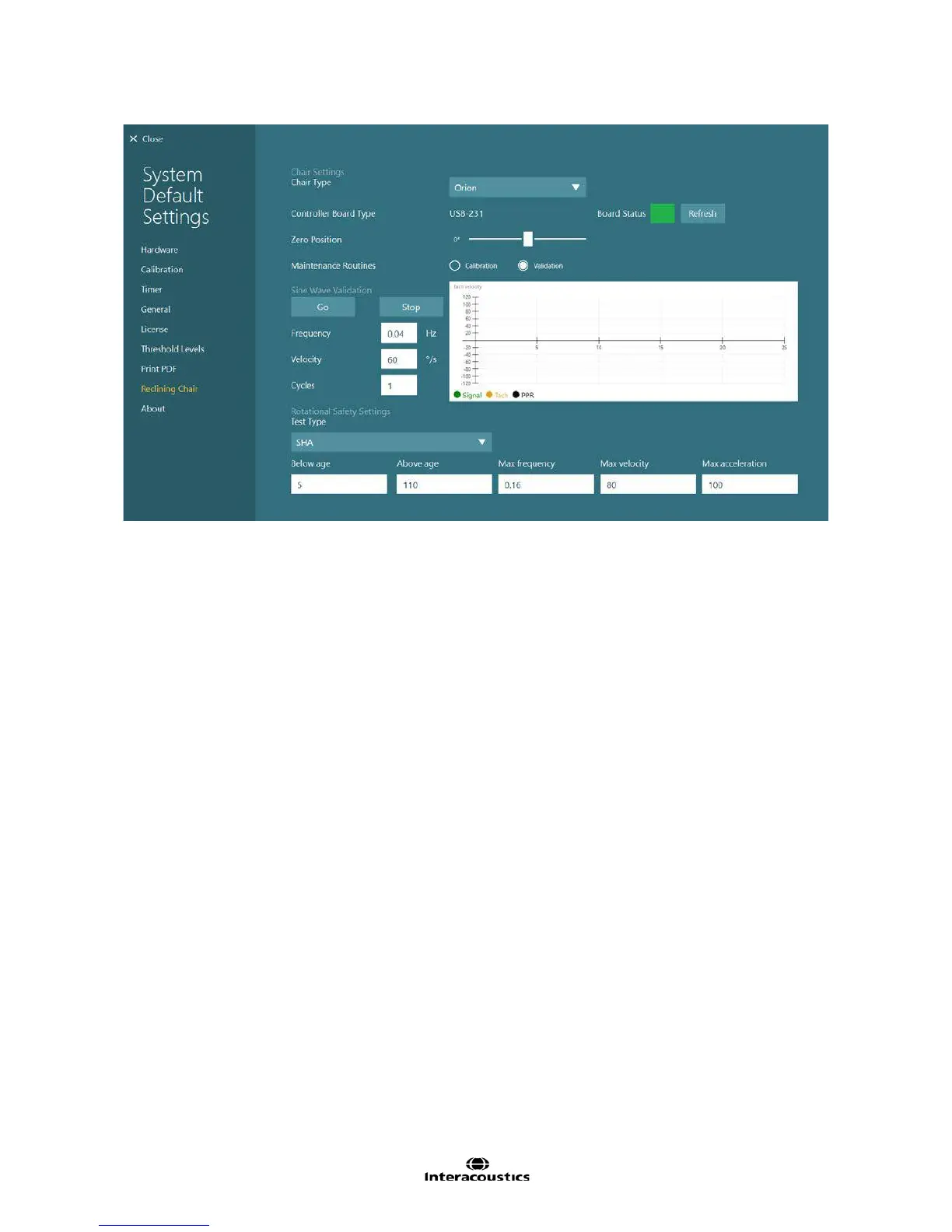
Figure 12.11 Reclining chair maintenance routines (Orion Reclining chair)
Drift calibration
Click or touch the Go button for the Drift Calibration to verify the chair does not drift (turn slowly) when
enabled. The signal trace (green line) and the tachometer trace (yellow line) will be displayed in the graph.
Adjust the Drift Offset value using the triangle buttons to adjust the chair offset to make the traces coincide.
When they coincide, click or touch the Stop button to end the drift calibration test.
Velocity Tach calibration
Once the chair’s drift has been corrected, click or touch the Go button for the Velocity Tach Calibration. The
software will then spin the chair to optimize the Signal Voltage and Tach Voltage values to synchronize the
traces. After two spins past the chair’s zero position (seen by the deflections in the PPR trace), the software
will stop the chair and update the signal and tach voltage values. Click or touch the Stop button to clear the
traces from the graph or stop the test early.














 To Next Page