VIsualEyes 515/525 - Additional Information Page 35
The frequencies most often tested during SHA test are the octave frequencies 0.01 Hz, 0.02 Hz, 0.04 Hz,
0.04 Hz, 0.16 Hz and 0.32 Hz. The frequency of 0.64 Hz is also available.
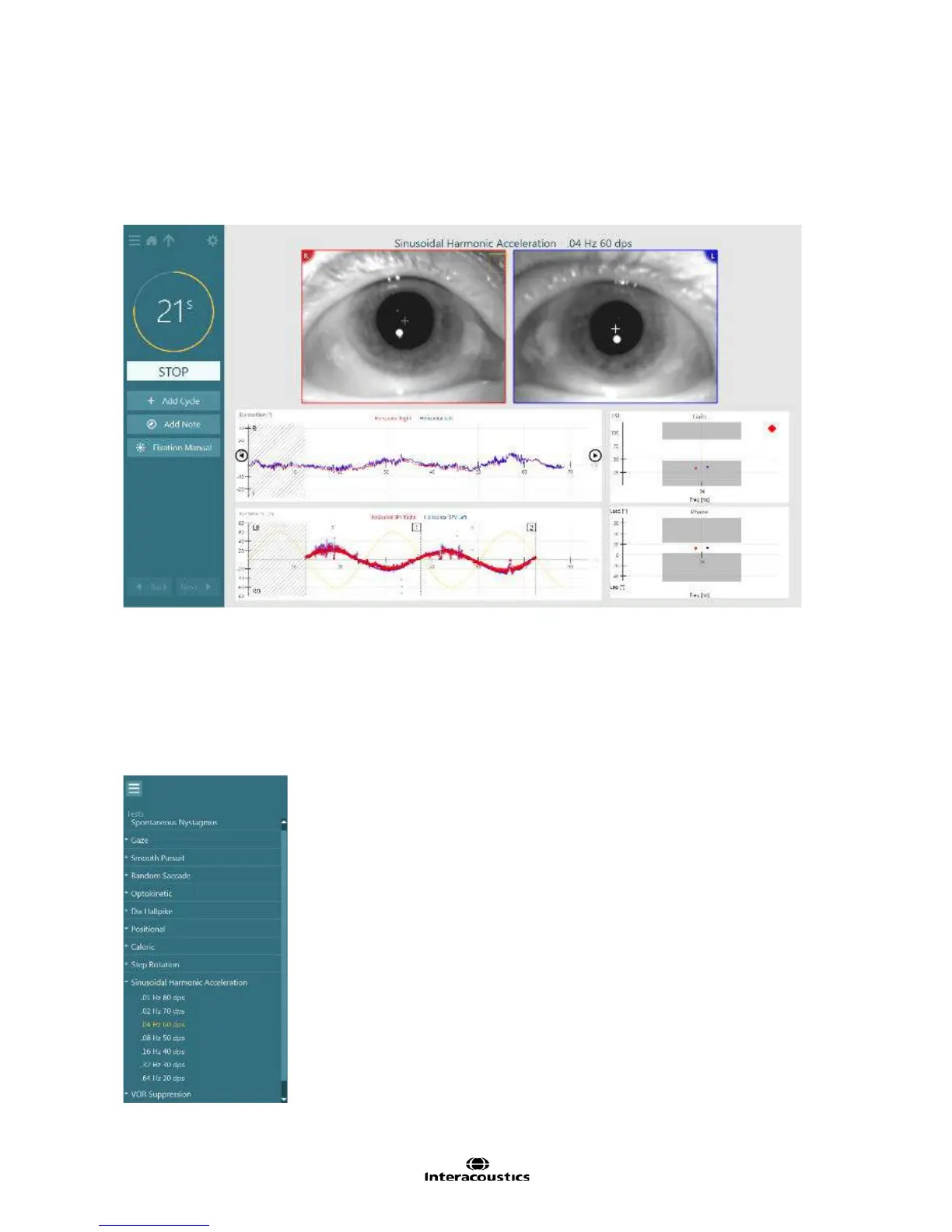
The responses are displayed in real-time (in relation to the stimulus). The eye position and eye velocity
results are plotted within the test window along with two summary graphs showing gain and phase results for
the frequency being tested. (See Figure 1.86.
Figure 3.6.3 Sinusoidal Harmonic Acceleration testing
To begin the testing procedure select ‘Begin Testing’ from the main VisualEyes™ menu.
The SHA test will be available within the protocol or may be selected directly from the side menu panel by
tapping the ‘hamburger’ icon in the upper left corner of the test screen to view the test battery list. Select
SHA to begin testing.
This will open the first frequency within the Sinusoidal Harmonic Acceleration test
sequence. Alternatively, if the examiner chooses to perform the SHA test frequencies out of sequence, tap
the plus sign to the left of SHA which will expand to show all subtests and select the desired frequency
(Figure 3.6.4).
Figure 3.6.4 Expanded test battery view














 To Next Page