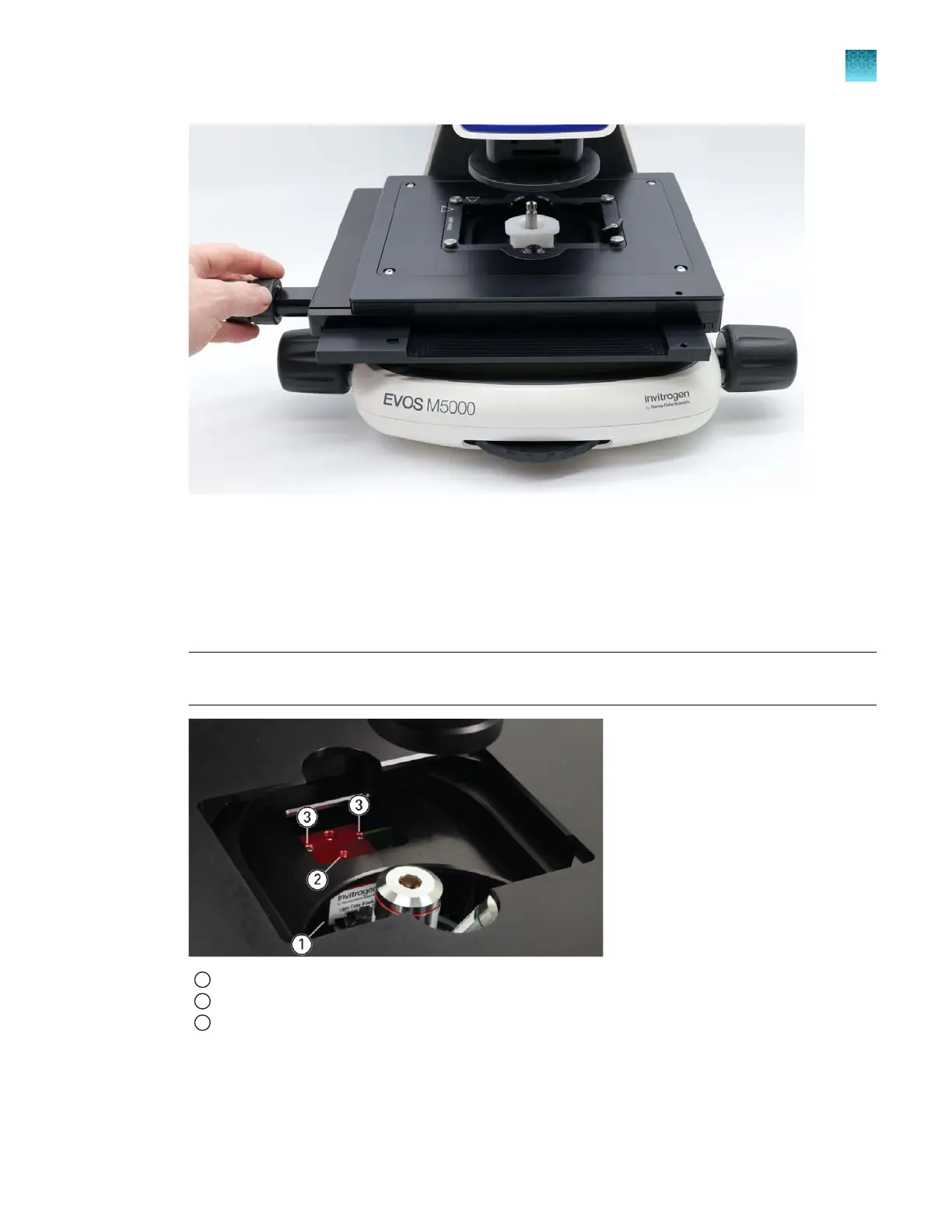
Figure2After removing the stage lock pin and moving the stage to access the shipping restraint.
3.
Unscrew and remove the light cube tool, which secures the shipping restraint block to the blank
light cube.
4.
Remove the shipping restraint block and store it in the accessories box. Removal of the restraint
block pr
ovides access to the blank light cube in the light cube turret.
Note:
The blank light cube is red and does not have the grooved copper top of the LED light
cubes.
1
Blank light cube
2
Thread hold
3
Screws
Chapter3Installation
Install the instrument
3
EVOS
™
M5000 Imaging System User Guide
19



 To Next Page