Calibrate objective magnification
1.
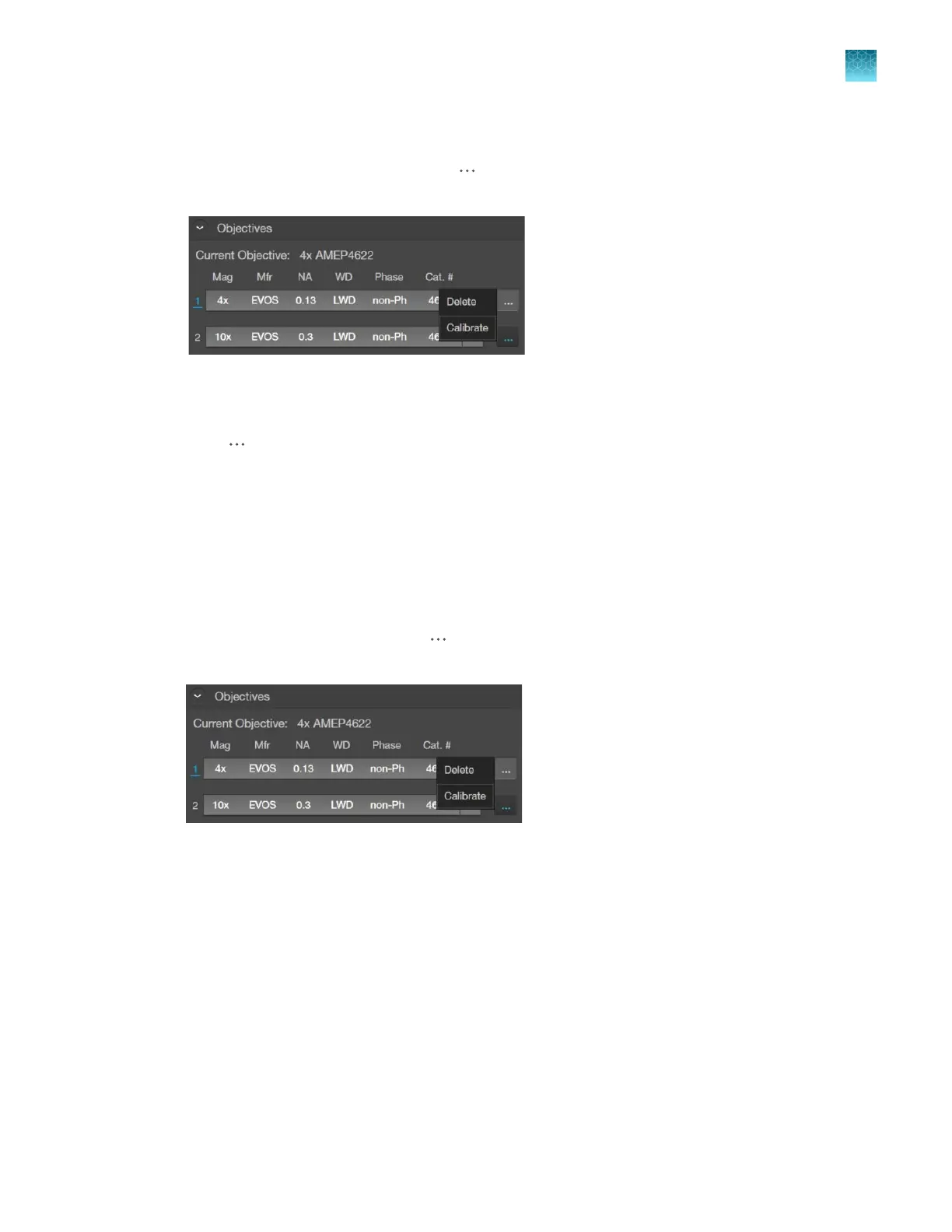
Go to the Settings4Objectives, click (Actions) next to the newly installed objective, then
select Calibrate to launch the Objective Calibration tool.
2.
Mount the EVOS
™
Calibration Slide in the 2-slide vessel holder (Cat. No. AMEP-VH001) and select
the objective you want t
o calibrate by rotating the objective turret to the active position.
3.
Click
(Actions)
next to the active objective to select Calibrate.
4.
Follow the onscreen instructions to calibrate the objective
magnification for the selected objective.
For more information, see “Calibrate the objectives” on page112.
Delete objectives
After removing an objective from the objective turret, unassign the objective from the corresponding
turret position.
•
Go to Settings4Objectives, click
(Actions)
next to the turret position from which you have
removed the objective, then select Delete.
Chapter11Configure instrument settings
Adjust objective settings
11
EVOS
™
M5000 Imaging System User Guide
99



 To Next Page