Note: You can also view and analyze captured images that are saved to your Connect account with the
EVOS
™
Image Analysis application.
For more information on the EVOS
™
Image Analysis application, see Appendix C, “System overview”.
Review images
Review images
1.
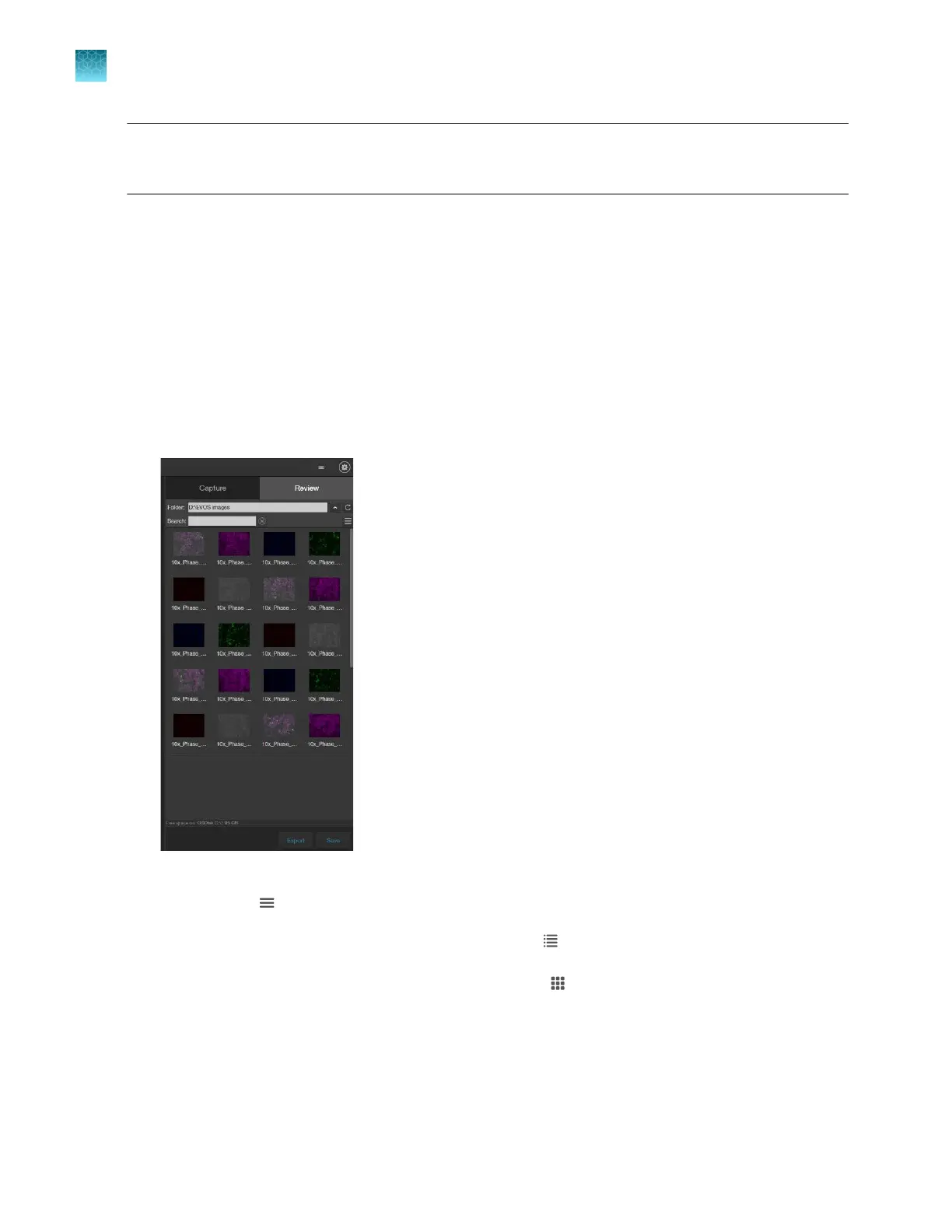
Click the Review tab.
2.
In the
Folders panel, navigate to the folder containing your saved images, then click to select it.
The folder/image preview area displays thumbnail images for all viewable files in the selected
directory (the top-level USB directory is selected by default). If there are no viewable files in the
directory, the preview area will be empty.
3.
To change the layout of the saved images or to sort the saved images by name, file type, or date
cr
eated, click
(Display Settings) to expand the
Display Settings controls.
4.
To display the folder/image preview in list format, click
(List view)
.
5.
To display the folder/image preview in grid format, click
(Grid view)
.
Chapter10Review and analyze saved images
Review images
10
86
EVOS
™
M5000 Imaging System User Guide



 To Next Page