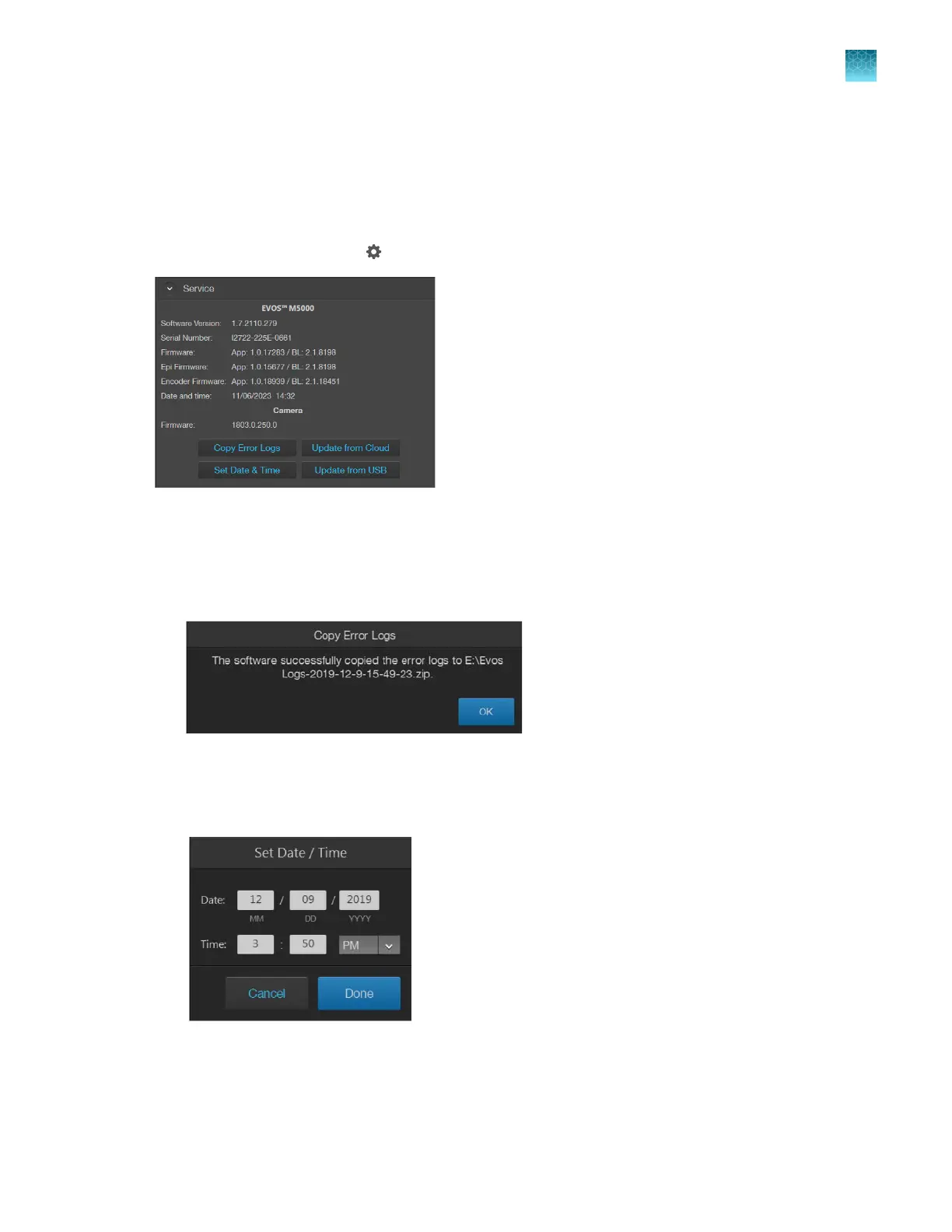
Service
The Service tab displays the current software and firmware versions of the system and allows you to
copy error logs, set date and time, and update software and firmware from the cloud or the USB flash
drive.
To view the Service tab, click (Settings), then select Service.
Copy error logs
•
On the
Service tab, click Copy Error Logs.
The instrument automatically saves a copy of the error logs in the previously mapped drive.
Set date and time
1.
On the
Service tab, click Set Date & Time.
2.
Enter the Date and
Time. For Time, select 24HR format or AM or PM for a 12-hour format.
3.
Click Done when finished.
Chapter11Configure instrument settings
Service
11
EVOS
™
M5000 Imaging System User Guide
105



 To Next Page