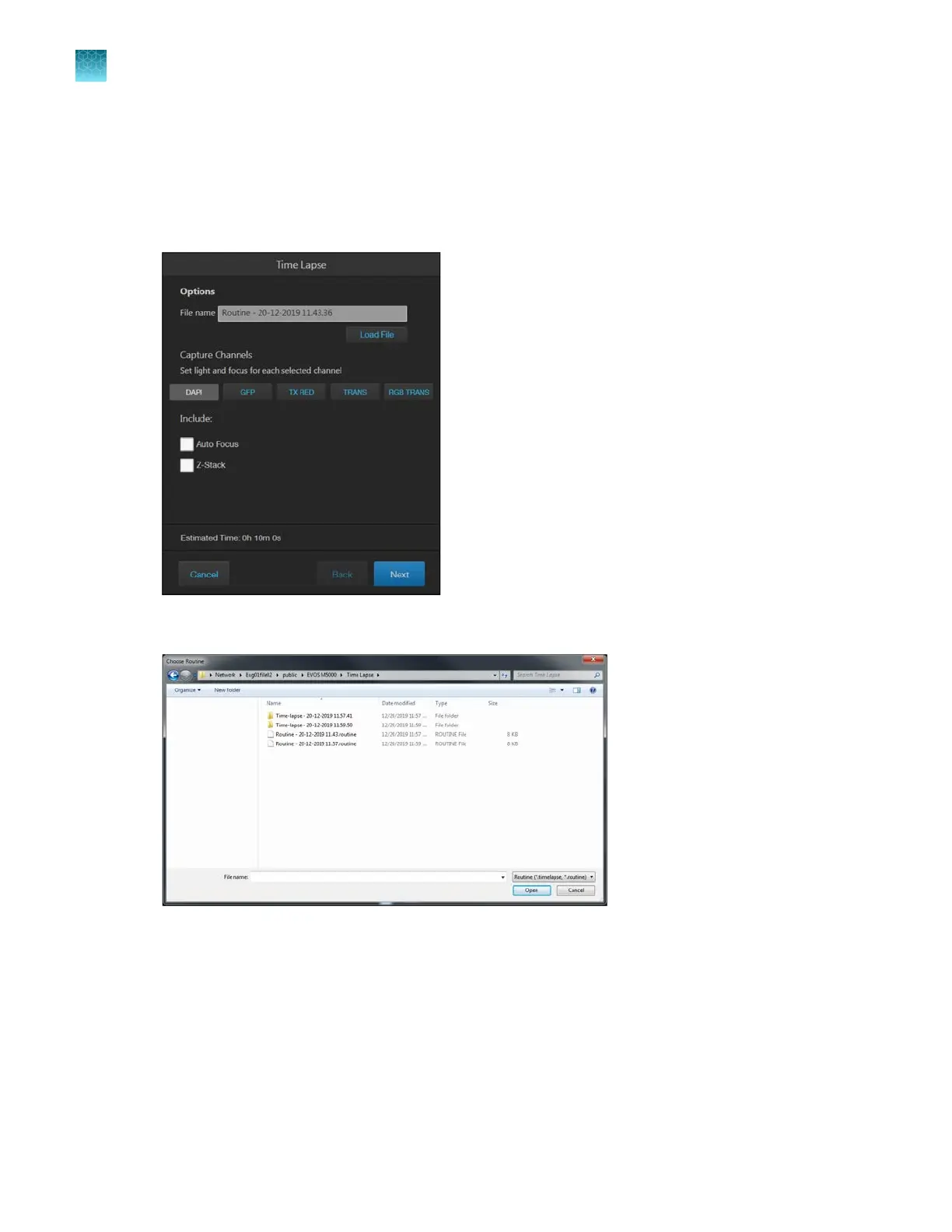
Run a saved time lapse routine
Each time you run a Time Lapse routine, the system saves the specifics of the routine, which you can
then recall and run with a new sample.
1.
On the Capture tab, click Automate, then select Time Lapse to open the Time Lapse tool.
2.
Click
Load File to open the Choose Routine dialog.
3.
Select the routine you want to run, then click Open.
4.
If needed, make changes to the routine as described for new routines.
5.
Click
Start to run the Time Lapse routine.
Chapter7Capture time lapse images
Run a time lapse routine
7
70
EVOS
™
M5000 Imaging System User Guide



 To Next Page