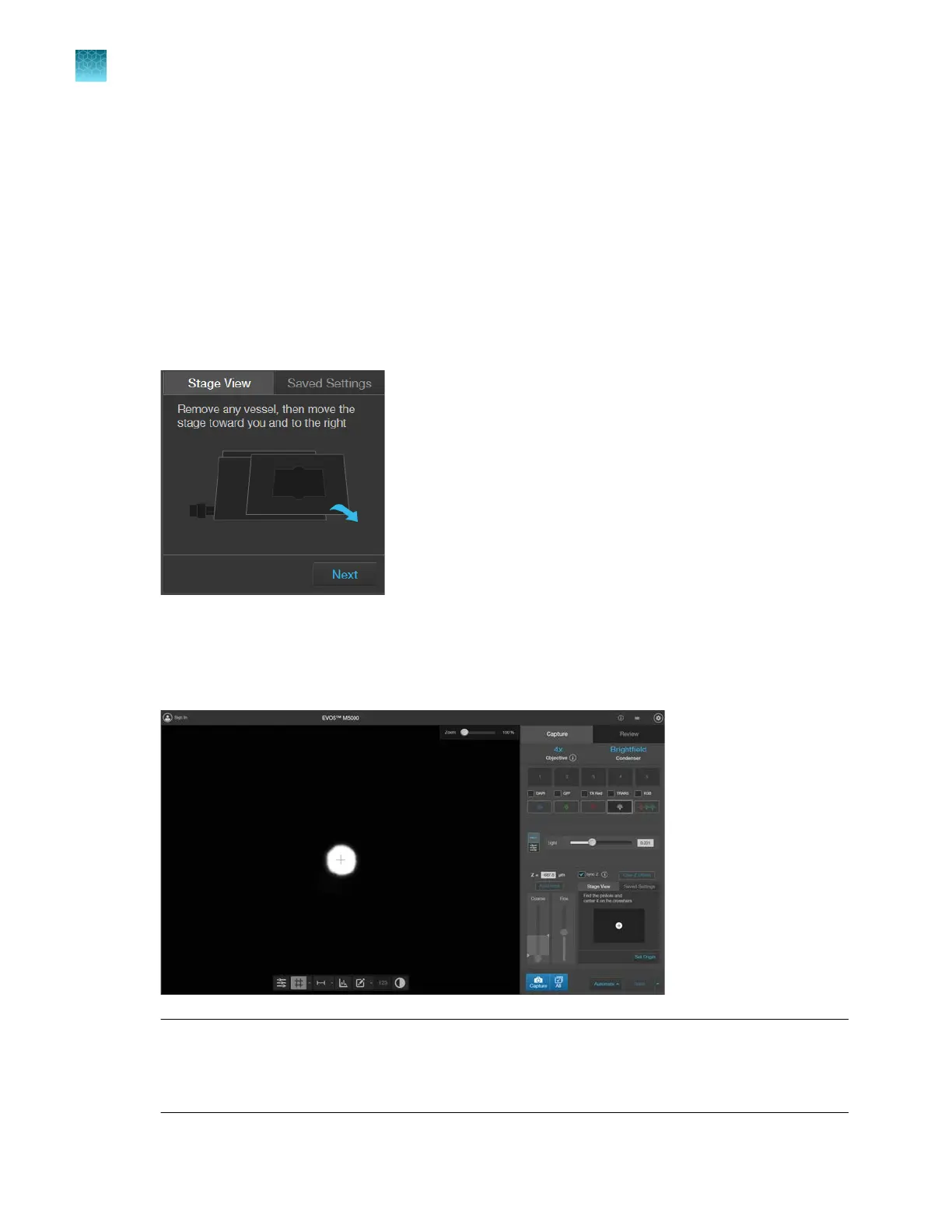
Set Stage Origin
1.
Select the Stage View tab.
2.
Switch to a low-power objective (2x, 4x, or 10x). This allows for easier locating of the calibration
pinhole and ensur
es enough space for the objective beneath the stage for movement.
3.
Click
Next. This turns on the transmitted light and moves the Coarse focus slider to the bottom.
4.
Remove any vessel on the stage and move the stage toward you and to the right using the stage
knobs.
5.
Click
Next. The center point appears.
6.
Find the pinhole (white circle in image view) and position the center point within the hole. Below
shows the scr
een view as the pinhole is lined up with the center point.
Note: When the objective is in position under the far left corner of the vessel holder only a small
r
otation of the X and Y control knobs is needed to find and center the pinhole. From this corner
position the X-axis (outer knob) is rotated approximately 5 mm toward you and the Y-axis (inner
knob) is rotated approximately 9 mm away from you to see the pinhole.
Chapter9Stage View
Set Stage Origin
9
78
EVOS
™
M5000 Imaging System User Guide



 To Next Page