Note: Optimize the brightness parameters as follows:
·
For brighter signal: Increase Light intensity for brighter illumination. If needed, follow by increasing
Gain.
·
For time-lapse imaging: Increase Gain and Exposure, decrease Light intensity to reduce
photobleaching and phototoxicity.
For example, for overnight time-lapse experiments, capture one image every 30 minutes or longer,
limit the use of autofocus, and use a channel other than DAPI for autofocus.
·
In the Settings4Display tab, select Highlight Saturated Pixels to display the overexposed pixels in
the color of your choice. To obtain the maximum level of brightness without any overexposed areas,
dim the illumination until the highlights disappear.
Focus on the sample
1.
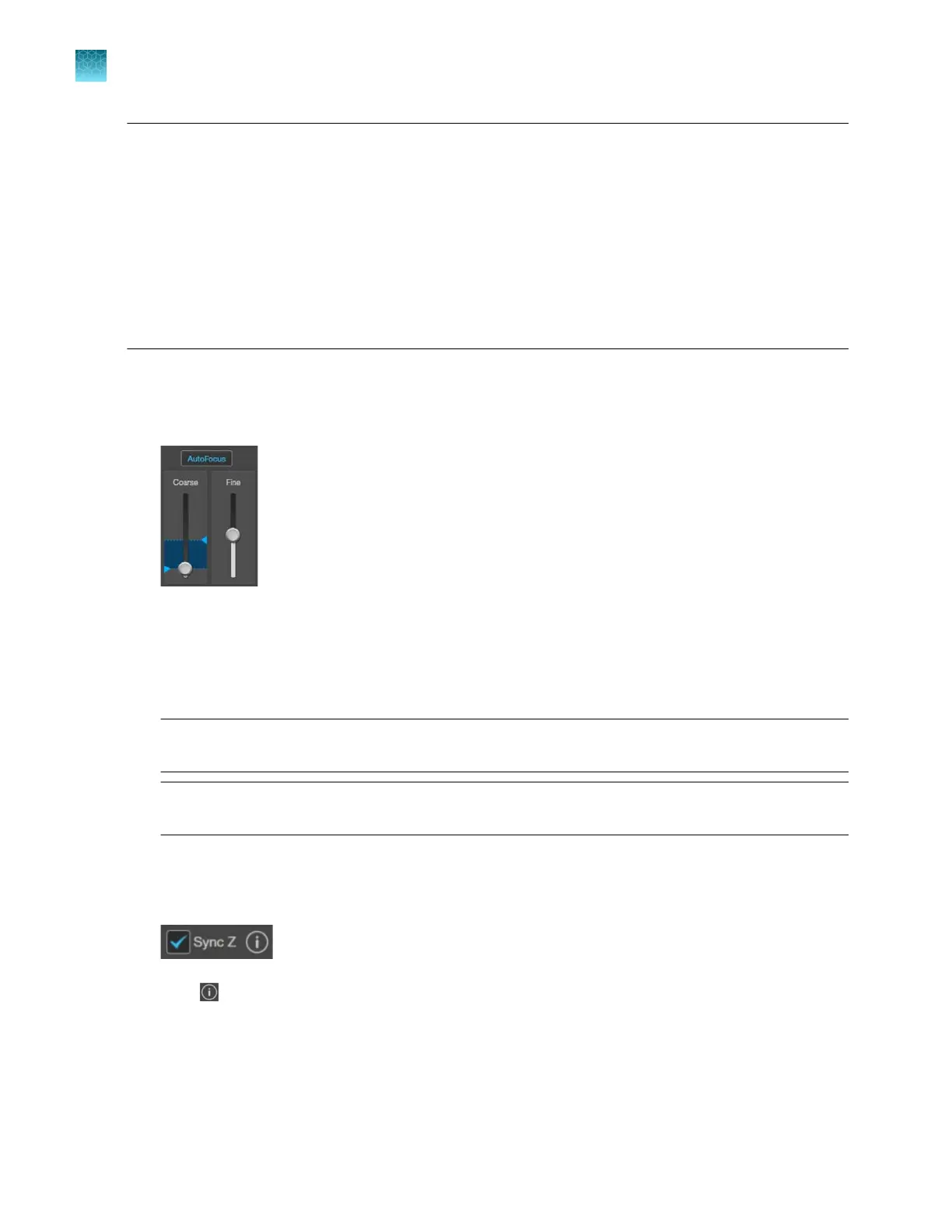
Use the Coarse and Fine focus sliders to focus on the sample.
Alternatively, click AutoFocus to autofocus on the sample.
2.
To limit the autofocus algorithm to a specific region along the Z-axis, use the Autofocus Maximum
and Autofocus Minimum
controls (blue triangles on the Coarse focus slider) to set the upper and
lower bounds.
Note:
You can also focus on the sample manually using the focusing knobs on the instrument
(
“Front view” on page13).
Note: Do NOT use autofocus with oil-immersion objectives, as this can create air bubbles in the
oil or cause the objective t
o collide with the sample.
3.
Repeat the focus procedure for each channel you want to capture.
4.
To preserve the Z-Osets between the channels, select Sync Z.
Click next to the
Sync Z selection as a reminder of how Sync Z aects the focusing.
•
When synched, focus adjusts for all channels.
•
When unsynched, focus only adjusts the selected channel.
Chapter4Capture images
Capture images in a single channel
4
30
EVOS
™
M5000 Imaging System User Guide



 To Next Page