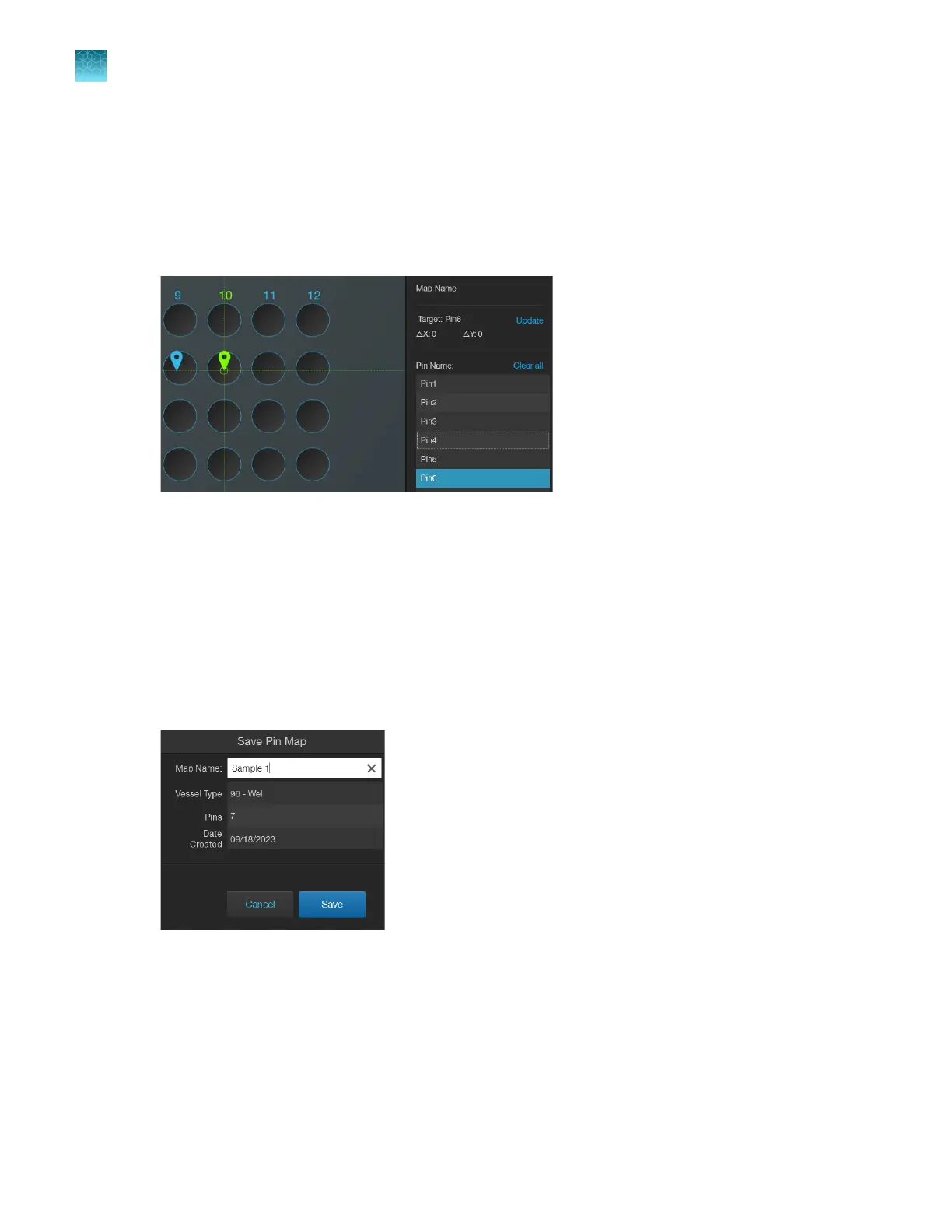
1.
Select a target by clicking on the desired pin or the pin name in the list. The pin will change color
from blue to amber and Target will update with the name of the selected pin.
2.
To
find the exact location of the current target (amber), move the stage using the knobs to move
the crosshairs. As the crosshairs move towards the target pin, the ΔX and ΔY values will change.
When the stage is close to the target pin, the crosshairs turn green.The pin is exactly located when
the values of ΔX and ΔY equal zero.
3.
Click
Done to close the Find Target screen, then turn on the illumination and check to verify that
the desired target is visible.
4.
(Optional)
Before closing Find Target, click Save to go to the Save Pin Map window. If needed,
enter a Map Name. Click Save.
The Save window also displays the following information:
•
Vessel Type
•
Number of Pins
•
Date Created
Chapter9Stage View
Find pins using the Find Target screen
9
82
EVOS
™
M5000 Imaging System User Guide



 To Next Page