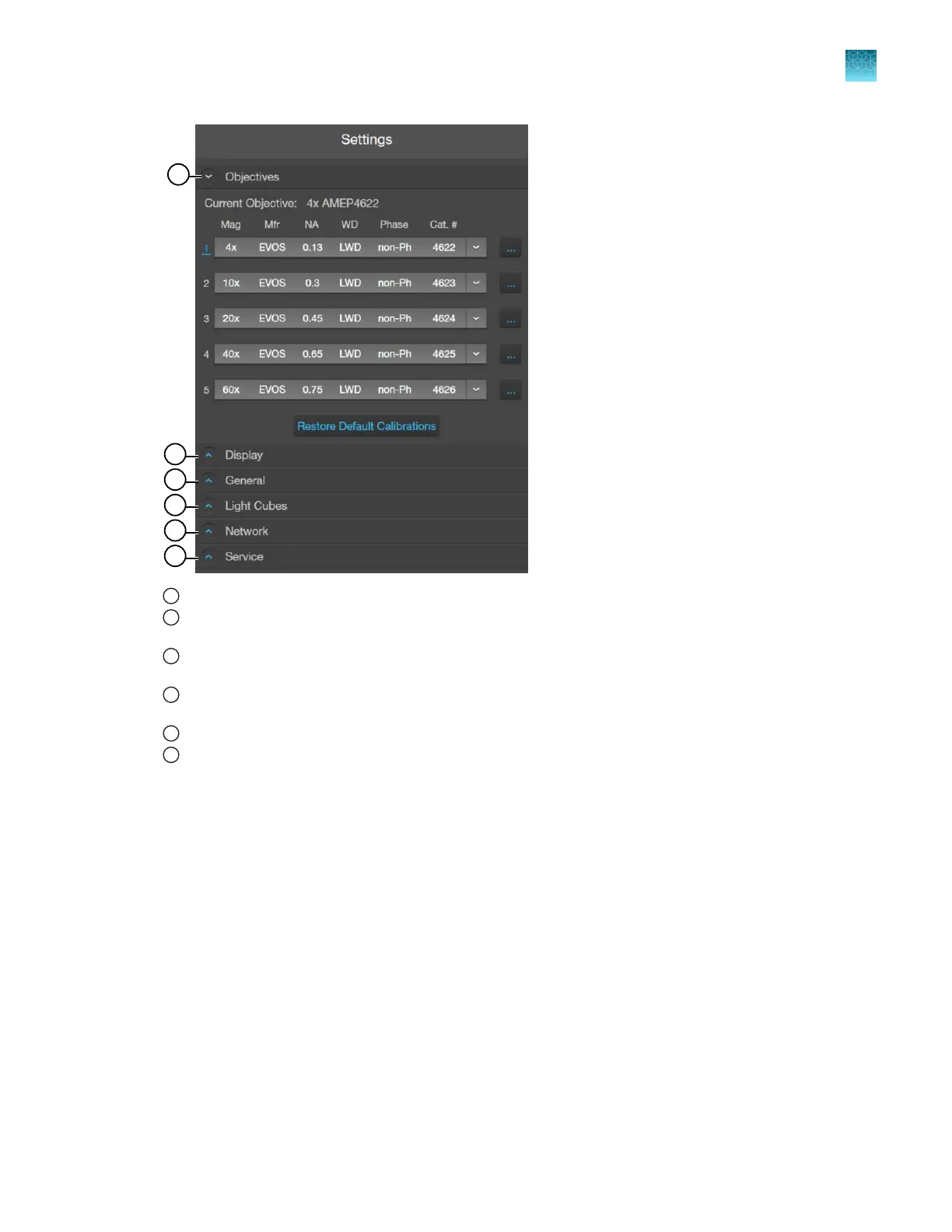
1
Objectives: Set up and calibrate objectives and assign objective profiles (“Adjust objective settings” on page98).
2
Display: Use White Balance Calibration and Hot Pixel Correction to adjust the white balance for the color camera
(“Calibrate white balance” on page100) and set saturated pixel options (“Set saturated pixel options” on page101).
3
General: Set general instrument options for focus wheel action, Capture All Channels, and Align Channels options
(“General settings” on page101).
4
Light Cubes: Add or remove EVOS
™
LED light cubes and assign pseudocolors for installed light cubes (“Change
EVOS
™
LED light cubes” on page109).
5
Network: Configure network settings (“Configure network settings” on page102).
6
Service
™
: Copy error logs, set date and time, and update software and firmware from the cloud or the USB flash
drive (“Service” on page105).
Chapter11Configure instrument settings
Overview
11
EVOS
™
M5000 Imaging System User Guide
97



 To Next Page