8 Volume bar: Displays the current volume and audio activity for a speaker channel.
9 Speaker solo icon: Enables you to turn on or turn off speaker solo mode for a speaker channel.
10 Volume slider: Tap and slide the bar to adjust the speaker channel volume.
11 Audio activity bar (graphic equalizer): The red bar rises and falls to indicate voice activity.
12 Mute/unmute icon: Press to mute or unmute a speaker channel.
13
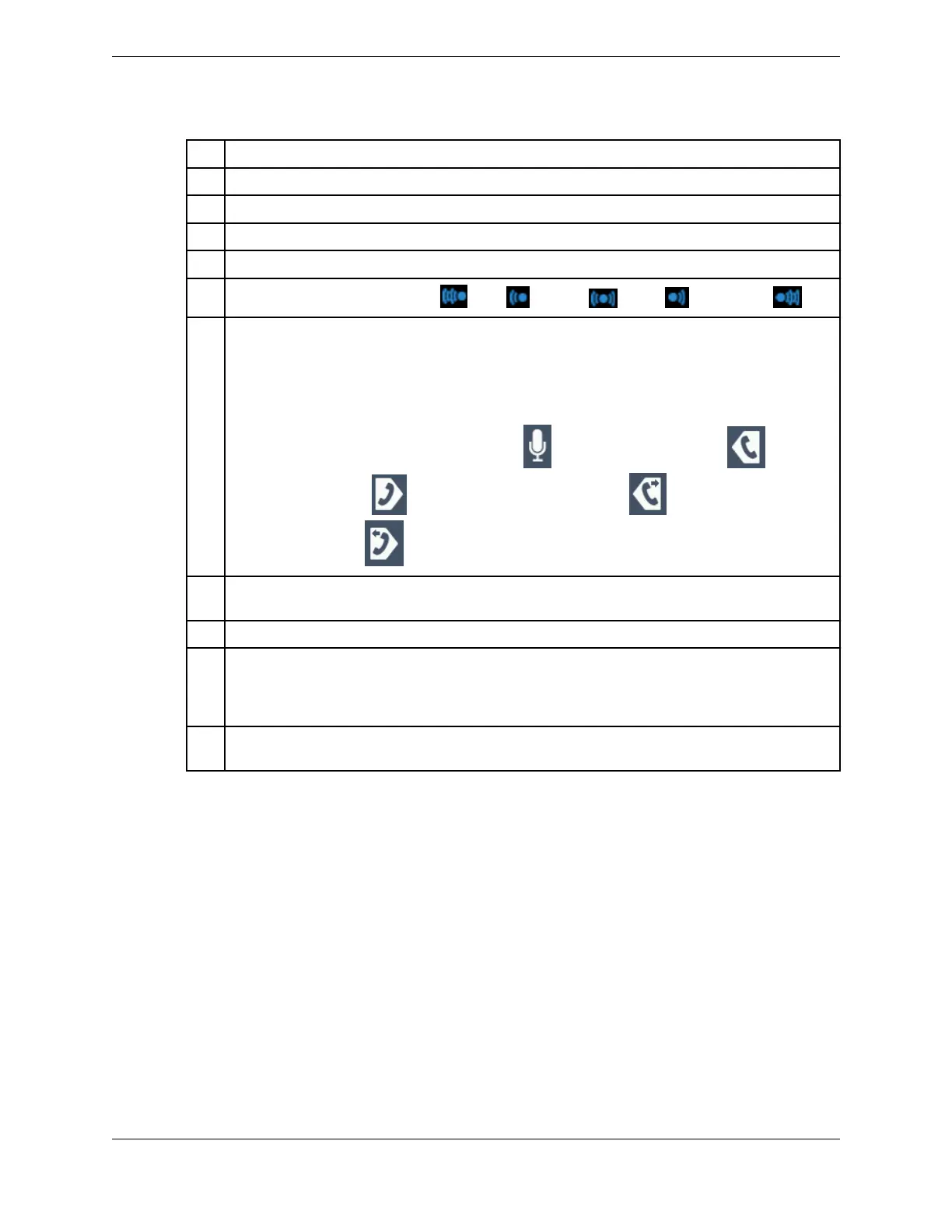
Spatial audio indicator: Far left ( ), left ( ), center ( ), right ( ), or far right ( ).
14 Push-to-Talk, Push-to-Latch, or Slide-to-Latch button and media device type: Press or slide
the button to speak on the speaker channel. The button behavior is determined by the channel's
Button Latch setting. If it is set for Push-to-Talk, tap and hold the button to speak, or slide the
button up to latch the channel. If it is set for Push-to-Latch, tap the button to latch it. Tap it again
to release the latch.
The media device type Indicates the device you can use to speak on, or speak and listen to, the
speaker channel. The options are microphone (
), left handset transmit only ( ), right
handset transmit only ( ), left handset transmit and receive ( ) and right handset
transmit and receive ( ).
15 Speaker groups: Indicate the speaker groups the speaker channel is assigned to. Groups with a
black background indicate the speaker group button that is currently selected.
16 Unassigned speaker channel. Tap the channel to assign a line.
17 Speaker group buttons: Use to speak to all speaker channels in the associated speaker group.
Speaker groups that have at least one speaker channel assigned to the group are shown in white;
groups with no speaker channels are gray. The button behavior is based on the Latch Group
Talkback setting, which is either Push-to-Talk or Push-to-Latch.
18 Inactivity indicator: When audio on a speaker stops, a red line at the bottom of the volume bar
moves from right to left to show the last six seconds of inactivity since the audio stopped.
10.2 Speaker channel states
A speaker channel can have one of the following states:
•
Unassigned (empty) default
•
Unassigned pressed
•
Assigned on, low volume intensity
•
Assigned on, high volume intensity
•
Assigned off
When a speaker channel is on, it can have one of these additional states:
•
Lamped (selected): in use, in talk back
•
Lamped (selected): in use, in talk back, and also part of selected speaker group
10.2: Speaker channel states 129
IPC Proprietary Unigy 4.3
IQ/MAX TOUCH Turret User Guide



 To Next Page