•
It generates a re-order (fast busy) tone if there is an error condition.
•
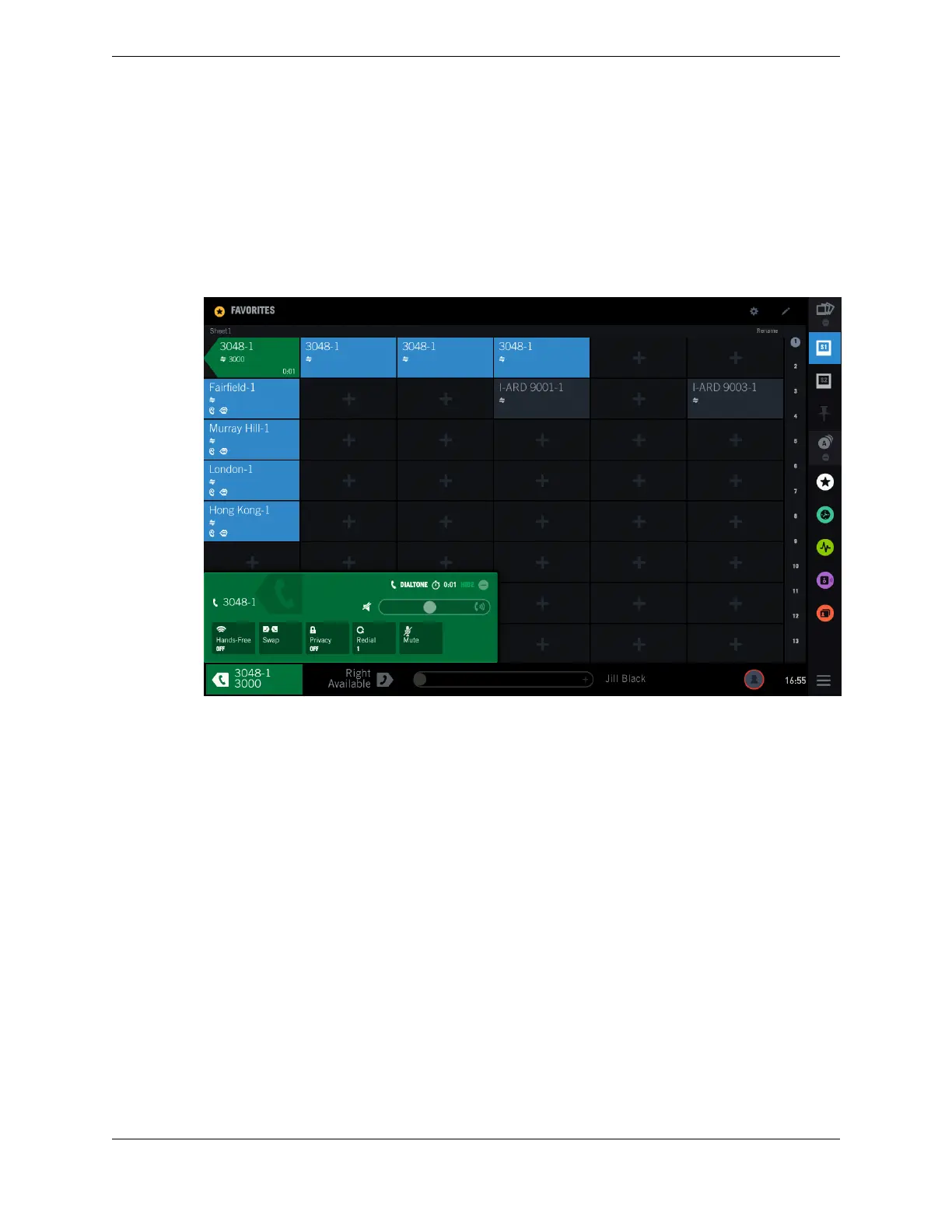
It goes off-hook and the call is answered. The Contextual Call Display turns green and displays
call-specific information and options. Adjust settings in the Contextual Call Display for volume,
privacy, and muting as needed.
The following illustrates the display in Favorites after a dial tone call is placed from extension 3048
to extension 3000.
Figure 51: Making a dial tone call
8.6 Private line
8.6.1 Make a private line call
Make a call over a private, dedicated line.
Private lines provide communication with a predefined end point without dialing numbers. They are
dedicated lines that are not switched and are not part of a shared domain in a public carrier network.
There are two types of private lines: Automatic Ring Down (ARD) and Manual Ring Down (MRD).
ARD automatically generates ringing to the far end at the same moment the button on the calling side
turret is pressed. MRDs provide a continuous full duplex communication path with the far end. On an
MRD line, the caller presses the Signal button to provide an audible or visual indication of the desire to
communicate with the far end.
1. Select an idle side for the call by tapping the left handset status area or the right handset status area in
the footer of the touch screen.
The Contextual Call Display opens.
2. Select the button for a specific private line from the Favorites application.
•
Automatic ringdown private lines establish the call automatically; the distant end is alerted to the
incoming call.
8.6: Private line 99
IPC Proprietary Unigy 4.3
IQ/MAX TOUCH Turret User Guide



 To Next Page