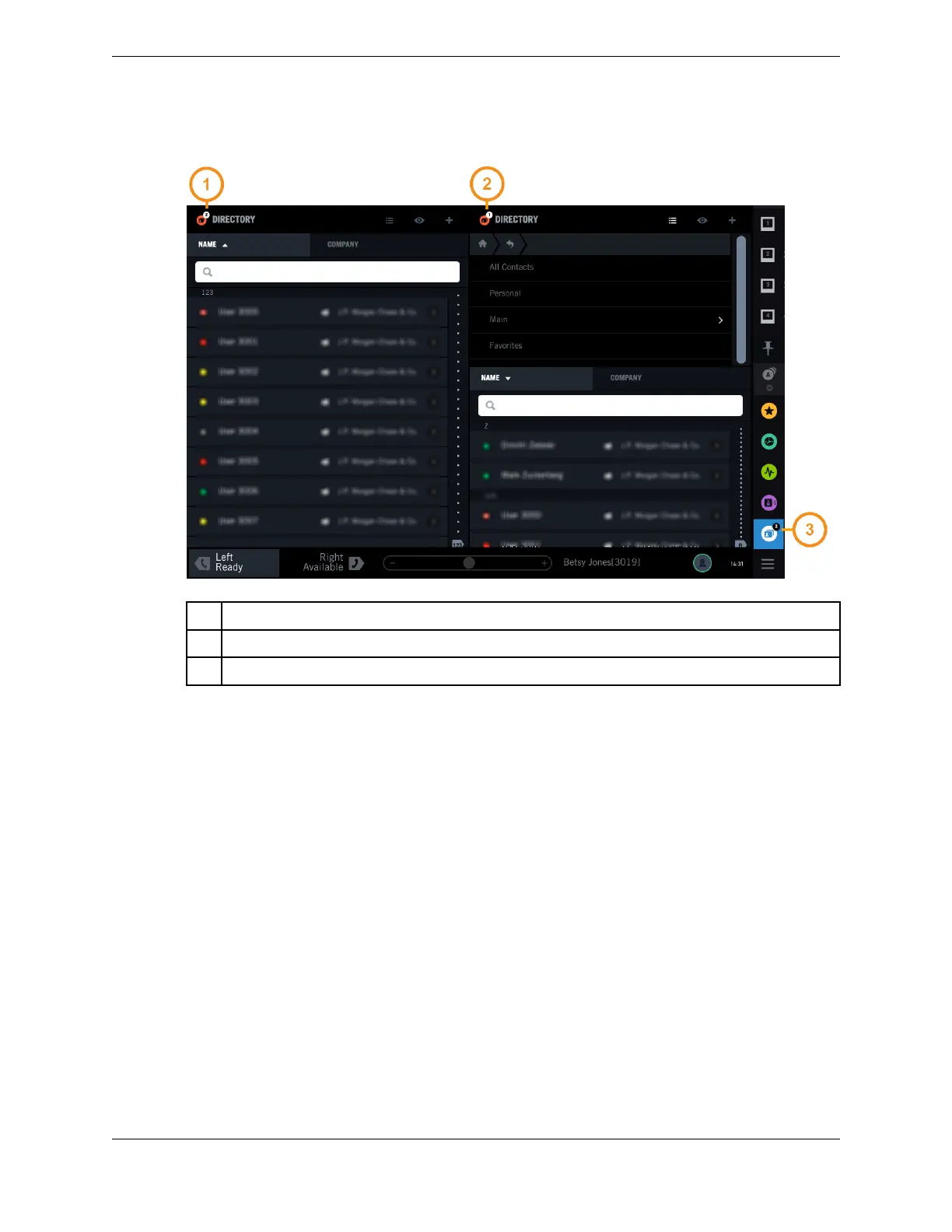
Figure 25: Application copies (clones)
1 Clone number indicator (second copy)
2 Clone number indicator (first copy)
3 The number of copies of the application that are running
3.7 Change the order of items in the Navbar
You can change the order in which application items and snapshot items appear in the Navbar.
Long press an item in the Navbar, then drag and drop the item to a new position in the Navbar. The
changes you make persist through logout and device reboot.
For an illustration of the Navbar, see Navigation bar area on page 22.
3.8 Presence
The Presence feature provides visual information about a user’s availability. For example, if a contact is
busy on another call, an icon indicates that the user’s line is busy.
A presence status icon showing a contact’s current availability is displayed next to the contact’s name in
the Directory. Presence information is only shown and available for contacts who are in the Unigy
system site directory.
40 3.7: Change the order of items in the Navbar
August 26, 2019 IPC Proprietary



 To Next Page